Server Version#: 1.40.3.8555-fef15d30c
Player Version#: 4.129.1
Plex Media Server loads on start-up (it appears in the Start-Up tray) but when opening (right click, “Open Plex”), it now loads the Web Player.
The web player is the user and admin interface of your Plex Media Server.
If it’s no longer showing the content of your server… can you verify you’re using the same Plex account that’s linked to your server? If you recently reset your account password and opted to sign-out from all devices, this should also sign out your Plex Media Server (requiring it to vbe reclaimed).
I’ve logged out of all devices and relogged in, multiple times. Perhaps I have a friend who is logged in? On my device list, the server is showing as last used 3 weeks or so ago. I only have one Plex account.
What is interesting as well is that Plex asked me to update with a small standalone “window” during one of my attempts to connect.
Sadly, I have an 8500+ library of videos. Is there some way to “reclaim” my server? Perhaps in Windows Registry?
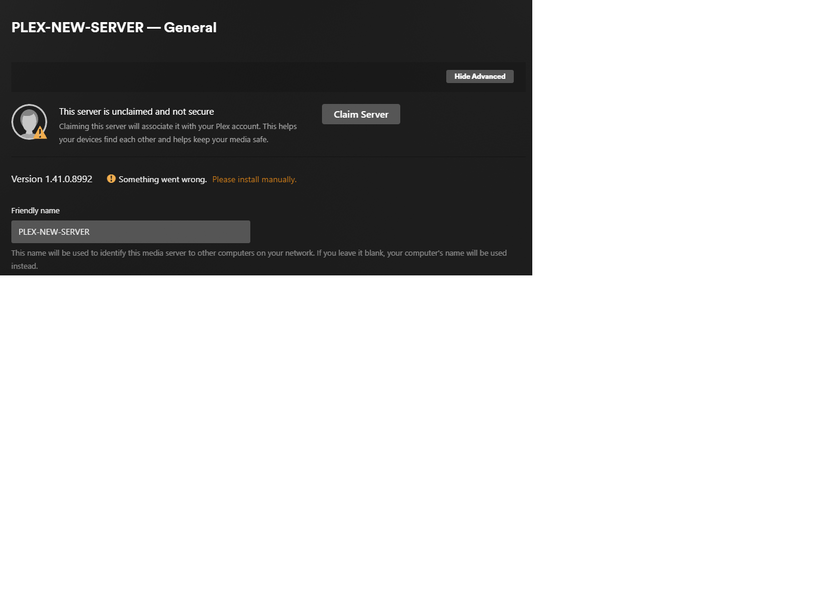

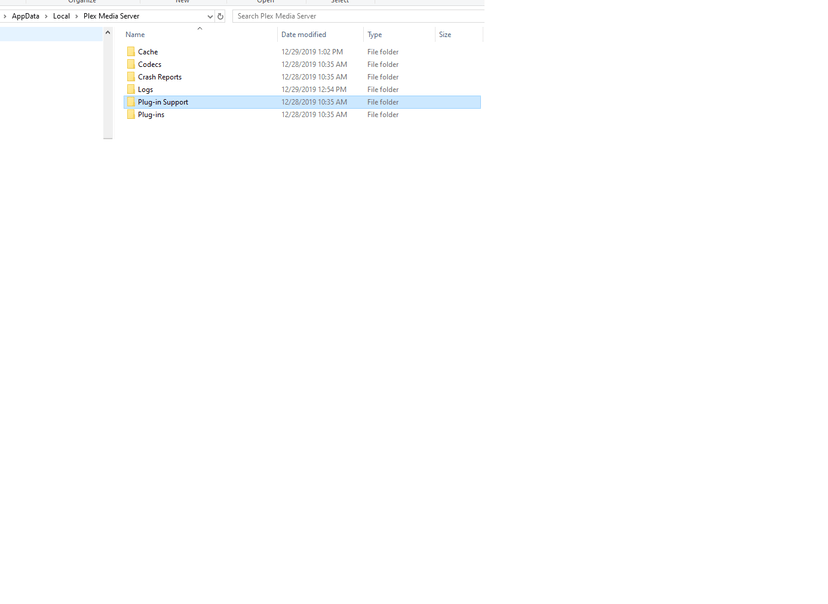
Look at the file and folder dates. You are most likely in the wrong folder.
Is it possible that you have moved the plex data folder to a different location?
If you did, you must look in there.


