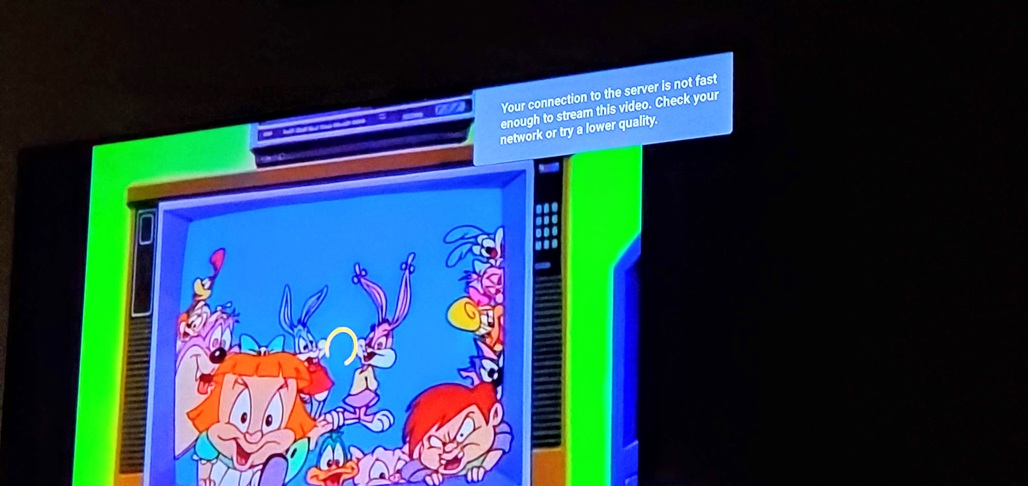
Using an Nvidia Shield hardwired to my router, and a (hardwired) Windows 10 desktop machine with 20 G RAM a 1 TB SSD drive an all updates, I’ve started to receiving notification that my connection to the server is not fast enough. Mind you, I am on the same network, both devices are connected to it using an Ethernet cable AND the file size does not seem to matter.
Whatever is causing this issue has made Plex utterly useless. Why, with a 200/200 Mbit internet connection (outside world) where Plex works OK, can’t I play my files locally, between 2 machines that are connected with Ehternet through the same router? Also, keep in mind that it is 5 AM and I am trying to play Bugs Bunny, also with Direct Play and plex is buffering after every 3 -4 seconds of playback then buffers for 10 seconds.
@BigWheel, I have tried to increase the stream rates so that I can play original quality while on the same network, I have reduced the streamrate for playing locally but nothing is helping. WHY can’t Plex play local files directly, at the highest quality, without needing to go through Plex and slow down?
Server Version#: 4.99.2 (Windows)
Player Version#: 9.14.0.37895
I’ve seen this topic a few times, here is the most recent from last June: "Connection to server not fast enough" despite direct play and very fast upload and download speeds - #5 by arimorcos

Plex Media Server.log (5.3 MB)
ShieldPlayerLog_tinytoons.log (4.2 MB)
