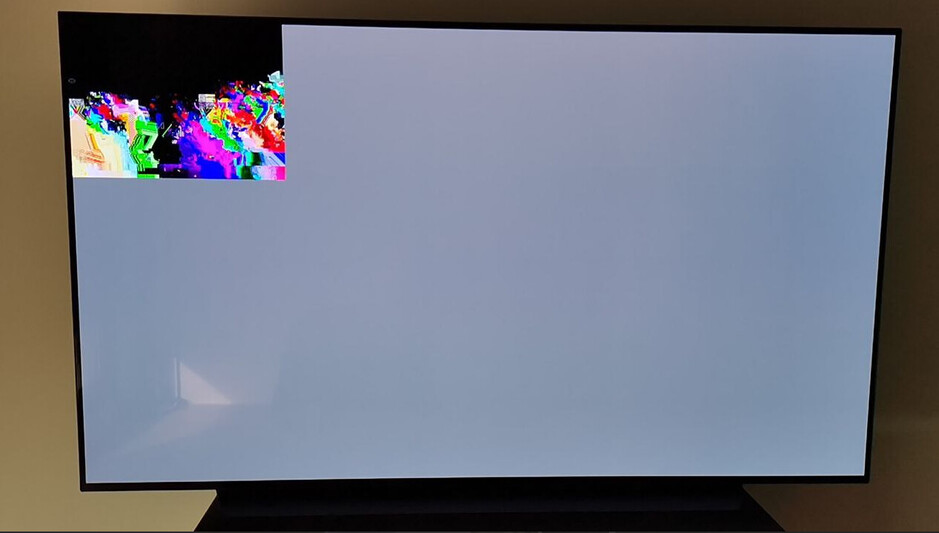
My new LG CX TV which has Plex app built in it, is having an issue when trying to display 4K content under DTS. Since the TV is not compatible with DTS, Plex media server transcodes it into ACS, but then the image breaks:
Having the the exact same problem. Only getting distorted images when I’m transcoding audio. If I’m selecting a AC3 audio stream, image is fine again. I can provide logs if needed.
Beginning with Plex Media Server version 1.1.0 and newer, it is simple to quickly gather your server logs.
Go to Settings > Manage > Troubleshooting in Plex Web App
Click the Download Logs button
Save the resulting zip file
You can now share the zip file to help investigate an issue you’re experiencing (for instance, by attaching the zip file to a forum post you make about the issue).
I am having the same issues. When audio transcoding, video in 4k HDR direct playing, my lg CX displays the same artefacts as OP’s image. No subtitles enabled. No Shield, utilizing the WebOS Plex app streaming from my powerful Desktop PC (5600x + 3070).
Sometimes, only parts of a movie display this issue, the beginning of Interstellar for example works fine, then the artefacts appear for about 10-20 min, disappear, then appear again later in the movie, in set and reproductible timestamps.
If I choose AC3 for the video files displaying this issue (Interstellar and Solo: A Star Wars Adventure) the video displays correctly. AC3 is not always an option, because for some files the AC3 track contains audio description, which can be extremely annoying.
Hi! Having the same problem! When selecting DTS audio image breaks! Server is running under Windows 10, i7 8700, RTX3080Ti. Client is LG CX App. Are you planning to fix this? Or your app is unable to play DTS movies? (what is the point of it then?)