Look forward to seeing the change log
It does not matter if you like Samsung or not. There are much customers out there using Samsung devices and in case you want hold them as customer you should fix this bugs.
Otherwise they will switch the system.
I love Plex and I can really understand that developing for different devices is complicate but telling us we don’t interest in something is not the correct way!
Looking forward for a fix.
Hello,
is it possible to install the old version?
My family does not like the new UI, the old one was better and more user friendly.
Thank you.
Best regards.
Andrea
Would it be possible to sideload that release in the mean time? 
There is a new version out and my problems on Tizen 2016 seem fixed. I’ll know more after I’ll play several full movies but so far the tests are all good.
Yes.
As far as I’m concerned, this thread can now be closed.
Thanks you Plex Team!
The actual release is nearly fine!
Thank you very much for the fix!
Playing videos works now for most files.
I still have problems when playing DTS-HD MA 7.1 Audio with subtitles (enforced and normal)
An error pops up!!
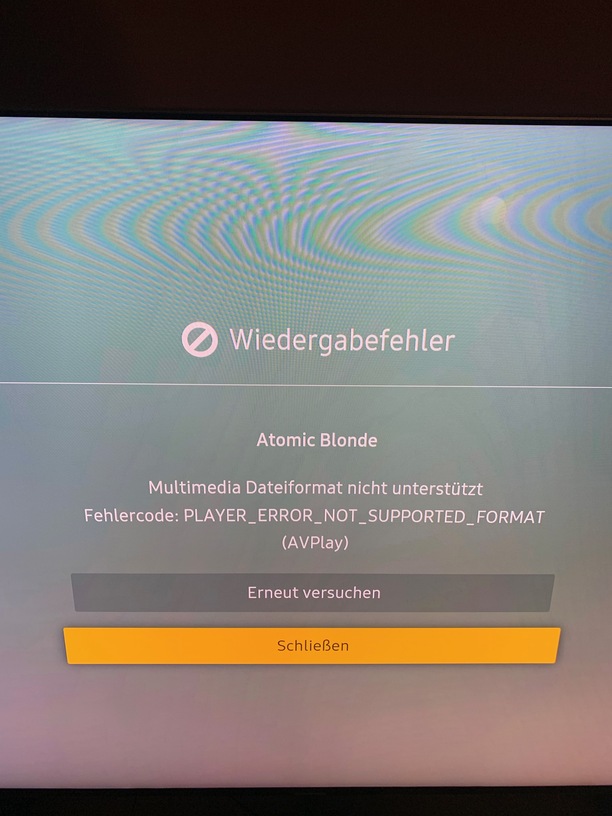
Oh dear, oh dear, oh dear.
I haven’t been on these forums for a few months now, hoping that when I came back, things would ALL be resolved with Samsung Tizen and Plex… but it seems not.
I’ve just opened 4 tabs in Chrome all with problems reported.
Just to be clear, I LOVE Plex and have a Lifetime Pass.
I don’t like it when things aren’t tested properly.
I have turned OFF all auto updates to my Samsung TV and it’s apps.
I am still running Plex 3.3.4 and it works every, single, time.
Why should I change?
It’s a bit like the Android app really… I’ve got a rooted Pixel with Titatanium backup and the ability to remove Plex from the Android Market so am on version 5… and you know what?
It works.
Ho hum.
See you in 3 months.
Paully
Unfortunately not solved for me. I can play videos now on the version released March 14th, but the navigation is still pretty busted. The menus are not showing any images and half the time I;m having to guess how to navigate. Once playing a video, it’s all ok.
Exactly the same for me… Black menus , slow navigation…
With updated server and updated client…
1 Like
Did you try deinstalling the app completely and installing it new from the store?
This kind of sounds like one of these issues where some data / save data is not how it´s supposed to be and could be solved by a clean install.
My Samsung UN55KU7000FXZA TV was working fine once 3.84.3 was released and sure enough Plex has now released 3.90.2 and the TV is back to the black screen and lines of code. How many times are Plex users going to have to go through this. There must be some type of regression in the code. I assume I’m going to have to wait for another release to fix this?
Delete the app, then reinstall it clean.
Thanks. That seems to have fixed it. I need to find a way to stop the auto-update of the apps.
I have re installed the plex media server. But I can’t do it for the samsung app : app originally preinstalled and it could not be removed…
On my Samsung I can only click reinstall as it is a default app.
The version shows correctly as the new version but even then it is still not showing images etc.
OK problem fixed. I had to reinitialize SMART HUB to force reinstall of plex app.
This is still an ongoing issue. I’m now unable to use Plex on my Samsung tv.
Reinitialize SMART HUB to force reinstall of plex app
1 Like
How can i get older version for my Samsung 2016 tv? Other tv i have has version 3.3.4 and is working perfect. Please, i want that version.
