Is there a shortcut or trick to have in the preferences the option to default to “Library” view instead of this “Recommended” section that occasionally creeps in and doesn’t allow me to access the content because the selection becomes impossible?
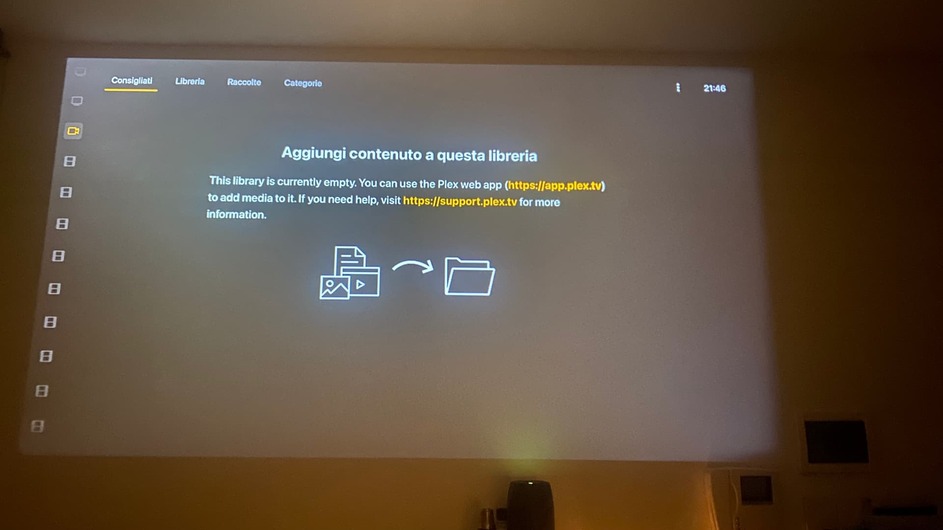
I’m not sure what exactly you’re seeing here. Is this page empty by mistake or did you disable all recommendations for this library?
You can configure the Plex client to remember the previous selection when entering a library… this way, Plex will return directly to Library if that’s where you left off.
Settings > User Experience > Remember Selected Tab
Hi Tom, thanks for the feedback. In fact, I had actually removed all the recommendations for all the libraries, precisely in an attempt to remedy this boring issue: often, on a monthly basis, the views of plex reset themselves, returning to show even what I didn’t assign the Pin to. TV and Show, Tidal and other libraries suddenly appear and each “Library” reverts to “Recommended”.
The option you report, Settings > User Experience > Remember Selected Tab, is selected as active both in the Web version using Plex with the Browser, and in the Apple TV, but the problem remains.

To try to understand the nature of the problem I also tried to reinstall the server from scratch on a Synology (before I was on FreeBSD TrueNAS), with all that this involves reinstallation and metadata recovery.
Unfortunately I see that the situation is not resolved. Now it has become even worse, having removed the recommendations for all libraries. Now when you reset it’s even impossible to select “Library” because the cursor doesn’t really go into the library, it just scrolls in the “Pinned” sections on the left.
How frustrating. I’m thinking about throwing my Lifetime PlexPass in the bin and switching to another service for my libraries.
I was hoping as a last resort in this “Feature Requests” to be able to get at least one option that definitively allows me to keep the libraries selected and not the recommendations (which I find at least useless in MY libraries since I know very well how they must work).
Sorry, I’ve never seen this behavior myself.
I’m rarely using the recommendations but I’ve kept them pretty much enabled as they are out-of-the-box. When navigating through the apps, Plex will directly jump to the last selected tab – that’s usually the Library or occasionally Collections for me. So I’ve never really had a situation where I felt like the Recommendation section really got in the way (nor do I see it all that often).
Thanks for your testimony, it’s comforting to know that this frenzy is not a bug or a feature.
In fact I also use Libraries in the same way by displaying them by default, occasionally in Collection.
I can not understand why this thing only affects me, moreover, despite having changed servers.
At this point I doubt that it is a problem due to the localization in language …
Does the issue persist if you don’t remove all recommended hubs from that library?
Yep, same problem leaving the default in all libraries.
I wrote about this a few weeks ago when I was still on FreeBSD.
The fact is that I have been using Plex for several years, since 2014, but this thing has only started recently, since the Reccomended ones came out
Do you only experience this issue on the Apple TV or across different clients?
Depending on that, either the client or server logs might contain some pointers on what’s going wrong / causing this issue.
Hi Tom. I’ve encountered this problem on the only two types of clients I use: the web browser and the Apple TV.
The reset does not always occur simultaneously. The Apple TV usually exhibits the problem several hours or days later than the browser.
I also have the client installed on my iPhone even though I’ve never actually used it. As soon as I open it, I only see one library: Nuovi, which is effectively the one pinned in the server settings, a sign that it has also been reset here.
Also here in the phone the selected views are always the recommendations, even though I always use only the Library and even though the “Remember selected tab” option is checked here as well. Now I should set all the libraries with the pin and wait for the next reset to see what happens specifically on the 3 clients.
So it is logical to think that the account settings are indifferent, or at least, even if Plex carries them with you at the username level, in any case, for the library views, only a client/server dialogue is valid.
The biggest problem remains with the Apple TV. Here with the remote it is not possible to navigate to the “Library” item of each library, because I have unchecked each option in the recommendations. I’m afraid now changing this setting resets all my clients again.
The ultimate solution would be a server-side option that applies on clients and accounts: Select preferred views > Recommendations / Library / Collections / Albums / Playlists / etc.
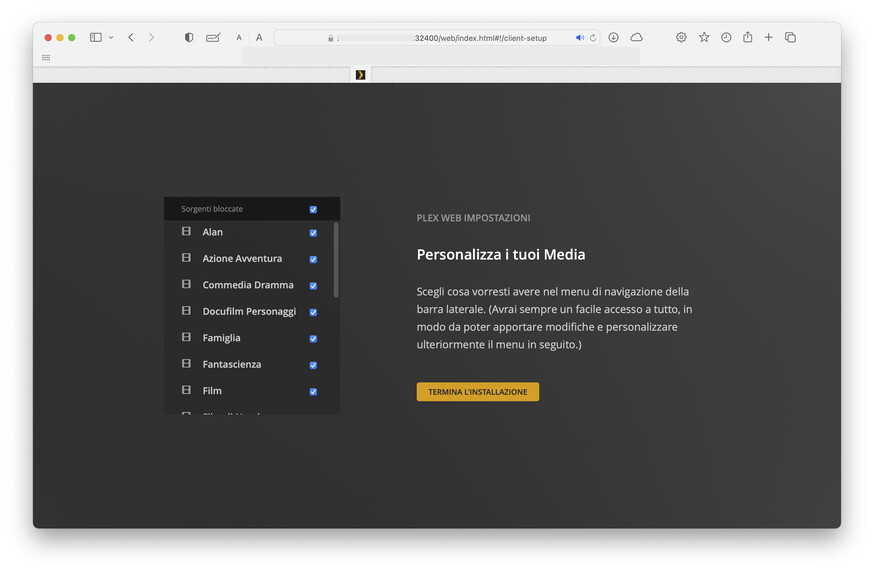

When this happens in your browser, the most likely culprit is a browser option (or add-on) that’ll block Plex from storing customization information in that session (or delete any stored information).
Please review your browser settings for any configurations that’ll mess with that kind of cookies – if possible, disable those. If you’re using some 3rd party add-on/extension, check if you can configure an exception for the Plex web client.
I’ve searched into browser preferences. I’ve no extensions. Cookies enabled for Plex, idem privileges and privacy too. No recently browser update. Only a restart of the server and client machine. This appear sturdy for me. Thanks for your precious contribute to understand nature of here problem
If you’re using Plex Web on different devices and have Settings Sync enabled, it’ll be enough for one of those clients to kick-out the Plex session (Settings > Plex Web > General → Turn On Settings Sync).


Having the same issue on Apple TV. There was an update they pushed to the client at some point and it reset all my pinned libraries, as well as all my library view settings.
I turn off recommendations because I don’t need that nonsense wasting space on screen. Also I know what’s in my libraries, why do I need recommendations? I digress.
But I select library and change filter to Unwatched so I can go through series in an easy and convenient manner. But because recommendations is empty, it doesn’t let me select library by pressing right one more time. Or up and right. Or literally anything. Super frustrating.
One workaround I found that’s still a huge pain in the ass is to reorder the library to the top of the list, then move up to Search, then I can move up and over to select Library.
Pls fix and stop messing with stuff that resets my settings.
Very thank for the tip of reorder on top
Again! Last days on browser, now one more time on Apple TV.
All the views are reset to Reccomended
Impossible to navigate into libraries
Although I had removed the PIN in the Watches, Tidal & co, now they are here again
It’s enough I’m tired, I’ll find another solution that is not Plex (I will try Emby on Apple TV) because seem the problem was globally around the world: Reddit - Dive into anything
