Server Version#: Version 4.108.0
Player Version#:
Been a Plex Pass Holder for years, never had this problem until a few weeks ago. I don’t usually try to access Plex away from home but semi-regularly use Plex on one of several Android devices while connected to my Home Wi-Fi. Server is online and able to be accessed by Rokus (both wired and Wi-Fi) and Laptop. My android devices recognize my Plex account and folders on my server, but each folder shows a yellow triangle with the ‘currently unavailable’ label. Again, been accessing these devices for several years with no specific settings to tweak. Also again, this is on my Home Wi-Fi with all devices connected to the same home network. Are there any server settings that may have changed?
What is the secure connections set to on your server and what is “allow insecure connections” set to on your android mobile device?
Thanks for the response. My Plex server Secure connections is set to Preferred. I honestly have no idea where I would edit any kind of ‘allow insecure connections’ setting on my android mobile device.
If you meant ‘Allow insecure connections’ on the Plex app on my android mobile device, it’s set to never.
Set it to at least “while on the same network”.
thanks, setting changed… now what?
Restart the app and try again to access a local server.
I restarted the app, still getting Error Loading Content
If you use the app only rarely, is it possible that you still have very old media sources pinned to the side bar (maybe from an earlier server instance)?
Could you put the side bar into the “More…” mode and look for more servers and their libraries?
Makes sense… In ‘More’ mode, I don’t see the option to look for more servers and their libraries.
I DO, however, see MY account, and says that my server is offline. But I’m typing this on the very computer that houses my Plex server, and it IS online. I can access the server via Roku right now…
Try to log out of your mobile app and back in again.
Another thing to try is to switch the DNS server on your router.
Some usable DNS server adresses are mentioned in here: Plex Streams Mangled on COX [ SOLVED ]
Logging out and logging back in on my mobile device didnt change anything.
I logged onto my router settings, and have NO IDEA what DNS server means… 
A DNS server is looking up a domain name like google.com and finds out which IP address it is connected to.
Each router has at least one of these in its settings. By default they are pointing to DNS servers operated by your internet provider. Some ISPs are either very restrictive or slow to update their own DNS servers, so they will deliver either wrong or no results if they are queried for the IP of your own Plex server.
That’s why using a different DNS server can improve things for some users.
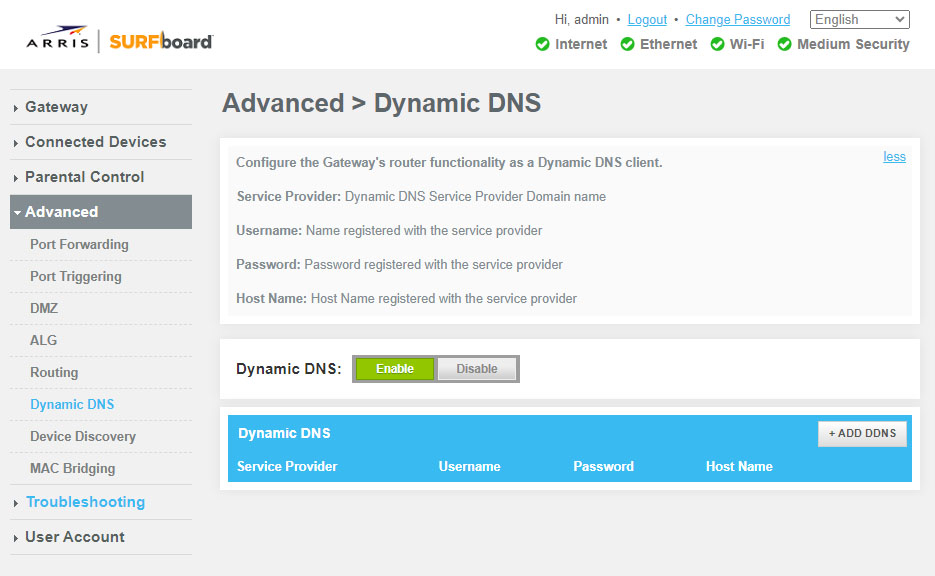
This is what I’m looking at.
Why do I suddenly have to review or change these settings when everything was working fine no problems just a few weeks ago?
No, this section is for something else.
There should be a section which deals with the local network (i.e. your home network).
I have NO IDEA what I’m even looking for…
Why do I suddenly have to review or change these settings when everything was working fine no problems just a few weeks ago?
Unfortunately I can’t tell you. Internet access settings are a moving target. ISPs are adapting their networks and their customer’s router settings all the time.
Some ISPs are also trying to reduce load on their network by blocking or throttling packets which comne from well known apps which produce a lot of load (like video streaming servers like Plex).
Usually these things change without them informing their customers in advance.
I STILL have access to Plex, and it still shows my account and created libraries. I can still stream movies & tv from the Plex site, it just doesn’t let me view local content from my server.
my mobile devices show my server as OFFLINE, when my server is very clearly online and connected