Hi,
Try as I might, I can’t get a Ione TV show (Boardwalk Empire) of mine recognised by Plex - all other shows are fine. I have followed the official (and several non-official) guidelines; checked name by hand more than once; checked that names are correct with Filebot; removed the folder in question from my NAS, re-run ‘Scan Library Files’, added the folder back, ran ‘Scan’ again but all it sees is the ‘raw’ show with no program data/graphics etc. I wonder what else I can do? Many thanks.
It is usually naming or permissions.
Please show how you have the files named and organized - directory listing, screenshot, etc.
Include the folder added to the Plex library and the file extension.
MEDIA >TV Shows>Boardwalk Empire (2010)>Season 01>Boardwalk Empire - S01E01 - Boardwalk Empire.mp4 etc. for the rest of there season. I wasn’t sure if I should add 2010-2015 for the year, as 2015 was when the show stopped.
Thanks.
Thanks, I will check it out.
Thanks for your excellent and clear to follow instructions. I have created a new Plex Media Server Permission. `Do I need to do any more, or do I just wait for Plex to do its thing?
Once you have
- added “System Internal User” PlexMediaServer to the shared folder (it might have already been defined)
- Clicked "Apply to this folder, sub-folders, and files again.
- And SAVED (applied) the permissions change
All you need to do is have PMS “Scan files”
Ah, it hasn’t worked as expected (yet). I will go through your instructions again and we’ll see.
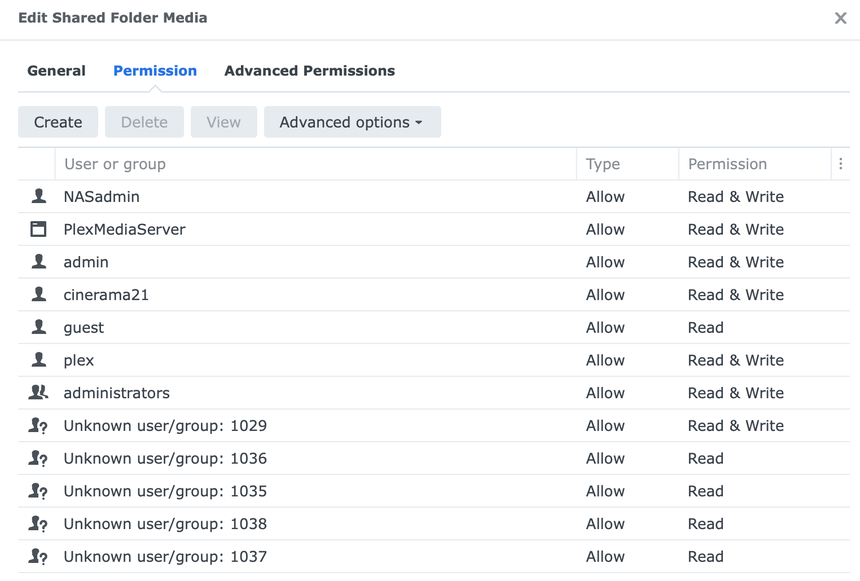
Incidentally, I have 11 separate Permissions from sometime in the past. I am not sure why. I have attached a screenshot of what’s there.
File naming looks fine. You do not need to add the year to each episode. However, if you do so, it will always be the year the show was introduced (2010 for Boardwalk Empire), not the year the episode aired.
Regarding the unknown user/group, I have them on my DS918+ as well. They appeared after a DSM update, either DSM 6 to 7 or 7 to 7.2 (I forget which). I left them alone. There is no impact on Plex.
Synology Knowledge Center article: Some permission entries in File Station are changed to "Unknown: xxxx". What can I do? - Synology Knowledge Center
I think I forgot to do part 11, "“Appy to this folder, sub-folders and files” so I have deleted the Permission and am trying again…
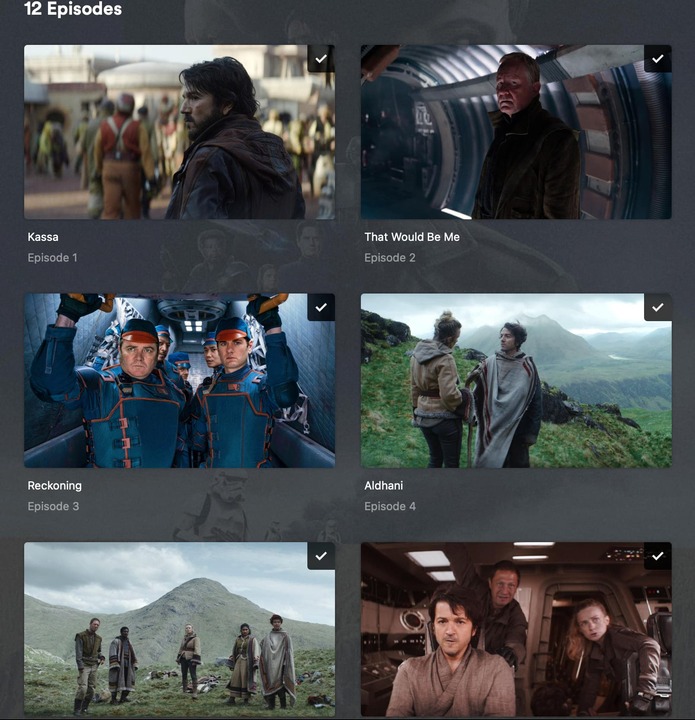
Haha, it’s still not quite right, even though I have created and saved a new Permission as instructed. At least Plex is now grabbing an appropriate poster frame for the menu of the show, even though there are no descriptions, dates etc.
I now have a different show, Andor, which is not properly “Plexed”, like Boardwalk Empire. I am not sure what I can do now, if anything (sorry if I sound a little frustrated). I don’t understand the inconsistency with behaviours.
‘Andor’ now seems to have shown up correctly (as of this afternoon.) Maybe I just need patience regarding ‘Boardwalk Empire!’
That step is important. You do not need to delete permissions, just re-apply with the correct settings.
Not sure why the shows are taking so long to appear. A manual scan of the library should pick them up immediately.
If you like, we can take a look at the Plex log files and see if they show anything.
-
Ensure Plex Media Server is configured for debug, not verbose, level server logs (Settings → Server_Name → General + Show Advanced).
-
In Settings → Library, enable Scan my library automatically (Plex will scan the libraries when it starts. It also adds some additional info to the log files).
-
In Synology Package Center, stop Plex, wait ~20 seconds, start Plex (this makes sure the startup sequence is logged).
-
Wait 3 - 4 minutes for Plex to fully start & log the startup sequence.
-
Plex Dance Boardwalk Empire.
-
If the show still does not appear, pull and post a set of server log files (Settings → Troubleshooting). Upload the full zip file to the thread (drag it into the message window and wait for the upload to complete).
I am having difficulty at step 1; in the IOS Plex web app, when I click on the heading ‘NAS’, it says ‘Indirect’ with a yellow exclamation point. I selected it, but nothing happened. Hopefully I am not in completely the wrong area.
Are you local, on the same network as the NAS, or accessing remotely, over the Internet?
An Indirect connection implies networking issues. If remote, it means remote access is not working. If local, then something is incorrect with the network configuration.
Separately, while it works, Plex Web is not written for phones. It is much easier to use on a laptop/desktop with a larger screen.
Thanks for your continued patience. Yes, both devices are on the same network, the NAS is connected with a wired connection, and my computer (where I usually run the Plex web interface) is wireless. Do you have any pointers where I can find out about my configuration? My ISP springs to mind.