Server Version#: UnRaid OS Plus v6.9.0 → Plex Docker
Player Version#: 8.14.1.23548 (88dd4b13)
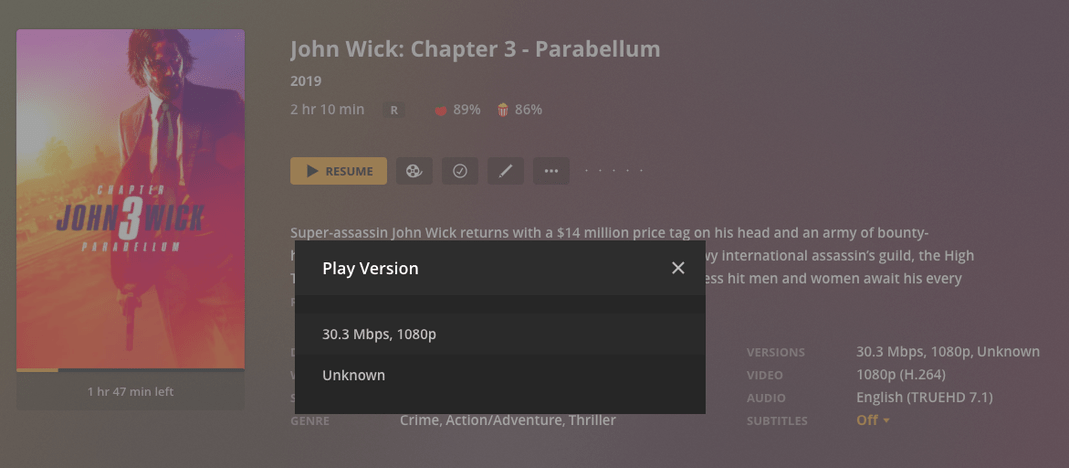
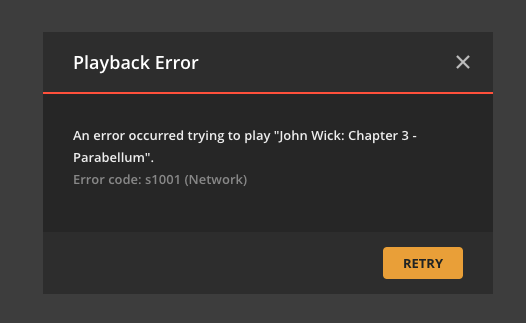
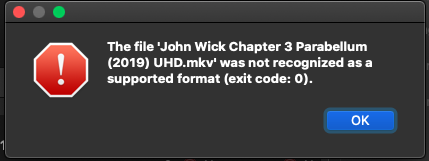
I’ve had great success adding and curating my 4K titles such as Infinity War, IT 1&2, Black Panther, Deadpool 2, etc. However, Maze Runner: Death Cure and all John Wick movies (so far) show up as “Unknown” and will not play. I’ve tried removing all dashes and colons from titles (even though “Avengers- Infinity War (2018) UHD.mkv” plays just fine), reripping and reloading, and even deleted the 1080 versions completely and only adding the 4K versions. These will not play on Plex Web Version 4.53.0 either. They show up like this:
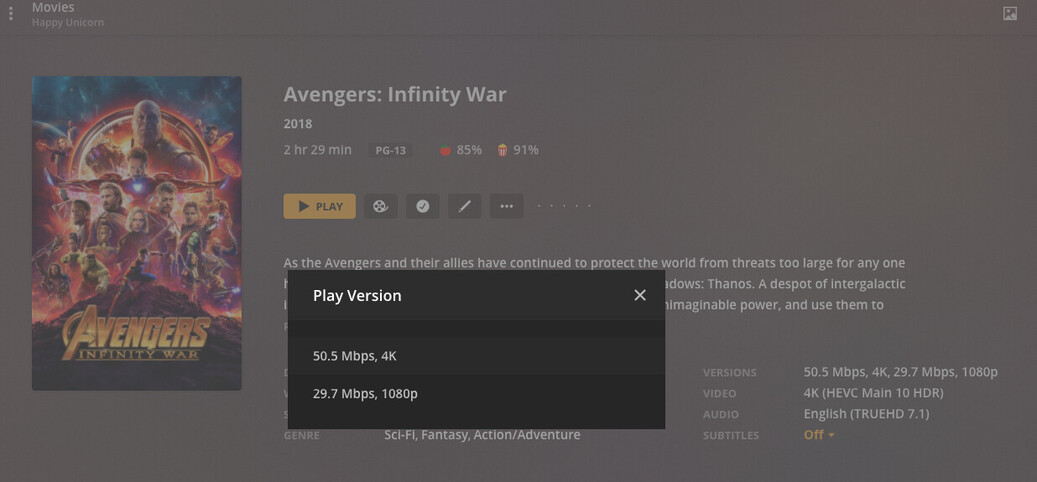
I’ve tried to refresh metadata and analyze the titles just in case and that does nothing. Any idea what’s going on here? I’ve got an Unraid server with Plex docker and a brand new Nvidia Shield Pro. Like I said, all these Marvel movies play great and display both perfectly:
Apologies for loosing track of this topic. I didn’t see anything odd in the XML.
Can you take one of the files that shows as Unknown remove it from the folder it is in so Plex Server does not see it and scan/empty trash/clean bundles. ( basically this The Plex Dance ™ )
Then add it back like it was new and grab the logs if it still does the same thing.
PMS is looking at the header and finds no video stream or audio stream.
While they may be there and another player might guess successfully, PMS is more demanding. They need to be present and set
Mar 25, 2021 19:11:46.487 [0x1471cf5fa700] DEBUG - [Transcode] Signalling job ID 877 with 9
Mar 25, 2021 19:11:46.487 [0x1471cf5fa700] DEBUG - [Transcode] Media Analyzer: Background analysis completed in 0.7 seconds, removing 1 IDs
Mar 25, 2021 19:11:46.499 [0x1471cfdfe700] DEBUG - [Transcode] Streaming Resource: Attempting to create AdHoc transcode session emz4bbes1anaeuqlefrvfaei
Mar 25, 2021 19:11:46.499 [0x1471cfdfe700] ERROR - [Transcode] MDE: video has neither a video stream nor an audio stream
Mar 25, 2021 19:11:46.499 [0x1471cfdfe700] DEBUG - [Transcode] MDE: received PLEX_PROTOCOL_ANY from client, but could not determine best protocol. Defaulting to HTTP
Mar 25, 2021 19:11:46.499 [0x1471cfdfe700] DEBUG - [Transcode] MDE: analyzing media item 396355
Mar 25, 2021 19:11:46.499 [0x1471cfdfe700] ERROR - [Transcode] MDE: video has neither a video stream nor an audio stream
Mar 25, 2021 19:11:46.499 [0x1471cfdfe700] ERROR - [Transcode] Streaming Resource: Cannot make a decision because either the file is unplayable or the client provided bad data
Mar 25, 2021 19:11:46.499 [0x1471cfdfe700] WARN - [Transcode] Failed to obtain a streaming resource for transcode of key /library/metadata/56341
Mar 25, 2021 19:11:46.500 [0x1471dc7f3700] DEBUG - Completed: [192.168.1.160:62676] 400 GET /video/:/transcode/universal/start.mpd?hasMDE=1&path=%2Flibrary%2Fmetadata%2F56341&mediaIndex=0&partIndex=0&protocol=dash&fastSeek=1&directPlay=0&directStream=1&subtitleSize=100&a
What does mediainfo or ffmpeg -i show for the file?
What are the default tracks and encodings ?
yeah sorry. still trying to figure out. The only way we have been able to reproduce is manually changing the extension on a file to be wrong. like changing an movie.mkv to movie.mp4 and it causes it to show as unknown.
What I would do is remux them through mkvtoolnix to try to make a clean mkv
That sounds like a corrupt makemkv rip. Did you rip directly from the disc, or from a backup of the disc? I’ve had an occasional corruption when ripping directly from the disc.
I rip directly from the official UltraHD disc straight out of the brand new box. I’ve re-ripped it about three times and got the same issue. I just updated to the latest MakeMKV version and am trying again.
GUYS! It worked!! Though I ripped it three times previously from the same drive and same disc on the same computer, it finally worked! I checked it through mkvtoolnix and it was valid. I watched the movie last night!
One last thing with which I’d like to request help is from another post that has not gotten any feedback. It’s about how a particular 4k movie will not seek or resume without hanging on the loading circle. Any insight would be greatly appreciated.