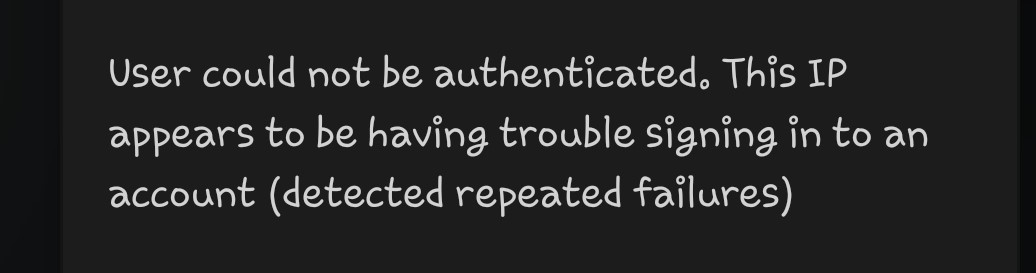
Originally, it was possible to access my PMS from the outside, but suddenly it became impossible to access it from the outside.
my internet environments haven’t changed, but suddenly it is impossible to access from the outside, so please check if there is a problem with my account.
After I created another account to verify my account and tried to install pms, I got a message that Plex Media Server installation failed.
Is there a problem with my account?
I’ve tried deleting and installing the Plex and Plex Media Server apps more than 10 times in Shield TV, but it’s still the same.
I have already purchased the Plex pass Lifetime version and would like to continue using it.
Remote access issues have nothing to do with your account or account preferences. It’s also not linked to having a Plex Pass membership. Remote access is entirely about the configuration of your Plex Media Server, the host system, your router and possibly restrictions applied by your ISP (e.g. while your overall network environment might not have changed, your ISP might have stopped assigning your router a publicly routable IPv4 address or started blocking traffic through certain ports.
If you’re having trouble accessing your server from outside your home network you might want to take a deeper look at these steps. If that doesn’t actually help fixing your issue, you could still share the individual outcomes/findings to get a better understanding of your setup.
None of the above explains your trouble to (re-) install the Plex Media Server on your devices.
hello. I succeeded in reinstalling pms. However, when I try to log in to the Android app, the following message appears for cheking remote access. Please check my account.
and I already tried the method you suggested, but it didn’t work, so I posted it on the forum.