Their web site is not working when you click approve on the parsec.app
Failed to load resource: the server responded with a status of 400 ()
19instrument.js:

hangs on approve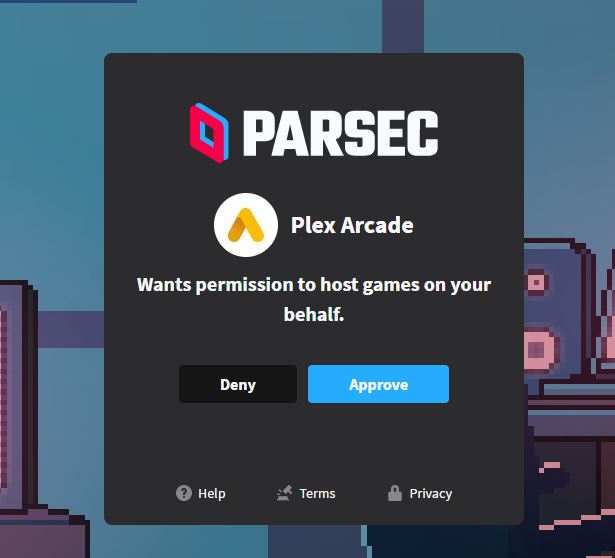
Yeah, that’s what I thought, but I’ve searched the entire Plug-In Support folder and there’s no “RetroCores.xml” that was installed during playing any game over here.
I’m a bit lost, as the Plex support article doesn’t state the exact path where the xml file should sit in. Could anybody tell me in which exact folder it needs to be? I could create one myself then (Guess it has to do with Plex’ data being installed on a different drive)
This was a nice idea and was helpful, however I think the program might be better if designed as a run on demand exe instead of needing installation.
Also if you manually added any like snes9x that aren’t listed in the list it will remove the mapping for them.
The best option would be for plex to let you “import” an emulator library and have it auto detect what it is capable of, fix the xml file and add it to the folder, then list them in your list with you having to assign them to the roms by the .ext extension so only one could play .x files etc and their would be no collision issues.
I’m am aware plex has to walk a fine line and not create or distribute emulators and roms that are copyrighted.
Hopefully someday this will be more automatic and even let you buy the rights to the roms / emulator with a one time fee for a bulk load of them like you would get if you purchased one of the little mini classic consoles
I am having the same issue, so I am following this to see if anyone gets a fix. I also can’t get a Game Boy Advance core to work.
Any source on where to find a MacOX compatible N64 core to side load?
I’m using mGBA and its worked well with a handful of games I tested
Thanks, I just tired mGBA and it works too. Still can find an N64 core to side load, nor can I figure out how to at Atari or MAME Roms. System scan doesnt recognize the files I have. Not sure what file type Plex recognizes for them.
I believe the N64 cores for OSX/MacOS would typically be hosted in https://buildbot.libretro.com/nightly/apple/osx/x86_64/latest/ but aren’t there now. Not sure where to get an explanation for why they aren’t available, they are available for Windows in https://buildbot.libretro.com/nightly/windows/x86_64/latest/ (mupen64plus_next_libretro.dll is the N64 for for Windows that I believe is recommended).
Read the section here on adding cores.
https://support.plex.tv/articles/naming-and-organizing-game-files-and-cores/
we look for a number of extensions, but if for some reason we’re not able to match them, we don’t add them. please post logs if this is the case as we’ve been tracking improvements to the matching side.
Plex Media Server Logs_2021-01-28_16-27-26.zip (7.7 MB) Logs downloaded a couple minutes ago right after I re-scanned the Games library.
thanks! (turn off verbose logging, it does more harm than good)
Seems like the N64 MacOS cores got pulled a while back, but I haven’t been able to find an explanation as to why. That being said, I found this and it’s been working for me, but I can’t attest to the source.
No double NAT issues here. I’ve played around with port forwarding, dropping the firewall, etc. but no luck. It’s weird cause it does launch the game over the LAN, as I see that the thumbnail is updated when I enter and exit the games, but it’s just a blank screen during the sessions on the Apple TV. Know you guys have your hands full, but if this is fixable, I’d happily pay a sub fee for a working version of this.
Awesome Tool! Still can’t get snes to work loads core , game then black screen no sound. which Core are you using for SNES?
Thanks
Could you please update the app to allow selecting multiple core EMU’s for certain platforms?
I have found that the genesis_plus_gx works for Game Gear, Master System and Genesis. Picodrive doesnt work for Genesis but does for 32x. Would be nice if you could allow selecting picodrive for 32x and genesis_plus for the others. I have managed to do this manually by editing the xml and copying the dll back in to the gamecore folder but would be nice to manage the same setup using your tool.
Also if you can, add the core option for Sega CD?
This is a great idea.
I haven’t found a reputable source. There are random links floating around the internet.
The autoupdater framework requires the app to be installed. Having the app be able to autoupdate is, in my opinion, much more valuable than avoiding the lightweight installation method electron uses.
I’ve got some ideas for sideloading. No ETA on when it’ll ship but there’s a clear need for it.
i found this for SegaCD but havent found a way to implement it but you may well figure it out. Looks like it needs certain bios files that can be loaded by the emulator. I tried dropping a couple of bios files into the rom directory i created for SegaCD but i cant do much unless i can get plex arcade to see the game rom format
