I had the same problem, unable to tune any channels, after updating from 1.23.4.x to 1.24.0.4930 this morning. My server is an Ubuntu 20.04 VM, tuner is a HDHR Duo. Clients web and AFTV.
I’d tried restarting Plex and the HDHR, deleted the DVR, etc and had just pulled the logs to write a post here, when I thought to try HDHR’s own app (it’s cr*p and I don’t generally use it, but I remembered it exists)… that also was unable to tune anything. The search results for that app’s error message suggested that both tuners might be in use, when in fact neither ought to have been.
I rescanned the channel line-up on the HDHR and after a fashion, both the HDHR app and Plex were able to tune channels again. Not all channels are tuning, a few just hang, but that’s not a new thing for Plex DVR here, sadly. Most of the selection I’ve tried seem okay, though.
This leads me to think that perhaps something went wrong with Plex (which is the only thing normally using my HDHR) and caused it to leave two defunct connections to the HDHR, effectively blocking both tuners so that HDHR couldn’t service any new requests.
Hopefully that might help someone to get past the problem and give the Plex Team a clue about what to look for…
Hello,
I am running VBOX for local channels and xTeVe for other stuff. Since 1.24 upgrade selected channels served by VBOX are stop working with error message mentioned in the topic. I’ve discovered, that channel names of “failed” channels contain spaces (%20). Please see follow. Channels without spaces plays as previously. Cold I expect that some parser or handler for those URI can be added on a PLEX side - I am apparently have no option to fix it on VBOX…
#EXTM3U
#EXTINF:-1, CT 1 HD
http://192.168.86.45:55555/CT%201%20HD
#EXTINF:-1, CT 2 HD
http://192.168.86.45:55555/CT%202%20HD
#EXTINF:-1, CT 3 HD
http://192.168.86.45:55555/CT%203%20HD
#EXTINF:-1, CT 24 HD
http://192.168.86.45:55555/CT%2024%20HD
#EXTINF:-1, CT :D HD / CT art HD
http://192.168.86.45:55555/CT%20%3AD%20HD%20%2F%20CT%20art%20HD
#EXTINF:-1, CT sport HD
http://192.168.86.45:55555/CT%20sport%20HD
#EXTINF:-1, Kino Barrandov
http://192.168.86.45:55555/Kino%20Barrandov
#EXTINF:-1, Nova Gold
http://192.168.86.45:55555/Nova%20Gold
#EXTINF:-1, Nova Action
http://192.168.86.45:55555/Nova%20Action
#EXTINF:-1, Nova 2
http://192.168.86.45:55555/Nova%202
#EXTINF:-1, Nova Cinema
http://192.168.86.45:55555/Nova%20Cinema
#EXTINF:-1, Prima love
http://192.168.86.45:55555/Prima%20love
#EXTINF:-1, Prima ZOOM
http://192.168.86.45:55555/Prima%20ZOOM
#EXTINF:-1, Prima COOL
http://192.168.86.45:55555/Prima%20COOL
#EXTINF:-1, Praha TV
http://192.168.86.45:55555/Praha%20TV
#EXTINF:-1, rtm+
http://192.168.86.45:55555/rtm%2B
#EXTINF:-1, V 1
http://192.168.86.45:55555/V%201
#EXTINF:-1, ZDF
http://192.168.86.45:55555/ZDF
#EXTINF:-1, 3sat
http://192.168.86.45:55555/3sat
#EXTINF:-1, Das Erste
http://192.168.86.45:55555/Das%20Erste
#EXTINF:-1, Nova
http://192.168.86.45:55555/Nova
#EXTINF:-1, Prima
http://192.168.86.45:55555/Prima
Not really. Just tune the first channel successfully, and successive tunes will start to fail. Usually only takes me a couple of channel changes before it stops tuning. It’s very easy to reproduce. I’m usually using the Plex app in Windows, but I’ve also reproduced using the Roku app.
While i am waiting for this issue to pop up again to retrieve logs, i can tell you my plex server is on ubuntu 20.04 with plex server version 1.24.0.4930. I am also using the Hauppauge WinTV-quadHD. I can also say the failing to tune issue seems to be regardless of player type or version, as if the problem happens i cannot tune from my iphone, windows desktop app, or web app.
@zmezoo , the issue was solved for me recently by updating to PMS Version 1.24.1.4931. For the last day, changing channels no longer hangs the tuner. May be a different issue than this one.
Solution withdrawn. I had the tuner fail again this morning when changing channels running on Version 1.24.1.4931, although it took longer than usual. I attached new logs to my thread (linked above).
Same problem. Upgraded Plex on Synology 720+ to 1.24.1.4931 and the problem started. Don’t know what version I was on prior but, it was rock solid. HDHomeRun FLEX 4K. Seems to work for awhile then a rescan of channels is suddenly necessary.
Ok so the issue seems to be persisting for me on plex server version 1.24.1.4931, which is running on an ubuntu 20.04lts. I have the logs retrieved within 24hours of it failing. Also my current fix which is to restart the plexmediaserver service appears to “fix” the issue(except it will just fail again).
I can see the Plex Tuner Service process crashed with a seg fault at Aug 31, 2021 09:00:26
A restart of the Plex Tuner Service failed to pick up tcp port 32600 -
Aug 31, 2021 09:00:26.329 [0x7ff26df9fb38] ERROR - Error. Received SIGSEGV: Segmentation Violation.
and on restart
Aug 31, 2021 09:00:49.055 [0x7f06d617a848] INFO - [I] web_server_t::start. Starting web server on port 32600
Aug 31, 2021 09:00:49.055 [0x7f06d617a848] WARN - [E] web_server_t: bind: Address in use
Aug 31, 2021 09:00:49.055 [0x7f06d617a848] WARN - [E] web_server_t: port 32600 is not available
I have referred this to our development team
The restart was 23 seconds after the crash so I would have expected the tcp port to get released by the failing process
I have been having exactly the same issues - having checked through the logs, i can report that the issue appears after the same segmentation violation issue and port 32600 is not available.
A force closure of the plex server app and relaunch and it all works fine again. This is on the Nvidia Sheild.
Still a problem. I found that taking all possible weak signal channels out of my lineup helped, but I can still cause the tuner service to fail pretty easily.
This is still a problem to this very day. The only way to get it working again is to restart the plex service or restart the PC. Will have to switch to an alternative service for DVR, which is a pain as I’d really like to have this integrated with my Plex library. It’s a shame that this is still an issue a year after the original post.
Agreed TopCat considering we are paying customers. I abandoned Plex DVR about 6 months ago. One of my selling points to my family for cutting the cord was that they could still watch/record things from live broadcast but since Plex doesnt seem to want to fix or cannot fix this issue, I was forced into finding an alternative…its a pain for them to change back and forth.
I can replicate this on my system (Ubuntu 20.04.2 LTS with Microsoft Corp. Xbox One Digital TV Tuner), it happens when closing an active connection randomly and happens on all clients I have tested (iOS, Android, browser).
You can see the seg fault happen in realtime as you stop the active session if you run the tuner service manually from the command line.
The tuner service starts back up and I assume PMS thinks that its all working because the service has started again but there is nothing listening on port 32600 so all subsequent requests to the tuner fail.
I have managed to get the service to recover automatically after a little while without restarting the main Plex Media Server service by leaving this unbelievably crude bash script running on my PMS box.
I wrote this in a couple of mins and my bash knowledge is next to zero (i’m a .Net developer forgive me ) so comes with a massive health warning!
You can get the cmd line arguments for the Plex Tuner Service process on your installation by right clicking the process in System Monitor.
#!/bin/bash

while [ 1 = 1 ]
do
	PID=$(pidof "Plex Tuner Service")

	if [ -z "$PID" ]
	then
	      echo "Not Running - Starting Up"
	      /usr/lib/plexmediaserver/Plex\ Tuner\ Service /usr/lib/plexmediaserver/Resources/Tuner/Private /usr/lib/plexmediaserver/Resources/Tuner/Shared 1.23.6.4881-e2e58f321 32600 &
	      echo "Started - Sleeping for 5 seconds"
	else
	      echo "Running - Checking if Listening"

	      LISTENING=$(netstat -tnlp 2>/dev/null| grep :32600)

	      if [ -z "$LISTENING" ]
		then
			echo "Not Listening - Killing Process"
			killall -9 "Plex Tuner Service"

		else
			echo "All Good - Sleeping for 5 seconds"
		fi
	fi

sleep 5
done
FWIW I have had this running since I posted the script and intermittently checking every now and then and the stream has started successfully every time
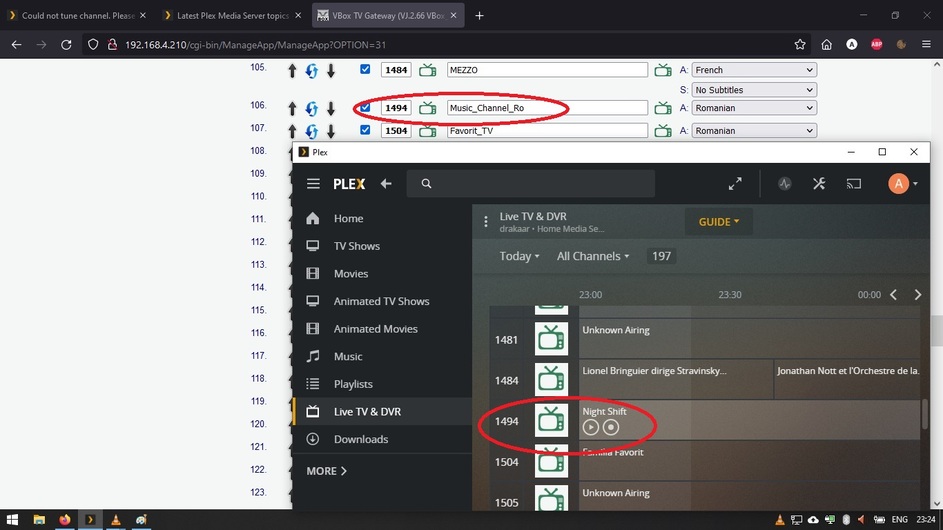
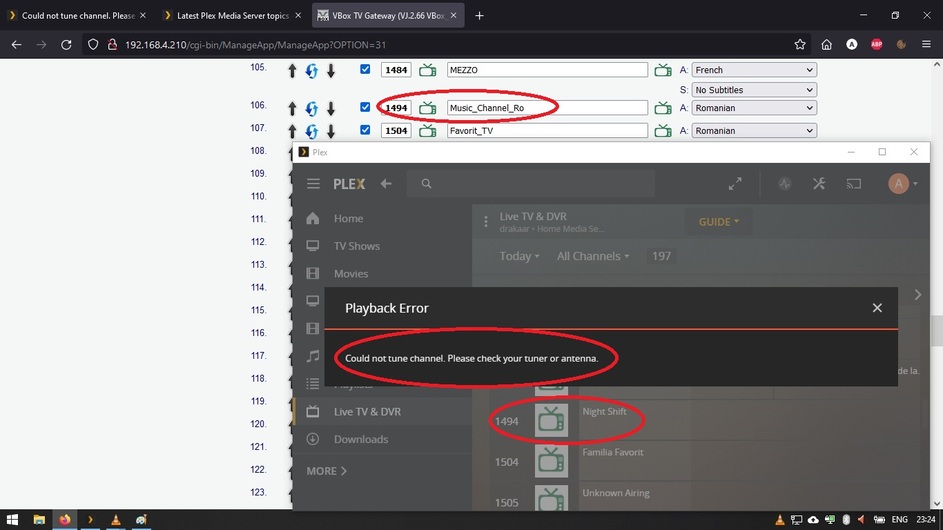
 Seems to work for awhile then a rescan of channels is suddenly necessary.
 ) so comes with a massive health warning!
