Server Version#: 1.18.5.2260
Player Version#: 7.26.0.14578 (eaeeea5c)
I have a Nvidia Shield connected to my Denon AVR. When I play a movie that has DTS-HD, TrueHD, Atmos, etc. it is showing on my AVR as just a multichannel input. This was not always the case, it used to show everything correctly.
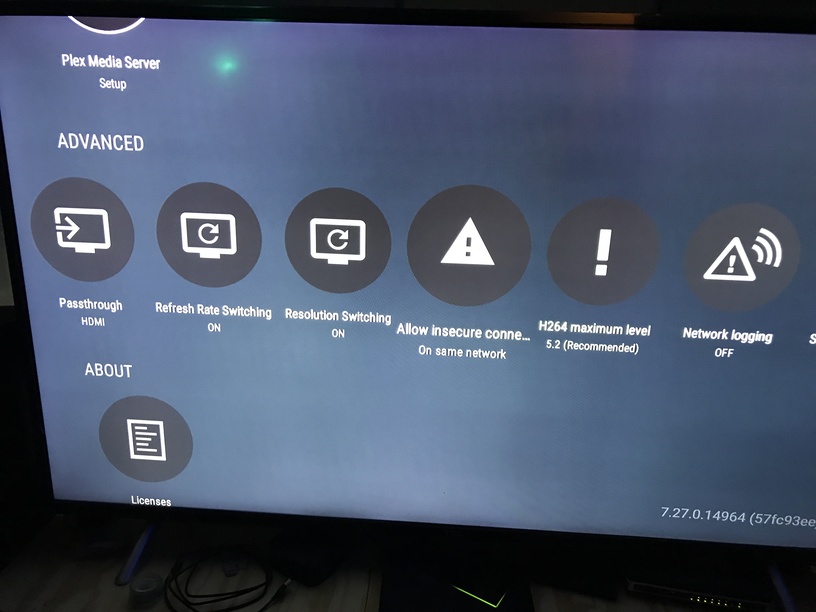
When I use Kodi on the same Nvidia Shield, it outputs the correct audio type (DTS-HD, Atmos, TrueHD). No settings were changed. Passthrough is turned on.
Pass through has been selected, HDMI.
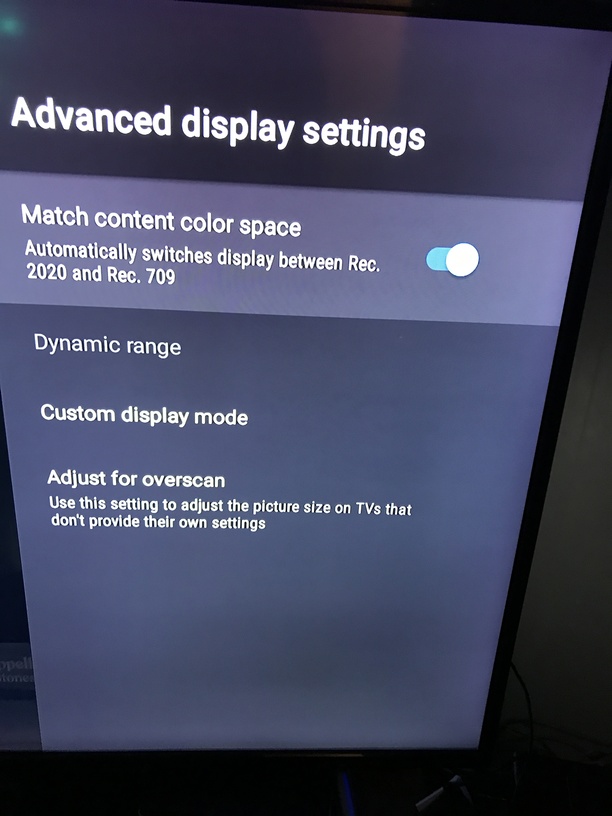
Shield settings are correct. Tested out using Kodi on the Shield. Everything goes to the AVR the way its supposed to using the Kodi on Shield, just not Plex.
I wouldn’t think it has a problem on pass through, but you can try toggle the ‘new’ player on or off.
in any case, there is something that appears to be causing plex to tell the shield to decode to multi-channel PCM instead of passthrough.
can you check the server dashboard to see if it is transcoding the audio (ie to flac/etc) at the server, or if it is direct play (then the shield itself is decoding to pcm).
as a last resort, you could power off both the AVR and the shield (physically remove power).
I have had my yamaha receiver glitch before, where the audio would not work at all, but the video would work. I suspected something about the hdmi handshake, but hard power off/on fixed it.
I removed physical power for 5 mins. Plugged back in. Nothing.
I have the latest HDMI cable (rated 48Gbps). I have had no problems with the cables, and I will get the correct output using Kodi on the exact same hardware. It seems like the Plex Player on the shield (not the server) is outputting to PCM, or telling the shield to do the conversion.
I’m getting really desperate, my wife will kill me if we have to go back to Kodi (I used Kodi for years, then started having problems with the scraper, moved to Plex a year or so ago).
If I could uninstall plex on the shield and reinstall I would, but because it comes baked in, I don’t see a way to do it.
I believe that kodi can access the hardware directly (ie kodi settings override any built in settings), so while it is good to know to confirm that the receiver is getting passthrough on one app, just need to narrow down what/why the shield isn’t passing through with plex.
if you want to get that far into, you could sign out of your account in the shield plex app, go into the shield > app settings, force stop, clear cache, clear data, that should give you essentially a clean plex install on the current version.
you may have to go back in, re-sign in, re-set any library pins/hubs, and set the plex settings to hdmi/etc, I don’t know what the defaults are. If you have a lot of customization, it might be painful.
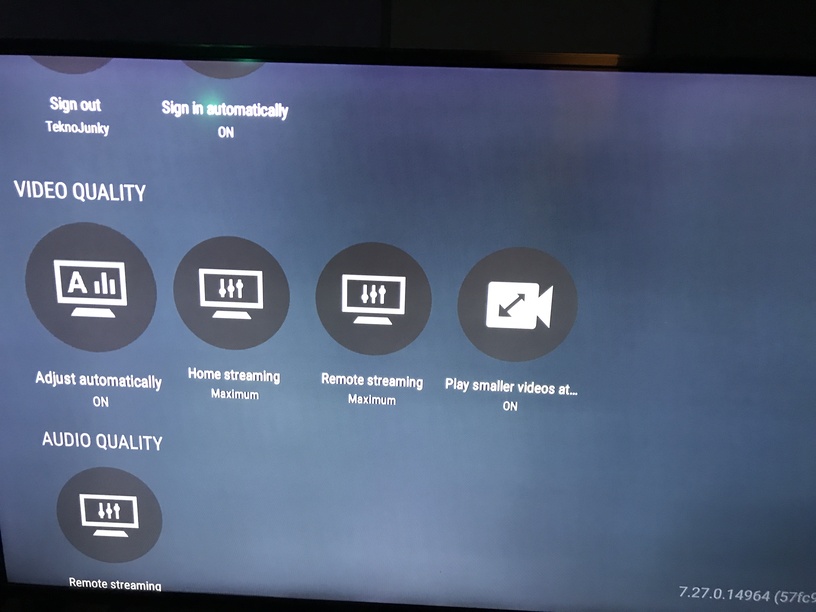
when I get home, I’ll get screenshots of both my shield settings and plex settings. (that will be good for my own records too)
I tried the force stop, uninstall updates, clear cache etc, then reinstalling updates and logging back in. That did not help.
All my settings on Plex are good. I will try going back into Auto mode for sound again. I had it that way before, but was one of the first things I changed to try and correct the problem.
Any other ideas why Plex on the shield is outputting to PCM?
I appreciate everyone taking the time out of their lives to help with this.
The killer is, a couple of months ago, it worked great! No problem Plex play. Sometime between then and now this problem developed.
The same hardware, with different sound output depending on the app is what really gets me. Its not like there are that many settings which can affect this.
The only way I can make the audio appear as multi-channel PCM is to either a) set passthrough = off (instead of HDMI) in Plex client, or b) Audio = Manual (instead of Auto) in Shield audio settings.
In both cases TrueHD 7.1 + Atmos is transcoded by PMS to AAC 5.1, then passed to AVR as PCM 5.1, which displays as “Multi Ch In” on Denon front display.
SUCCESS!!!
So after toggling HDMI Passthrough off/on, toggling Auto Sound on the Shield off/on, in various combinations and testing… IT JUST WORKED!!!
Why did it decide to stop sending PCM? Who knows? Is it working now? YES!!! So I won’t even breath on it, I’ll just keep complimenting on how a good little shield it is.
Thanks everyone for your help and guidance. It was appreciated!