External access problems

Server Version#: 1.18.1.1973
Player Version#: Plex Version 6.3

Hi
The last couple of days I am beginning to have an issue that I never had before.
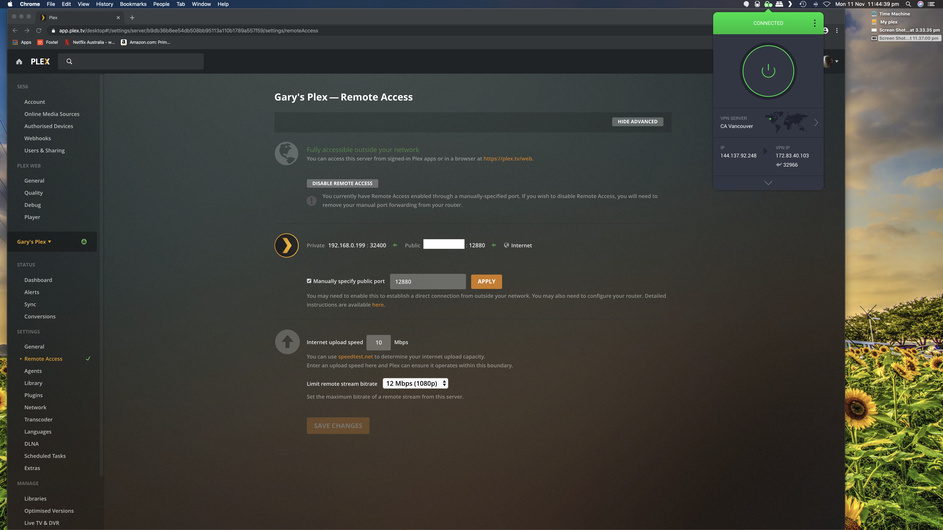
My server is not working from outside any more. I tried updating to latest version but it keeps failing. When ever I enable the server to have remote access it enable, and says all fine. Then 10 sec later it fails and turns off remote access.
WTF is going on. I have been using this for 10 years or so without any issues, and suddenly it starts making jokes with me. Any idea’s?

I have tried setting other ports then 34200 but its the same, works and then shows offline. I am getting crazy :_(

As far as I can see it works anyways, but its really weird. Sometimes it dont work, so there is no pattern.

/Christian

Do you have a manual port forward setup on your router?

Yep, and it has been working fine for years. But suddenly it starts doing this… The weird thing is that the test on https://canyouseeme.org/ reports not open, but the stream is working some times.
I have just tested now, and the connection is not possible again now :frowning:

Could it might have something to do with MacOS Cataline 10.15.1 which I am running?

Have you altered the default settings in your firewall?

  1. Automatically allow built-in software
  2. Automatically allow downloaded signed software

Must be enabled prior to a downloaded app or update, it may say allow incoming connections but often it is not allowing.

I’m running Catalina without issue with the current Beta
1.18.2.2015-5a99a9a46

Also you can use a different port forward for Plex public/ WAN port. Worth a try. I’m currently using a VPN and have remote access at the same time using PIA split tunneling app exclusion feature.

Thanks for the reply, but I dont even have the firewall enabled in the MacOS.

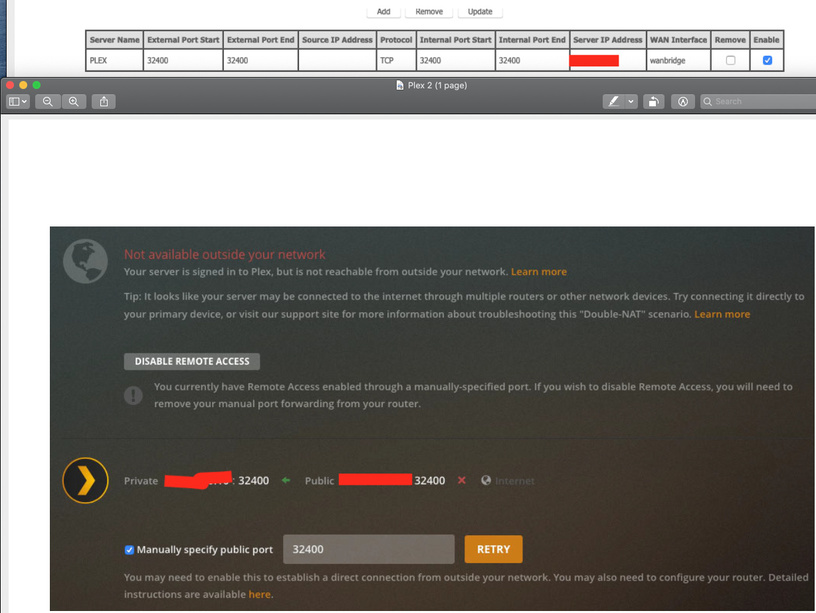
I have created the firewall rule and when clicking enable it turns green and all good. Then 3 secs later the picture refresh, and it has no remote access.
Then I can press retry and all green again, and 3 secs later, red again.

As you can see, firewall forwarding rule is ok, and then Plex goes nuts.

I have NEVER had this issue before. I found out that I actually cannot press Check for Updates in Plex any more. Could it be an update that have gone wrong?

Now I got it updated, but the Remote Access still don’t work. Damn this is annoying. I really consider calling my ISP to see if they are blocking something

Maybe this whole thing is caused by my ISP changing to CGNAT. I have asked for static IP, let see if that solves the issue. I will keep ypu posted.

Could be.

The Firewall rules act weird for in coming coms if altered prior to instillation. Even if the firewall is off.
If the port not open, problem.

How to Scan Ports on an IP or Domain from Mac OS X

  1. Hit Command+Spacebar to summon Spotlight and type “Network Utility” followed by the return key to launch the Network Utility app.
  2. Select the “Port Scan” tab.
  3. Enter the IP or domain name you wish to scan for open ports and choose “scan”

Got a static IP from my ISP and now I am running perfectly again. They changed to CGNAT over night, and that was causing my issue.

1 Like

Cool, happy for you

Me to. Really stupid error, but havent been informed, so.

@antman33 unless we spend time looking at your issue it would be shooting in the dark…

I’d suggest you start your own forum post to get support.

You have confirmed with your ISP that this is the case for you too?

If not, then you don’t know if it’s the same issue or if it’s something else with the same symptoms.

you should give it a shot. if you don’t have same ISP then it might not be the same issue

1 Like

Did you specifically ask if you were on CGNAT? If you are not then this is not the same issue.

1 Like

No it’s not. Just because two people sneeze does not mean they have the same disease.

Please make your own topic and include things like your type of router and such like how you have port forwarding set up

OK. please make a new topic. This one which the person made about his issue being caused by CGNAT is solved. if you don’t have CGNAT then you don’t have the same issue.

Go here https://forums.plex.tv/c/plex-media-server/remote-access click New Topic on the top right and include as specific information about your networking set up

1 Like

Yep, it’s working perfectly again :slight_smile:

This topic was automatically closed after 90 days. New replies are no longer allowed.