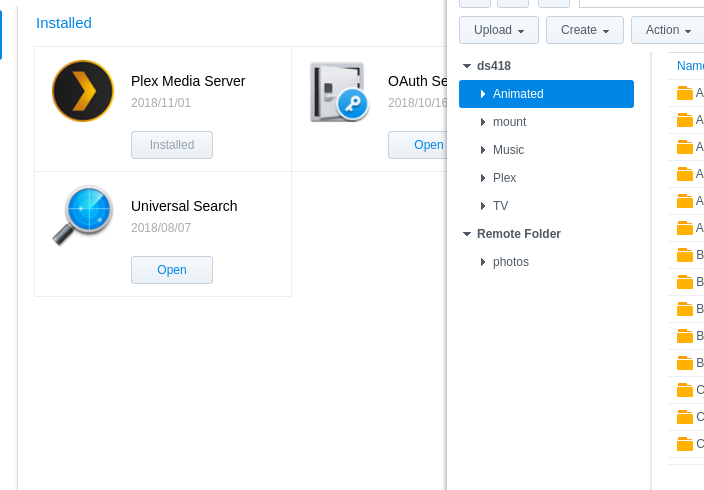
Uninstall the 32 bit package
Install the 64 bit package
Go for gold
Worst case is you restart DSM and let it come up normally.
Uninstall the 32 bit package
Install the 64 bit package
Go for gold
Worst case is you restart DSM and let it come up normally.
THANK YOU SO MUCH!!! Movie starting now…
I just had this issue after updating DSM - just had to download the newest Plex package (https://www.plex.tv/media-server-downloads/) and it started as normal, no other adjustments required.
Terrific, this solved it for me on a DS716+II after Plex had stopped running due to the 6.2x update, thank you!
Just had a Plex crash on my synology, I solved it by uninstalling plex from the Synology package center,
Then I downloaded the 64bit Plex package and manually installed it with the synology package center…
Everything was normal after that.
No data loss, even my movie I was watching was still at the correct play position :-))
You can download the 64bit plex here : https://www.plex.tv/media-server-downloads/
Just had this happen to me after a DSM update too. Ended up uninstalling the DSM version of it, and manually installing the package. Worked great!
Also, just an FYI, the following showed up in the Log Center, but doesn’t seem to have caused any issues:
That’s known. That’s how I package it now.
Hey , just wanted to say thanks to cornic1 as I followed their instructions and this also fixed my issue
Remove PMS in Package Center.
Go back into the shell and rm -rf “/volume1/@appstore/Plex Media Server”
Return to the DSM desktop UI
Control Panel - Users - Delete user Plex . Do not mistake this with deleting the Plex share. (your metadata)
Should you want to start completely from scratch. Control Panel - Shared Folders - Delete the Plex share. This will remove ALL your metadata
Restart DSM
Redownload PMS from plex.tv 2
Install it using Manual Install.
After installation, wait 30-45 seconds for it to start and begin it’s rudimentary initialization.
Open in your browser and begin the normal first-run setup again from scratch
Warning:
Be advised: Removing the files from package center does not delete the entries Synology keeps in the package database. Removing the package in Package Center is the documented method for a very specific reason.
FYI, deleting the Plex user in DSM 6 does delete the Plex share. I don’t know when they made that change, but it just happened to me.
How can that be?
I create user Plex as a step
I create the Plex share as a different step
I do not define /volume1/Plex as its home directory.
Investigating.
I cannot confirm on either of two different DSM versions; one with the new update and one without
The username and the share name are not coupled.
The home directory is in /var/services/home/plex.
This is removed when the username is deleted.
The share Plex, as I create it, remains intact.
I need more information please
@ChuckPa, I just looked at it again. I misspoke. You are correct. The /var/services/home/plex directory was removed… not the Plex share folder… My mistake.
Hi. First time to the community. Been using Plex on Synology DS218+ for many months. Restarted my server and plex failed to run. Tried some of the basic things in this thread. Reboot, uninstall, reinstall. But get the same error. Have had the latest version since December. What should be my next best move - without loosing my data? Thanks!
Hi. FYI… donmcdan is my primary account and dwmcdan, from above, is secondary (don’t know if that makes a difference).
Hey everyone. First welcome to Plex… Sorry you’re having difficulties. You shouldn’t be having any trouble.
Removing Plex completely from a Synology NAS requires 3 steps:
Ok, so it’s 4. I lied. lol
Before deleting and starting over, I would like to see the logs and find out why Plex is failing to start. Until we know the root cause, it will happen again.
Don,
If you could only access as user admin (which is another regular user on Synology) then you must have been signed in as admin Synology has only one ultimate privileged username and it’s not admin 
Your logs show no evidence of Plex starting since 2-Feb. Is this correct?
Given you couldn’t access the Plex share unless you were admin, something is wrong with your Plex share’s permissions.
FileStation, Right click on the Plex share, Properties.
Now reset the permissions so user plex has full access (R/W),
Check the box to “Appy to this folder sub-folders, and files”
@ChuckPa You were right. Something was wrong with my access rights. Once I gave permission to admin, I was able to start Plex and it is running smoothly now.
I was not able to start Plex from Feb 2-4.
Similar to your print screen above. I have the following all with Read & Write access allowed:
admin
donmcdan
plex
administrators (group).
I still find it bizarre that I have never signed in as ‘admin’ but once I included this user, I was able to login as donmcdan and run Plex Server.
Problem solved. I’m just not sure why. haha
Thanks again for your help! BTW, I didn’t lose any data.