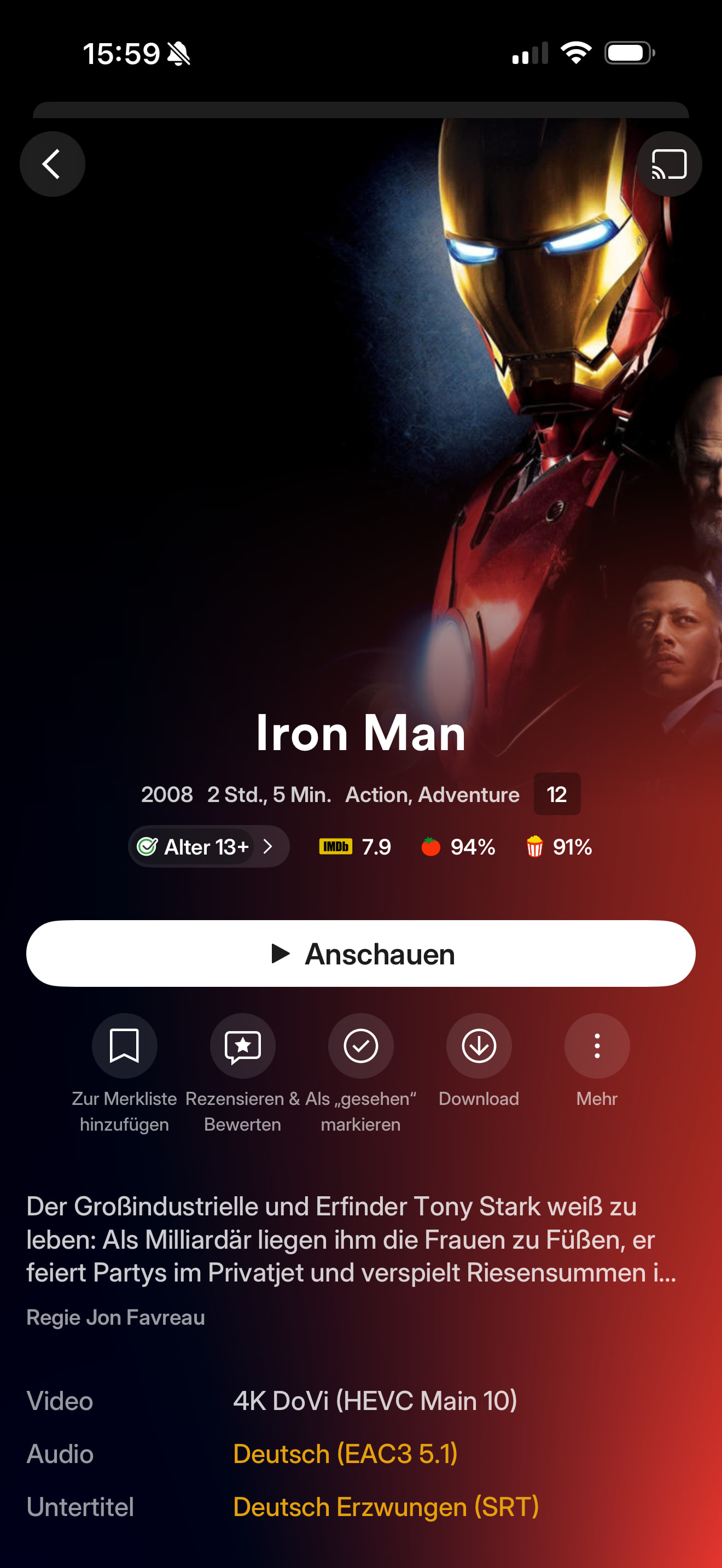
Still receiving this error on a latest gen Apple TV 4k and an iPhone 13.
Wild this bug has been open for 8 months on the most popular Plex client platform. On something that used to work without issue and had been fixed once and broken again. Clear all their devs are focused on their new app which is sure to have this and even more issues.
Same issue here on Apple TV, I was able to play DoVi files profile 5 until very recently, but not anymore.
LG C2
tvOS 26.0
Plex 8.45
Plex Server v.1.42.1.10060-4e8b05daf - also tested with v.1.42.2.10122-3749b980e
Ubuntu 24.04
Error message:
Playback Stopped - Something went wrong playing your media. Please try again.
From the logs, Plex is refusing to direct play, then the transcoder gets killed and the playback stop.
It’s working from Infuse, file is not corrupted.
Codec HEVC
Bitrate 19167 kbps
D O V I B L Present true
D O V I Level 7
D O V I Present true
D O V I Profile 5
D O V I R P U Present true
D O V I Version 1.0
Bit Depth 10
Chroma Location left
Chroma Subsampling 4:2:0
Coded Height 2160
Coded Width 3840
Color Range pc
Frame Rate 25 fps
Height 2160
Level 5.0
Profile main 10
Ref Frames 1
Width 3840
Display Title 4K DoVi (HEVC Main 10)
Extended Display Title 4K DoVi (HEVC Main 10)
When the file is trying to be played, before it stopped, I can see this from the Plex dashboard and Tautulli:
I just started receiving this error. This is marked [FIXED] but I see no actual fix listed. I get this issue on Sony TVs using Roku, as well as on PC using Chrome for playback. I will look at a transcoding method but this is ridiculous that Jellyfin can make this work but Plex can’t.
I am getting this error on Windows version of Plex Media Server after accidentally halfway installing a different version. i am running the newest update but it didn’t fix the support for dolby vision.
Seeing the same issue with DoVi Profile 5 not playing on ATV
LG G5
Plex app version on ATV: 8.45
Dynamic frame rate and range enabled
Bitrate 18802 kbps

Width 3840

Height 2160

Aspect Ratio 1.78

Video Resolution 4K

Container MKV

Video Frame Rate 24p

Video Profile main 10
Codec HEVC

Bitrate 18032 kbps

Language English

Language Tag en

D O V I B L Present true

D O V I Level 6

D O V I Present true

D O V I Profile 5

D O V I R P U Present true

D O V I Version 1.0

Bit Depth 10

Chroma Location left

Chroma Subsampling 4:2:0
Dolby Vision Profile 5 is not supported by the Plex Transcoder due to patent restrictions. Dolby Vision Profile 5 does not have a fallback option to HDR10. Therefore, transcoding will be aborted with an error message, while direct play is still working, if the client supports it.
Happened to me recently but with a different message: something about file can’t be played. Sometimes it just freezes with ‘loading‘ indicator. A week ago everything was fine, now 80% of DoVi P5 .mp4 files can’t be played. Nothing changed in my setup except a TV OS update, so I guess it broke something.
Even worse is that dovi 5 is more and more common every where. Now even Disney, HBO, Paramount have switched from p8.1 to p5 for better quality. So why can’t we have a plex player working here?
Hello @Craig_Holliday , this issue is still ongoing. I am not sure why the thread was marked as fixed. Some Dolby Vision Profile 5 files continue to play normally while others fail, and I do not see any clear reason why they should require transcoding. The files that do not work play correctly in Infuse, and as several users mentioned earlier, they also played fine in Plex before the update. I am confident they were not being transcoded (with weird colors) prior to the update, so it seems possible that the current decision logic is incorrectly classifying these files as needing transcoding.
This occurs on the latest public versions of both iOS and iPadOS. I am happy to provide MediaInfo, logs, or any additional metadata if it would help diagnose and resolve the issue.
Essentially when you are playing DV Profile 5 it should always Direct Stream right now.
If the server or client ever thinks the media needs to Transcode then you will see the “color space” error.
Any other error may be something similar but different than just the transcode decision.
That is what should happen but is obviously not working as expected.
I’m getting “error occurred bad url” when playing DV P5 in both mp4 (official dolby sample) & mkv.
I have disabled direct play to force direct stream (which I believe switches to avplayer via HLS). The same mp4 file works when directly played in Files app on the iPhone so it’s natively supported by avplayer.
I’m using latest iOS preview from TestFlight on iPhone 15.
I hope this gets fixed alongside preserving Atmos when remuxing (which needed a server side ffmpeg update, did that get implemented yet?)
I am sorry to say that this has not been working in direct play on iPhone and iPad for the past six months and it does not work in the last latest beta. I reported it each time and even provided the link to the file. There is no reason why it should not play in direct play. It works fine with emby, Infuse and every other player but not Plex