Server Version#: 1.23.5.4755
Player Version#: 18.9.3
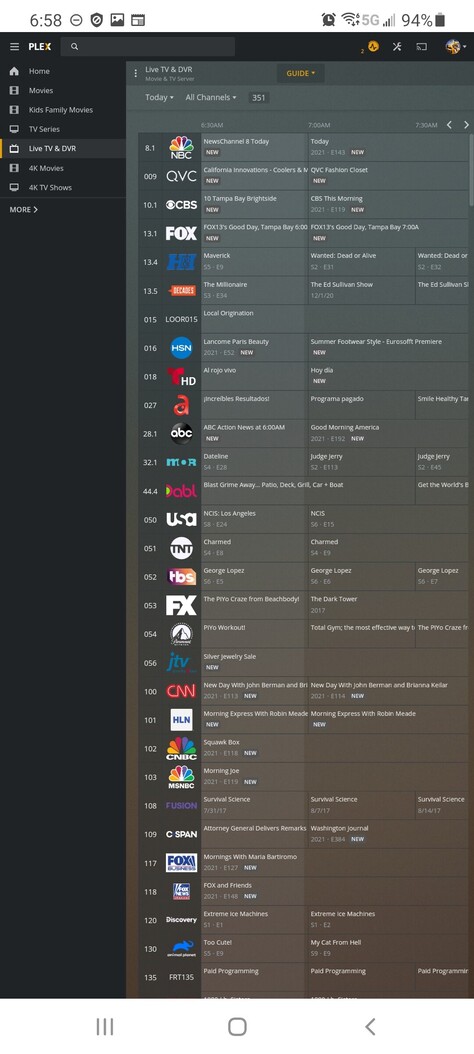
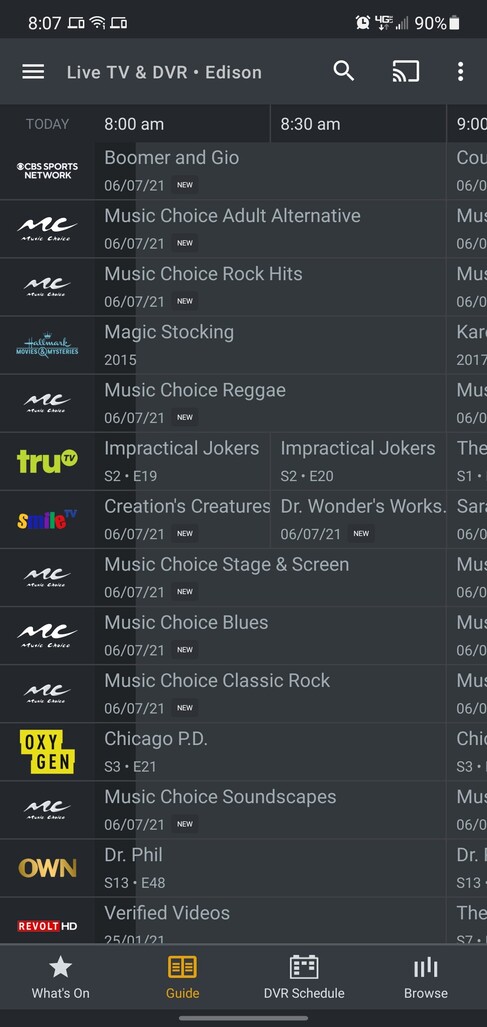
Guide on Android clients doesn’t show channels in order.
This is the top of the guide from my Android client on my phone:
Here is the top of the guide from the web client:
Server Version#: 1.23.5.4755
Player Version#: 18.9.3
Guide on Android clients doesn’t show channels in order.
This is the top of the guide from my Android client on my phone:
Here is the top of the guide from the web client:
So, I believe this was actually being caused by PMS rather than the Android client. I was using a build to test a fix for an issue I was having. Because the it didn’t completely fix the issue, I downgraded back to the latest release ( 1.23.4.4805) and after refreshing the guide, the guide is in order once more.
Hi @Noah0504 have you heard anything from any of the Plex employees about this issue being fixed yet? We talked about 2 weeks ago and was not sure if you were working with someone. We’re going on almost 30 days now:(.
I’m following this up internally at the moment.
No word on an ETA for a fix yet. I see now our issues are a little different, but I still believe they’re being cause by the same thing (lack of EPG channel numbers in channel matching).
Thank you Dave and thank you @Noah0504.
This should be resolved in the forthcoming v8.21 of the Android app 
Hi @DaveBinM! So this has to be fixed per client ( Android, Roku) before upgrading our server version? Or this doesn’t have to do with the epg missing numbers and is a different issue altogether? 
Will this also fix the “cannot tune channel no parts” issue that was a part of this a while back, you fixed, but returned?
I wasn’t aware there was any issue on Roku? I only knew of this issue on Android 
That’s totally unrelated to this topic, which is purely about the display of channels in the guide
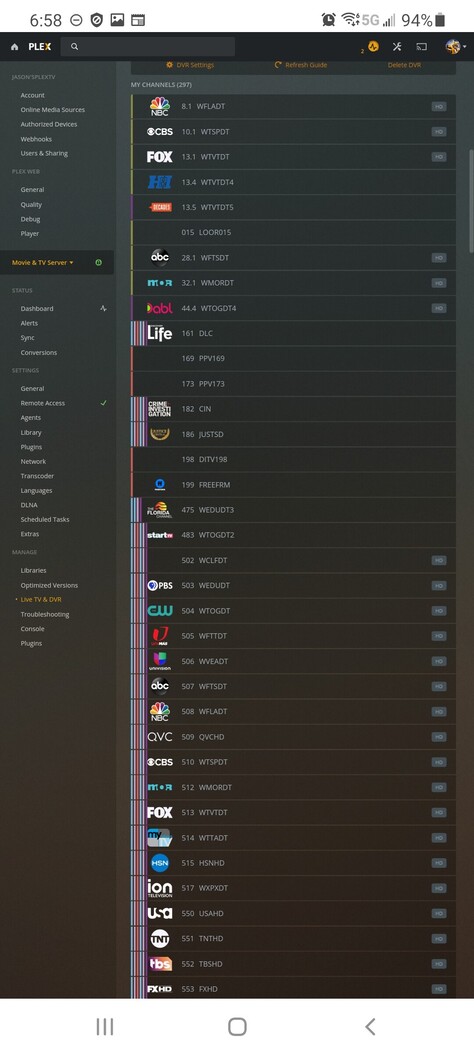
@DaveBinM it was affecting my Roku devices and my Android devices plus my server itself I was unable to tune channels and the channels were out of order. On the back end you can see I have 297 channels not 351 as shown in the pictures. The only solution was to roll back the server. This happened only after it did a guide refresh. What’s weird is it worked perfect the first couple days when the new live TV back-end came out. This is what other users are experiencing as well. As you can see in these two pictures of the live TV server back-end the channels do not match the actual guide. Then when you try to tune those channels that are showing up in the guide it will come up with an error.
Does it really matter Roku or Android? The issue is on the backend server. I my case, I’m running the server on Windows and the guide issue was seen on all my devices, Android or Browser (on Mac OS or Windows).
Correct patching one thing to mask the actual problem is not the solution in my opinion if it’s the same issue:). Unless each client OS has to come out with a patch to accommodate the server but that wouldn’t make any sense to me. As a server has an issue too.
This thread has become a little confusing.
I started this thread because I was specifically having an issue with channels being completely out of order on the Andorid clients. While the issue may ultimately be with the Android client, the issue went away when a reverted back from a PMS test build of 1.23.5.XXXX to the latest public release.
There is a separate issue with channel matching. For me specifically, channel numbers appear to be no longer used when matching, and some of my EPG channels are labeled exactly the same (e.g. TBS HD (TBSHD)) for both SD and HD versions of the channel. Plex appears to match what it comes across first. So, while I have channel 17 blocked on my HDHR Prime, Plex matches TBS to the first EPG entry instead of the second, causing the channel to be listed as 17 in the guide and not the HD version of 417. Initially, this meant I was unable to tune these mismatched channels. 1.23.5 fixed the tuning issue, but not the matching issue, so that’s when I reverted to the newest public release (which, by the way, does still allow me to tune those channels).
I feel the second issue probably has the same root cause as @JasonsPlex’s issue, and I’m fairly certain that’s what he was asking me about earlier in the thread.
It would probably be best to keep focus on that issue you your original thread, @JasonsPlex:
or here:
@Noah0504 I totally agree if it’s a different issue I don’t want to mix the threads. So you still have those channels popping up but you’re able to tune them now with the latest public build? The release notes lately have been a little sad and duplicated so they’re hard to decrypt, if they include anyting. I don’t mind updating to the latest public build I just don’t feel like rebuilding my whole TV tuner again if I have to backdate. In my case the standard definition channels that are popping up are Spanish channel so if it’s real confusing lol, they’re supposed to be in the 1500s.
Actually, don’t upgrade. I can tune some of the channels, but not all of them… There are about 8 channels that don’t show up under My Channels on the DVR setting page, but they show up on the guide and I can’t tune them.
I will probably upgrade to the latest beta and see what happens. I’ll let you know.
@DaveBinM would you be okay with taking this issue on? I’ll probably continue it in the other thread (the one below) since this issue is not specific to @Noah0504 and it’s not fair to him, I’m not trying to hijack his thread. Just let me know if that’s what you’d like to do as it effects all client devices and all client device guides are out of order, because of this problem our issue also includes not being able to tune the channel. Also I’m going to wait and see what Noah says about the beta release since the release notes are cryptic as of late. Please let me know:). Thank you!
Ah, right. That’s quite a different issue to what was initially reported here, which was about the channel ID and ordering on Android, which was strictly a client side issue, and is now fixed internally, and not in any way related to tuning or which channels were shown. I’ve asked one of our server engineers to take a look into what you’ve reported.
Ok tu!