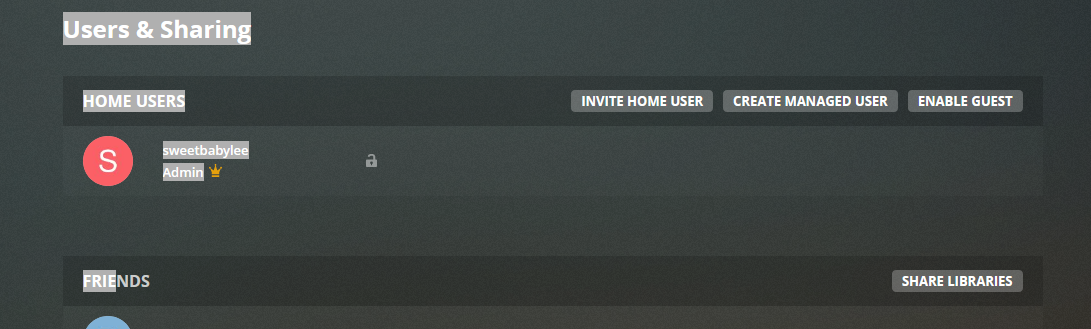
When you mouse over the Home user area “Set Pin” appears but no ‘X’ to remove. Thanks
sorry I meant your browser console logs not your server logs. but let me ask something else. if you set a PIN to your account. then go to https://app.plex.tv/desktop#!/settings/web/general
is auto sign in enabled? if not can you enable it then remove the PIN and tell me what happens
1 Like
Did all of the above and it just reverts back to the picture above after removing the PIN (hover over it says ‘Set PIN’) Sorry about the log. Thanks.
I don’t have to sign in anymore with auto sign enabled so all is well. Thanks!!
1 Like
yeah I think auto sign is was just not being renabled when you left the home originally like it should have
Hi BigWheel I’m having the same issue. It’s not the end of the world but it is a minor annoyance and I can’t reset it from the dashboard. Can you reset it from the back end please. love your handle buy the way.
Thanks
I don’t have it either. I never had this issue before. But last 2 weeks, I now have a sign in. I’ll try to ss it in image #2.
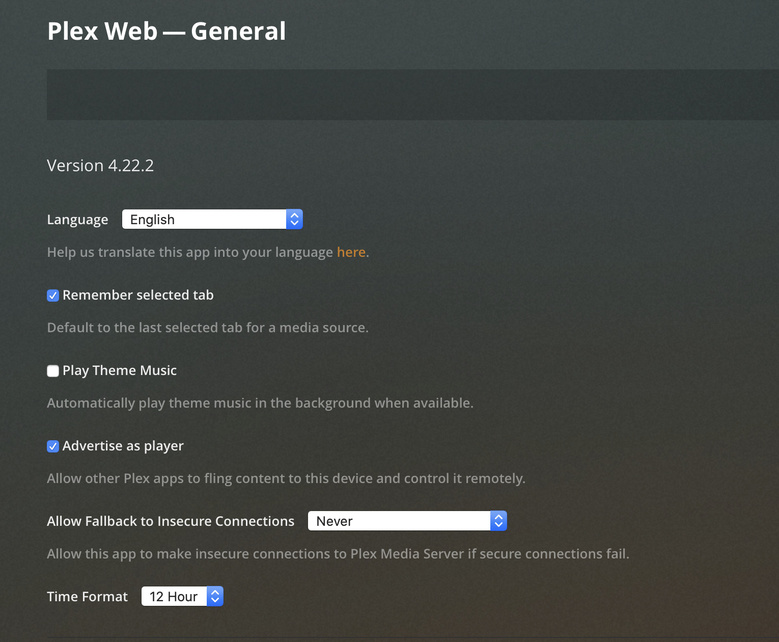

Try to add a user and see if that option shows up. Then you can enable the auto sign in, then remove the user.
1 Like
Hey guys - was there a straight solution to this? Last week I accidentlally added a user to my home group. I knew something was up because the next time I was asked whether I wanted to log in as him or me. I deleted him and added him as a normal sharing user, from remote. However, even though I deleted him under the Home group I still have to select which user to select (even though I’m the only one). There’s no enable auto login, and when I hover over my name there’s no red X, just as people described above. It’s mildly annoying.
Every officially supported Plex client has this preference. Please tell us the type of client you are using, so we can give you a tip where to look for it.
If it is not showing for you then create a managed user then it will. after it shows and you check it then delete the managed user.
Creating a managed user just got it to show up for me, thanks!
This topic was automatically closed 90 days after the last reply. New replies are no longer allowed.
