Try this under Advanced. Change Enable New Video Player to OFF
This work for me
Try this under Advanced. Change Enable New Video Player to OFF
This work for me
I do not know of anyone in the area,
I can tried to help you out, what is you issue besides Live TV Playback Stops Suddenly
For this issue have you try under Advanced. Change Enable New Video Player to OFF
This work for me
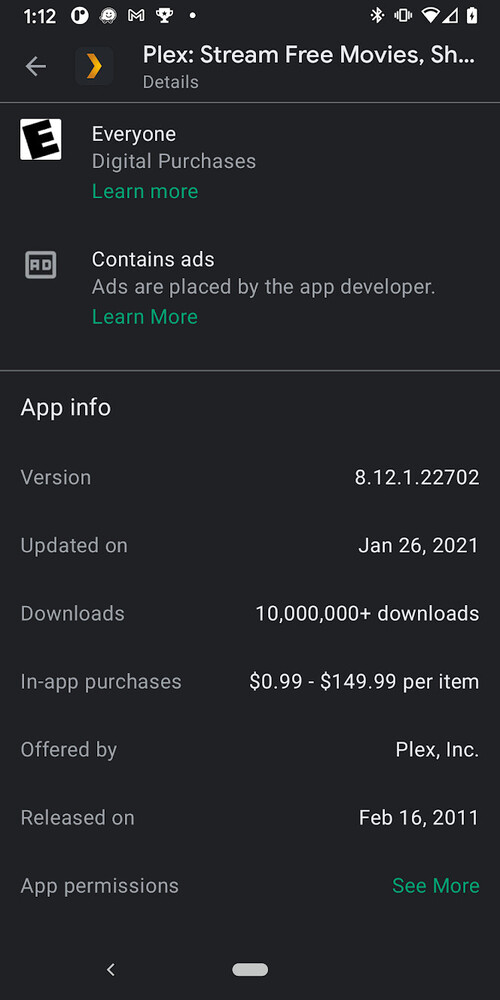
I have Plex Pass and version 8.12.1.22702 on my Android devices. There is no option for disabling new video player.
I think they removed that option a few versions ago. I personally run 8.5.2.20133 on my 3 Fire Stick 4Ks and they work perfectly on all default settings. No need to switch players or any settings.
So then is the recommendation to downgrade the app by sideloading?
Yes, thats what I do.
You can download the APK file here:
I found two ways to fix this:
How did you get 8.12. version software? I check the google play store on my phone does not exist also check my Chromecast TV app that version does not exist either. Are you using an APK file that not on the Google play store like
@ferrarispider360m_yahoo_com
Don’t download APK files from there when you can get them from the source, just scroll up for older apk versions: https://forums.plex.tv/t/plex-for-android/29115/370
Also beta releases can be found in this thread: https://forums.plex.tv/t/release-announcements-android-tv-beta/154124/395
How did you get 8.12. version software? I check the google play store on my phone does not exist
I got it straight from the Google Play Store. It could be that the APK for your device hasn’t been updated yet, or it could be that Plex are phasing rollout of the new APKs - mine was dated 26 January.
But it’ll get to you soon, presumably.
Can you tell me the name of your Google device?
All my devices are set up for auto-updated? Can you provide a screenshot of your app from the Google play store?
Pretty sure 8.12 got put onto Google Play and then was reverted back to 8.11 because of all the problems.
I uninstalled Plex from my device so I could downgrade to 8.6 for testing. Then I uninstalled that and went back to the Play Store yesterday evening and the screenshot is what was served up to me.
Yes, that’s what I meant. At the moment, it’s 8.11 on Google Play. They reverted after I posted all over the place about the problems. 8.11 sucks too if you use Live TV/DVR but at least video playback works.
MovieWiz is correct they remove the 8.12 version.
Have you try the 8.11 version with no new player option yet?
Update on for everyone
Install the newest version of software 1.21.2.3943 on my Linux Debian box. Bad news everything went back to Playback Stops Suddenly not good.
To get everything back working had to reinstall the older software 1.21.1.3876 restart the Linux box then restart each Chromecast device then I was back to everything working again.
I was wrong did not get everything back, this morning everything Playback Stops Suddenly
So, this issue, or a very similar one is happening for me on the latest stable Android client. Chromecasting from the Android client my Live TV it runs (as direct stream) for 15 minutes before stopping and returning back to the Plex holding screen on Chromecast (so still connected).
This doesn’t happen if doing the exact same thing in a browser, via Chromecast - at that point it plays flawlessly and until I stop it.
This is also happening to me on Android (Nvidia Shield TV) and Apple TV 4K.
Also, why is the tuning really slow? Channels DVR tunes in about 1 or 2 seconds, but Plex is taking 3-5 seconds.
(My server is a massive 16-core machine with an Nvidia card so I know it’s not a hardware problem; I’ve also confirmed the playback is using direct play)