Server Version#: 1.41.5.9626
Player Version#:
When I log into plex.tv I’m just seeing Plex corporate content. I’m not seeing my Plex server or its content. I’ve followed the steps in this article and still can’t see my server. Any help will be appreciated. Thanks!
NAS model?
DSM version?
If DSM 7, follow FAQ 31: Reset / Reclaim PMS on DSM 7 (Not Authorized - Locked Out).
Thanks @FordGuy61,
I am running DSM 7 and will check out the steps in the article you shared.
NAS Model: Synology DS20+
DSM Version: DSM 7.2.2-72806 Update 3
Following the steps in this article did not restore access.
I am seeing my Plex Server (NAS-1) listed in the left menu when I go to Activity > Dashboard (see attached) but I’m not able to get any of the content to show up.
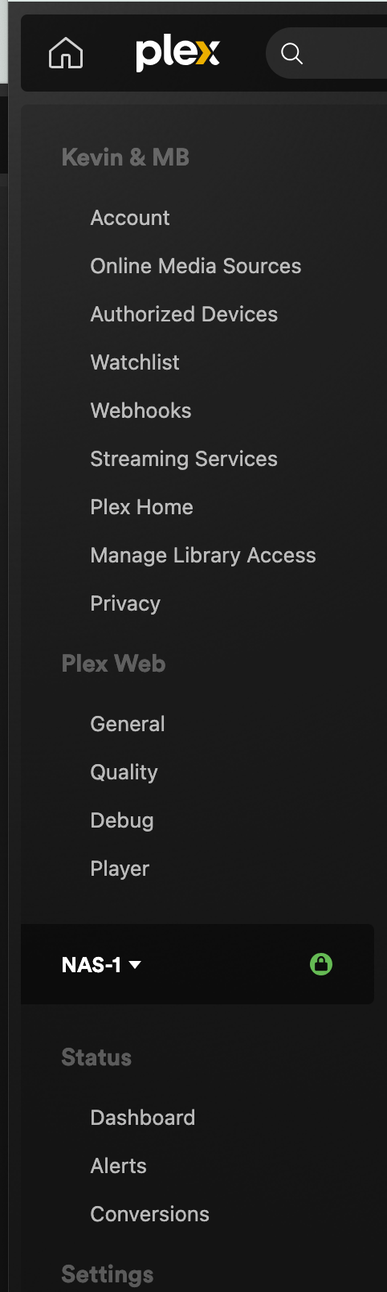
Go to Settings > General below NAS-1.
Is the server claimed by your account?
Further down, in Libraries, are your libraries listed?
If yes to both, go to Plex Web home page and, on left, choose MORE > at bottom. You should then see your server and libraries listed, and be able to pin them to the home page.
Thanks for taking the time to help @FordGuy61.
I’m thinking the issue may have been a DNS issue.
It seemed to resolve itself yesterday when I walked away from the computer.
