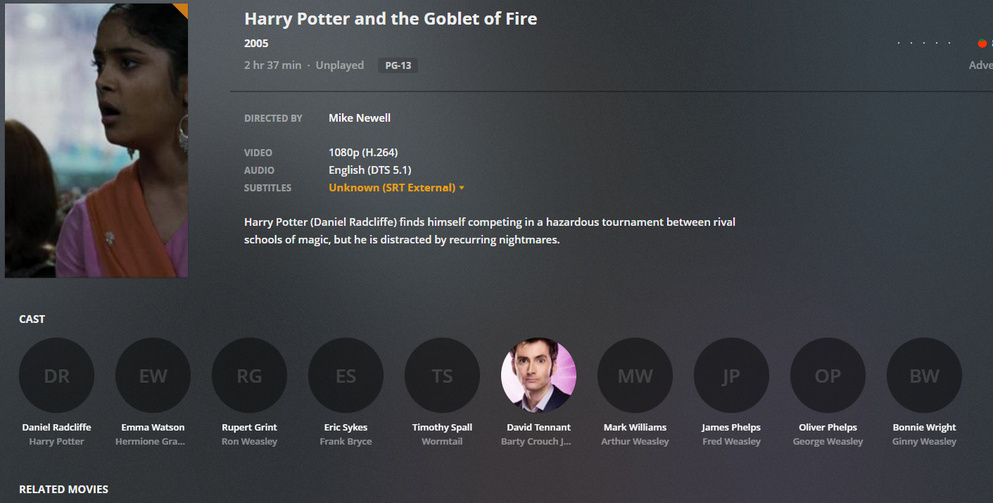
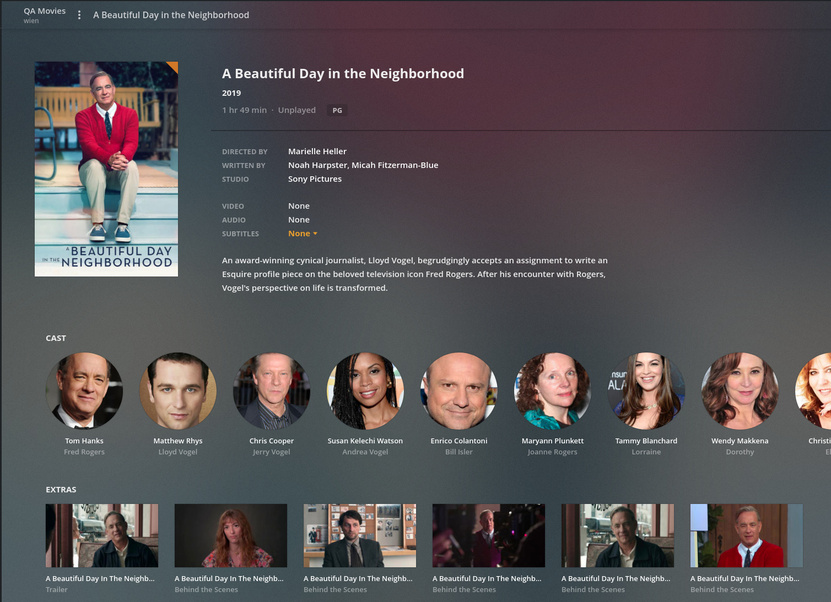
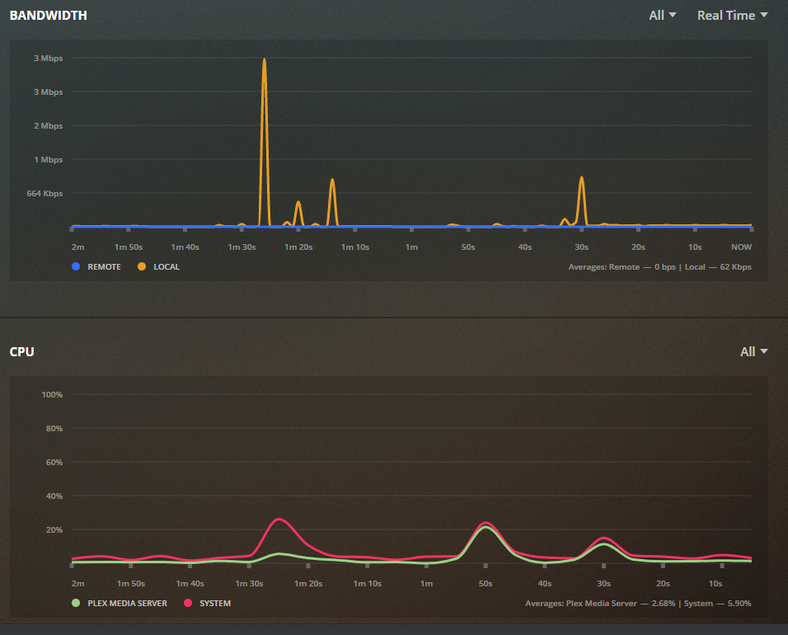
When adding TV shows…

When adding movies it flatlines.
I need your Plex logs.
If you did a fresh installation, it’s A or B.
a. Raspbian Linux for the OMV add on (I used native X86_64 OMV)
b. Networking
That’s my thoughts.
Right off the bat… Networking.
Which is the default? Both on the same subnet is not how it should be done.
Jan 13, 2020 16:05:24.761 [0xb45b0010] DEBUG - Network interfaces:
Jan 13, 2020 16:05:24.761 [0xb45b0010] DEBUG -  * 1 lo (127.0.0.1) (loopback: 1)
Jan 13, 2020 16:05:24.761 [0xb45b0010] DEBUG -  * 2 eth0 (192.168.0.2) (loopback: 0)
Jan 13, 2020 16:05:24.761 [0xb45b0010] DEBUG -  * 2 eth0 (192.168.0.21) (loopback: 0)
Jan 13, 2020 16:05:24.761 [0xb45b0010] DEBUG -  * 1 lo (::1) (loopback: 1)
Also turn off IPv6. It’s not being used. Let’s make this clean.
Let’s get this settled one step at a time.
OK…
I was trying to get it as a static IP. Deleted the eth0 setting in OMV. Now only the .21 IP is working
OK. IPv6 disabled in PMS.
Updated logs after correcting double-ip
How is this named as a file?
“A Beautiful Day in the Neighborhood” ?
It’s showing up as incorrectly named (needs the parenthesis)
2020-01-13 16:07:55,913 (-50002ba0) :  INFO (__init__:465) - {'tt3224458': [5, u'A Beautiful Day in the Neighborhood 2019', None, 100, 373, 92]}
2020-01-13 16:07:55,915 (-50002ba0) :  DEBUG (networking:143) - Requesting 'http://127.0.0.1:32400/services/tmdb?uri=%2Fmovie%2Ftt3224458%3Fappend_to_response%3Dreleases%2Ccredits%26language%3D'
2020-01-13 16:08:15,937 (-50002ba0) :  INFO (__init__:1450) - Error fetching JSON from The Movie Database: http://127.0.0.1:32400/services/tmdb?uri=%2Fmovie%2Ftt3224458%3Fappend_to_response%3Dreleases%2Ccredits%26language%3D
2020-01-13 16:08:15,940 (-50002ba0) :  DEBUG (networking:143) - Requesting 'http://127.0.0.1:32400/services/tmdb?uri=%2Fmovie%2Ftt3224458%3Fappend_to_response%3Dreleases%2Ccredits%26language%3D'
2020-01-13 16:08:35,945 (-50002ba0) :  INFO (__init__:1450) - Error fetching JSON from The Movie Database: http://127.0.0.1:32400/services/tmdb?uri=%2Fmovie%2Ftt3224458%3Fappend_to_response%3Dreleases%2Ccredits%26language%3D
A Beautiful Day in the Neighborhood (2019).avi
What does the metadata embedded in that AVI show please?
I don’t think you’ll find a clean name. (PMS reads that metadata)
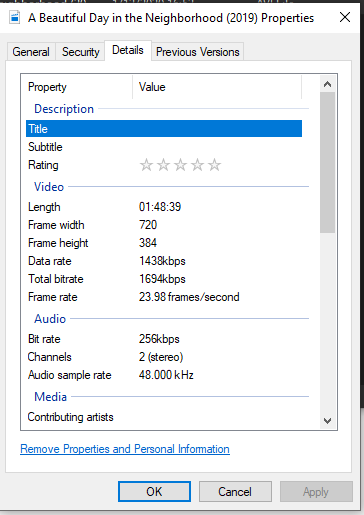
Ok… Let me look further but I am really started to suspect the OS itself (Raspian+OMV) combination.
HP and the goblet of fire is the same in properties…
Yet the metadata is almost there… I have one actor picture now!
What is your DNS pointed to? Google or the ISP ?
1.1.1.1 & 1.0.0.1 - Not google.
For testing only,
switch to 8.8.8.8 and 8.8.4.4
Then Refresh All Metadata
OK. Updated router for that setting. Rebooting.
Force Refresh the metadata.
Wait for it to stop.
Grab and attach the logs again please.
Have to go pick up the kids, so back in an hour or so. Should be done by then with the scan I would think.