What’s happening is my TV Shows Library is set in Edit → Advanced, for Seasons to Show. So I’m expecting a show with only 1 season to still show the seasons available as clickable options. Rather than just showing the episodes for that one season (which is expected from Hide for single-season series in the Libraries’ Edit → Advanced, but that’s not what the library is set to).
Correct Behaviour:
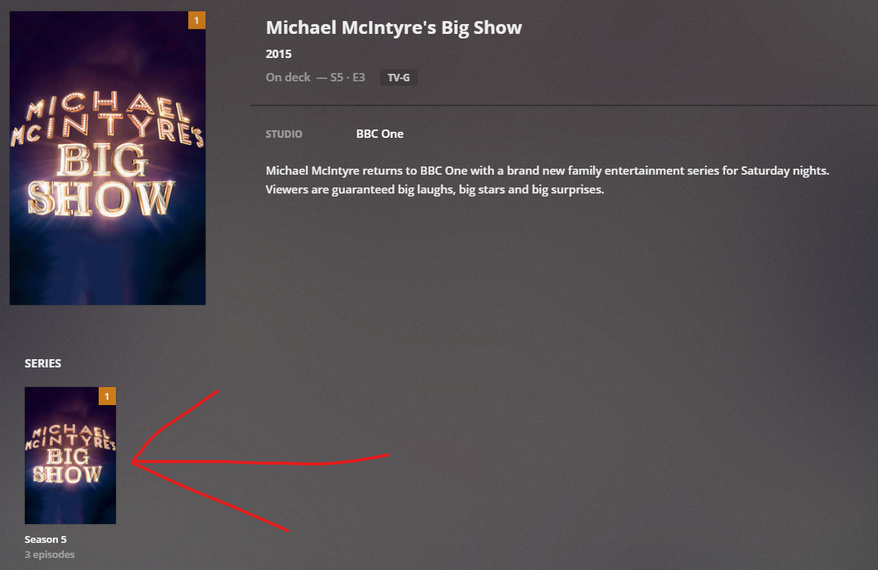
Current/Incorrect Behaviour (With only one episode showing when trying to reproduce):
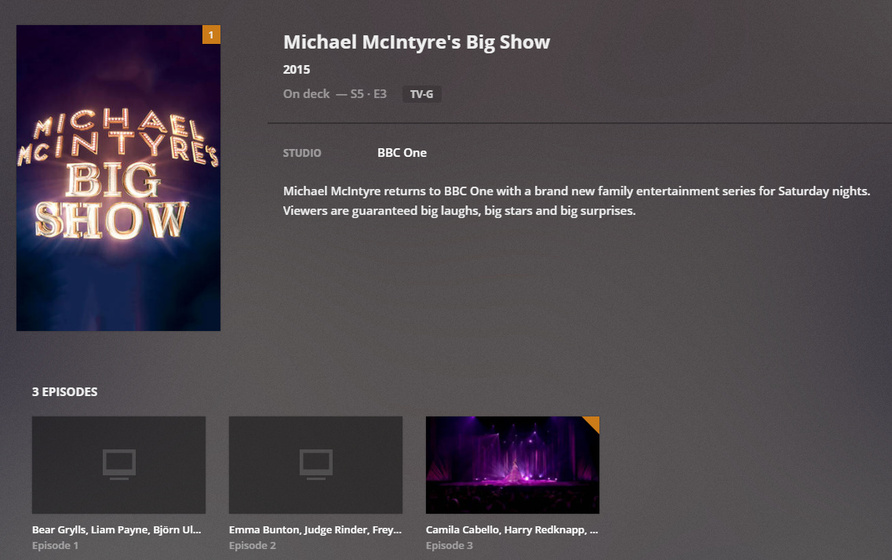
When a show that hasn’t ever been in my library before has finished recording, it puts it in my library as usual. But doesn’t seem to use the Library setting to show Seasons. It automatically sets it to Hide not Library Default so you have to manaully change the new shows’ settings to Library Default. Only seems to happen on DVR Shows that haven’t ever been in your library.
I’ve only seen this happen on Plex Web, so not sure whether this transfers to other platforms but just annoying when you’ve specified the library to show Seasons, even for Single Season Series.
The wording of “This Show” and the drop down text. As you’re in the Library settings, so what’s the “Library default”? Seems like the drop down should only be the bottom two options and the How to sort the episodes for this show. should be adjusted to How to sort the episodes for a TV Show, in this library.. Seems like the Episode sorting in simple terms is “copy and pasted” from the editing a TV Show screen. Obviously not a copy and paste, but things seem a bit off when in the library settings it shows Library Default. That should only be shown when editing a TV Show. 
Library Level:
Oldest First & Newest First. Description: How to sort the episodes for a TV Show, in this library.
TV Show Level:
Library Default, Oldest First & Newest First. Description: How to sort the episodes for this show.
