Nah, I had to switch back to Plex on Kodi, the fix worked for one ep.
.wrong post
I switched from a NV Shield PMS to Windows and had some strange similar issues. Try this:
Go to PMS settings/authorized devices and delete them
On clients log off and uninstall
Reinstall clients and see if it is better
Good luck.
@sa2000 - Been a while since I posted.
The original problems are no longer an issue, skipping right to end, and connection lost message, but… I have a new error that could be the same thing just different message. I keep getting that my connection is not fast enough blah blah. The strange thing is, it ALWAYS happens at around :24 mins after the hour.
I have attached logs. and my speed tests. Slower one is the where I watch from with Shield, faster one is external Plex server.


plex-shield-logging.txt (1.1 MB)
Plex Media Server Logs_2019-01-30_00-07-55.zip (3.1 MB)
Tried it but didn’t work.
I called Amazon yesterday because I more and more get the feeling that it’s an issue with the fire stick.
Especially since I tried Emby and it doesn’t connect as well…
hi there,
i don’t have a Nvidia Shield device. i have a device i got from my cable company running Android Operating system. i installed plex on it from the google store, and it was working fine up to 2 weeks ago (give or take).
when i play any content now getting this error;
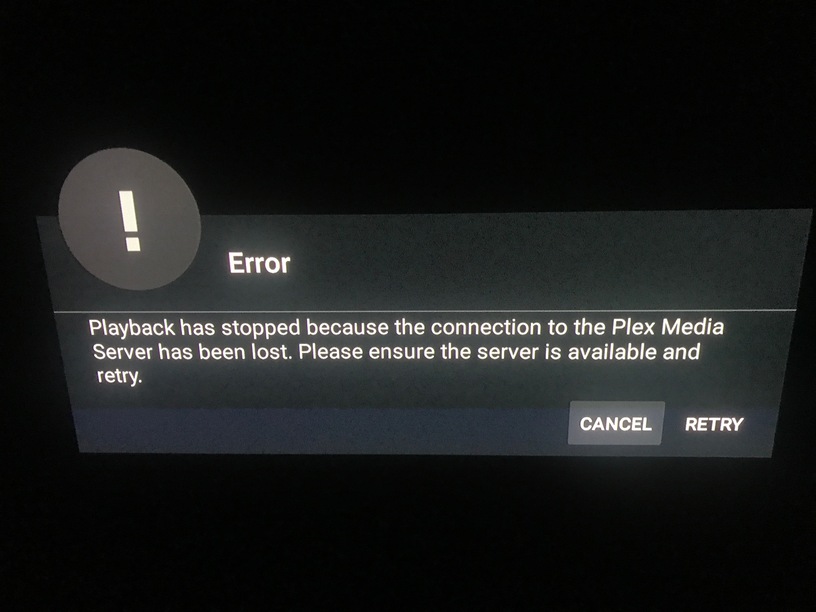
Playing with the new Optical Passthrough settings in 7.10.0 I’ve found that I get the Connection Lost message if the audio fails. Obviously, this is the incorrect error, since the reason it’s failing is because the audio type isn’t supported, and not because there’s any sort of network or server issue. You can imagine how this is could be insanely confusing 
I found it pretty easy to recreate on my setup. Here’s my steps:
Passthrough Disabled -> Direct Play AC-3 file: Success with Transcoded Audio (AC-3 audio is not supported by this device)

Passthrough HDMI -> Direct Play AC-3 file: Success with Transcoded Audio (AC-3 audio is not supported by this device)

Passthrough Optical -> Optical Encodings: None -> Direct Play AC-3 file: Success with Transcoded Audio

Passthrough Optical -> Optical Encodings: DTS -> Direct Play AC-3 file: Success with Transcoded Audio

Passthrough Optical -> Optical Encodings: AC3 -> Direct Play AC-3 file: Error - Playback has stopped because the connection to the Plex Media Server has been lost

Passthrough Optical -> Optical Encodings: AC3, DTS -> Direct Play AC-3 file: Error - Playback has stopped because the connection to the Plex Media Server has been lost
Audio mediainfo for the file in question showing it’s regular AC-3 and not EAC3 or anything else:
Audio
ID                                       : 2
Format                                   : AC-3
Format/Info                              : Audio Coding 3
Codec ID                                 : A_AC3
Duration                                 : 19 min 25 s
Bit rate mode                            : Constant
Bit rate                                 : 384 kb/s
Channel(s)                               : 6 channels
Channel positions                        : Front: L C R, Side: L R, LFE
Sampling rate                            : 48.0 kHz
Frame rate                               : 31.250 FPS (1536 SPF)
Bit depth                                : 16 bits
Compression mode                         : Lossy
Stream size                              : 53.4 MiB (12%)
Language                                 : English
Service kind                             : Complete Main
Default                                  : Yes
Forced                                   : No
My setup is Shield with HDMI out to the TV, and a USB DAC optical out to my soundbar.
Shield Plex Client: 7.10.0.8875
Windows 10 Server PMS: 1.14.1.5488
If this seems like it would be interesting to the devs, I can recreate it with fresh clean logs, samples files, etc. Just let me know what you need.
this thread is now a year old, happy year-aversary for plex never fixing their bugs! or giving any helpful support or even really looking at the forums.
this comment brought to you by someone who hasn’t been able to play half his stuff for a year
2 Likes
I just spent the last few hours researching alternative Plex clients because of how long this has taken to fix and it just seems to get worse not better! I like the shield but it’s main purpose for me is the Plex client and it’s very unreliable for a long time with no fix in sight any time soon! I got the shield a few yrs ago as it was the undisputed king of Plex clients but there are a few good competitors now. I’m thinking to try the Apple TV 4K and if the native Plex app is similar to the Shields I can try Infuse with its Plex support…
You could try MrMC as your Plex client on the Shield. Many of us do.
The Ariana skin looks great.
1 Like
Well I really want to purchase a Plex Pass but refuse to do so until I can watch all my stuff and not just half of it.
Come on Plex! Sort it out please! Are you working on a fix or not?
2 Likes
Hey, sorry for the late reply… of the 6 fire devices that i ended up loading the older iteration of plex are still functional with no crashes, three of which are the 4k model and using the ethernet adapter… however one of the devices (that i use at my office to literally stream music all day) has a minor glitch where when playing music through a premade playlist, it may not go to the next track after the previous is completed… if left for no specified time, it’ll just continue on it’s own… however that got kind of annoying and i ended up re-installing the current version of plex, which has the playback issue for movies (oddly enough not tv shows)…
As mentioned before the other are fine, both on wifi and ethernet with no major issues, the only complaint i have is that the interface is dated and not user friendly…
Regards,
1 Like
Hello,
did anyone try the latest: Plex for Android 7.10.0
Sadly, even after 8 days, it is not available via Amazon App Store! 
Does the behaviour still persist?
Cheers
Hossa
Same crap. I found an app called XPLAY which is a plex client and works perfectly. Not as slick, but he wants suggestions. Downside, it’s 10.99 CDN. But my Google rewards paid for it. It’s only for Android TV and webOS (LG). I have it on my Shield.
1 Like
at least I’m not alone, but I have the exact same problem. My new fire stick 4k is unable to stream any content from my Synology NAS.
Tried with version 6.12.0.3239 as recommended above and still the same problem as with the latest version of Plex ( [7.10.0.8875).
What’s the solution?
I bought that fire stick because my old Apple TV (ATV3) stopped to airplay stream content from Plex (probably same reason but there it’s called “An Error Occurred Loading This Content”.
So I thought that the ATV was too old and I had to update my hardware… bad thinking lol.
I just spent 50 bucks more for something that simply doesn’t work anymore. Happy days.
I have been having the same issue - “Connection to Plex media server has been lost” I hit "retry, and it does resume. I am not a techie, so apologies I cannot add more value (though I sincerely appreciate the efforts of those on this post! I am using a Nvidia Shield. As much as I wanted to love Plex and recommend it to friends, I just can’t. guess I will see how things work with Kodi - (though I found that setup a bit intimidating - if someone knows a quick link that can help guide me through that setup, I would greatly appreciate it as i venture out to find that info myself)
I would like to share my experience… and it might be nothing but in the end it worked. Just came to visit my parents who watches from my Plex server. They were not able to watch for awhile (no concrete timeline) as I just found out last night. I have been trying to get it working with the same “Connection to Plex media server has been lost…” blah blah. Every one of the devices I brought with me worked, etc etc. Uninstalled the latest Fire TV app they had on their Gen1 full Fire TV all the way back to the Nov 7.8 version. Was still getting the error. Well, I then just told the FireTV to restart (which should have been my first step… I always tell my wife to do it and she was the one that actually suggested it). And then it worked… stupid stupid stupid… so then I uninstalled the 7.8 and installed the latest 7.10 and it still works… so… for those with the problem… did you or have you rebooted your Fire TV?
Anyways… end story/rant.
Same issue here… Extremely frustrating. Anything above 3mbit doesn’t work. If I use plexkodiconnect it runs flawlessly so can’t be the server.
Wish plexkodiconnect connect could have the same interface as Plex app…
1 Like
Still a problem a year later… is anyone looking into this? fireTV 4K wont play unless quality is set to 3Mb or less… why…
1 Like
I’ve just tried setting that preference to less than the 3mb you stated and it still refuses to play for me.
I’ve noticed that it plays my actual tv shows and films absolutely perfectly, but my home videos, eg short video clips from my Sony RX100mk1 have the error as soon as I click play on one of them. Everything plays correctly via the Plex web client on my laptop.
Come on Plex, it’s time to get this solved once and for all!
