Sorry to hear that - I guess you are not getting error messages on the repair? I was and ignoring those was what resolved it. If you are running repair without an issue then it must be slightly different to mine in terms of root cause.
I tried running this command after realizing i do have an item in my db with a library id of -4 and a blank guid. But i am getting “Parse error: unknown tokenizer: collating”. i tried removing the two fts4 metadata triggers and then running it again, same error message. Does anything else need to be done to run that command?
As for the SQL error, you must use the Plex Sqlite command line as described in the post where you quoted that query I provided.
Tried this but it tells me segmentation fault, tried even DBRepair tool with ignore but nothing, hope the next PMS update is near, is driving me crazy, every times it reboots I need to redo all
Thanks. I was able to find the Plex SQLite at “/usr/lib/plexmediaserver/Plex SQLite” and ran that command on the library db, i didnt receive any errors after running it. But when i browse the DB, i still see a metadata item with a library of -4 and no guid. Still not able to manually or automatically match files.
@drzoidberg33 tried dbreapir, changed unraid DNS to google. restarted unraid, re-installed docker, optimized database. nothing seems to work. attached are the logs. would love some guidance.
@Bipple294 @jellymunky There are some fixes I have in the next beta release, it should be landing pretty soon but I’ll provide a link here to the build as soon as it is ready.
4 Likes
Hey @drzoidberg33 , thanks for looking into all of these!! Mine was doing pretty good for a while but just started back up not being able to match. I restarted plex and grabbed the logs here.
I’ve always gotten a ton of the database is too slow type of warnings, its been on different SSD’s for years but is pretty large. I’m on Unraid and binhex’s docker container.
We’ve got a new alpha build ready which should hopefully resolve the issue for many of you here.
This is still going through QA on our side but if you want to test this build out so long I have the links below.
If you still have issues after this, please check that you’re not affected by this issue: Library.db size more than doubled in latest version and if you are, then this new build will also fix this, it only runs as a schedule task so you could force it by changing the hours that these run temporarily and let it run then change the hours back.
Desktop Platforms
-
Windows
-
Ubuntu/Debian
-
RedHat/Fedora/CentOS
-
FreeBSD
-
macOS
NAS Devices
-
Asustor
-
Seagate
-
Synology (DSM 6)
- ARMv7_Neon (x15 Series (excluding DS115j, RS815), x16 Series (excluding DS216se), x17 Series, x18 Series, and DS414j)
- ARMv7 (x13 Series, x14 Series (excluding DS414j), DS115j, RS815, and DS216se)
- ARMv8 (x18 Series, x19 Series, x20 Series)
- Intel - 32-bit (x10 Series, DS415play, and DS214play
- Intel - 64-bit (DSM 6.0 or newer)
-
Synology (DSM 7)
-
QNAP
-
Unraid
-
Netgear
-
Western Digital (OS 3)
-
Western Digital (OS 5)
3 Likes
Unfortunately i’m experiencing the same issue with the agents being unable to match any content. I attached some logs after I rebooted my server. Let me know if the logs are useful.

Plex Media Server Logs_2025-05-28_18-30-57–1.41.8.9834-071366d65-x86_64.zip (515.9 KB)
I’ve restarted a couple times and same issue. Going back to PlexMediaServer-1.41.5.9522-a96edc606-x86_64.
1 Like
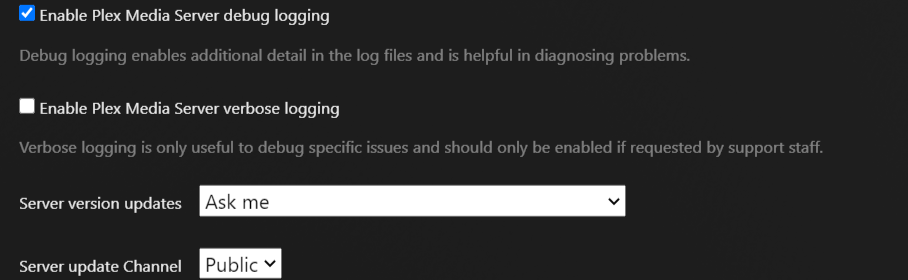
You seem to just have some database problems, however you don’t have debug logging enabled so the logs aren’t very useful.
Please check this too:
That’s a bit odd because I checked both options before sending you the logs. I’ll check the other link you sent later this evening or tomorrow and get back to you. Thanks for checking the logs.

Just don’t ever enable verbose logging unless an employee specifically asks for that, it just makes it more difficult to read the logs (and often things get lost because the logs rollover too quickly).
Apologies for that. I’ll keep that option turned off next time.
Here are some fresh logs with verbose logging turned on. The only change on my end was going from a database size of 8192MB to 4096MB. Looks like the agents are matching content properly. I’m wondering if the database size was too large? I’ll keep monitoring to see if the same non-matching behavior starts again.

Plex Media Server Logs_2025-05-29_07-28-52-1.41.8.9834.zip (358.8 KB)
Is there some specific reason you’re changing this value and making it so high?
I have a big collection so I assumed a higher value would make things run more smoothly but I’m not a Plex database expert. A lower value seemed to fix the matching issues.
For the docker image? I’m on plexinc/pms-docker:beta but no update, but dashboard tells me that a new version is available
EDIT: Okay needed VERSION=beta to work, now the metadata thing is fixed! 
1 Like
I’m honestly not even sure what sort of impact having such a huge cache size has, I doubt it makes any difference beyond a certain point and it could cause issues if set too high.
I’ve personally never needed to touch this setting and don’t have any issues with the default size.
As a general rule, it’s best not to touch advanced settings unless you fully understand the impact they have, especially the negative impacts.
