I would agree. Someone mentioned they tried the script which produced good results but the issue came back after a few days or so. So I’m not sure if the new server version has a critical bug corrupting the database or whatever the issue is. I’m on 1.41.6.9685-d301f511a.
Here is the logs in Debugging.
Unfortunately I have the same issue. On my Plex Server running on a NUC (LInux) everything is ok; on the other server, running on a Synology DS918+, the same 2 new movies e 2 new TV shows don’t show the metadata. How can I solve this?
The agents were briefly working yesterday for a couple hours or so but now its back to the same behavior. No resolution in sight. This must be a back end issue…
My Server upgraded to version 1.41.6.9685 last night and the new Plex Movie is working on the one library I didn’t downgrade to Legacy again…Will keep y’all posted.
Whenever the newer agents show the “no match” behavior now I just reboot the entire PC running plex and that seems to help. Then I’m able to match and download metadata but the issue comes back randomly so I guess I’ll keep having to reboot to get the agents to work again.
It still cannot find a couple of movies from this year
if it can be of any help…
I found out that my DSM didn’t like the default DNS and wanted me to select 8.8.8.8 as DNS.
It helped to install the plex update.
Cloudflare here. Still broken and forced to use other scanners.
Hi, I discovered issues yesterday. I do not see my server in the plex applications - Plex Web Version 4.132.2, PlexAmp, from mobile and desktop.
Plex media server v 1.40.4.8840-60008840
is on Synology DS415play DSM Version DSM 6.2.4-25556 Update 8
Any advices?
Refresh Metadata is greyed out because those movies are not matched. That is why you have the “Match…” option (instead of “Fix Match…”). Since the movies are not matched, Plex cannot refresh the metadata – because it does not know what the movies are.
This may be true in the case your describing. It is most certainly not the case for the large portion of members in this thread. Something happened to the Plex Scanners (tv and movie) within the past 3 weeks that have prevented them from properly and consistently matching and retrieiving metadata. However, the tvdb and moviedb scanners work properly, which is the workaround most folks are using.
1 Like
I’m not denying that. I’m just replying to helphand because they are noting the lack of the Refresh option as an additional bug when it’s not. It’s exactly what the server should be doing when invoked on an item that is unmatched. It’s a resulting condition from the metadata scanner issue.
1 Like
Very true. Thank you. 
Sadly, today mine stopped working again.
I went in to change to TMDb and it once again said that library needed to be upgraded. I already ran the upgrade process on it last week. I’m doing it again i guess.
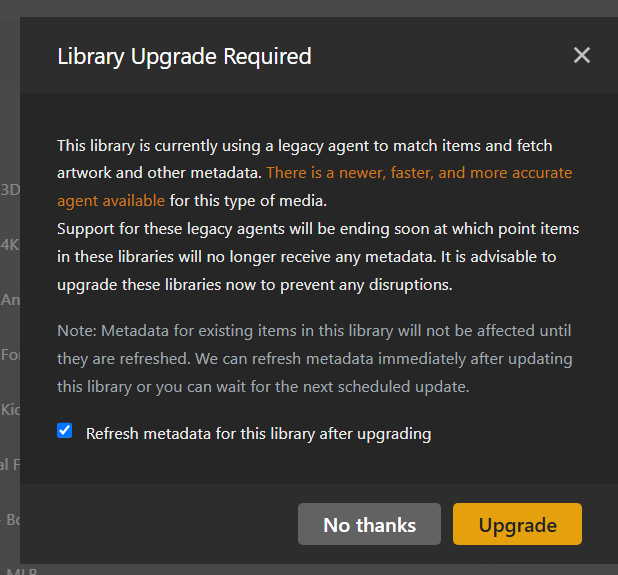
Welp i’m fixed again, after running the upgrade for the 2nd time on that library it appears good again. Maybe it aborted out the first time and i didn’t notice or something.
if i open that library to edit it and just click save without changing anything with plex movie as the scanner and agent it rescans the library (VERY quickly i’ll add which is nice) but in console i get this spammed. maybe that’ll help in some way?

more data..

This is interesting.. I created this library only a couple weeks ago and now if i go in to edit it and just hit save with no changes it also shows as needing to be upgraded.

If you do that library upgrade, it’ll force you back to the broken Plex Scanners. Just sit with the tvdb and the nasty red warning until they fix this. It’s clear that this isn’t an isolated incident.
2 Likes
Ah, your explanation makes total sense. Thanks for setting me straight.
1 Like
Looking at your logs what path is listed when you “add folder” to your library?
I went the easy to remember and mounted the /mnt/user/Movies, the /mnt/user/TV Shows, etc which is what the host calls the locations in the Docker container to the same mount location. Been running like this since I created the server in 2011 or 2012.
