Hey Trumpy,
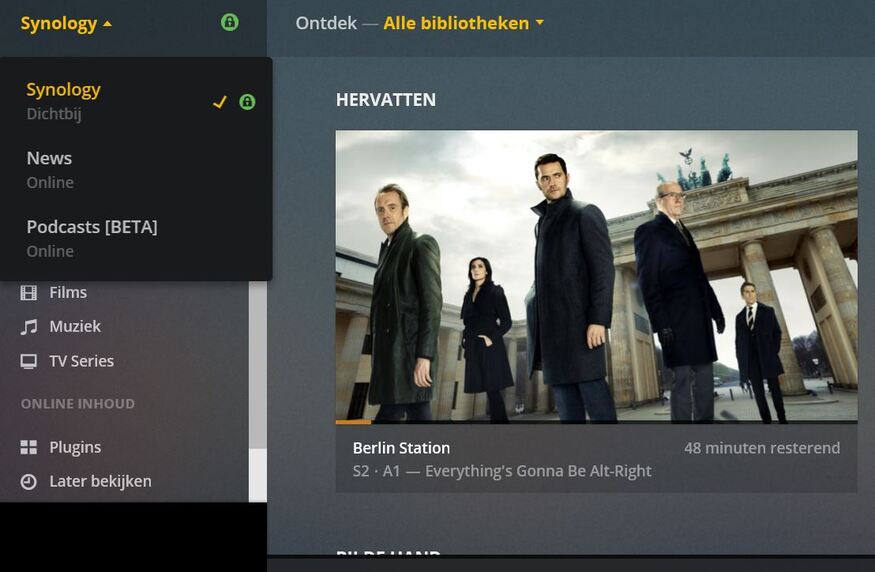
I guess I spoke to soon. I connected to the Plex without issue but It now shows that my media server is not claimed and It will not allow me to claim it. It keeps telling me I need to log in to do so. It will also no longer allow remote access. Any thoughts?
Will
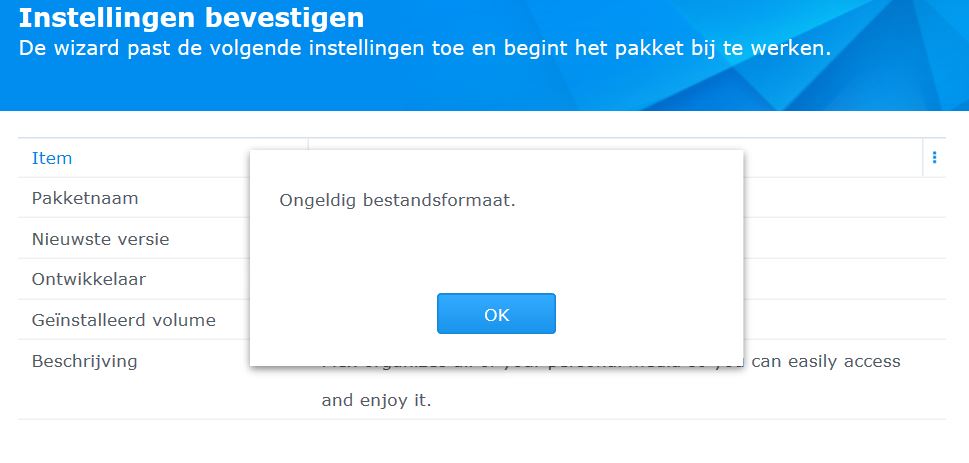
Several times i tried too install the 64 version but every time Synology DS416 Play it gets me the following message “ONBEKEND BESTANDSFORMAAT” what must i do? Sorry for my bad English…
Kind regards,
Hans
I did installed the correct file, i think. I removed the preferences file.
@Synology_Hans
What version of DSM is installed please? DSM 6.1 ? DSM 6.2 ?
Hans,
Thank you.
When it complains of invalid format,  the file is incomplete / damaged during download.
Some browsers do not download well.   We always suggest trying another browser.
As Trumpy instructed, please download this file:
https://downloads.plex.tv/plex-media-server/1.13.4.5271-200287a06/PlexMediaServer-1.13.4.5271-200287a06-x86_64.spk
Perform “Manual Install” in Package Center
THank you, it took some time but now i could install PMS, but can’t find the server settings.
Add
I removed it before, without any result, now i tried several times and now i could install PMS, thank you very much for your patience and help.
Kind regards,
Hans
Hi, I’ve same problem with latest version of DSM and Plesk (64 bit).
Plesk no detects server… I also have applied solution of @ChuckPa and same error…
Thanks @trumpy81 but I’ve tried all answers and solutions but same error.
It’s frustrating!
Searching server…

Hi guys. I just found out I am having this issue after installing DSM 6.2-23739 on my DS214play. Some background: I just moved to Chengdu, China on 08/15 and decided to pu;; out the ol’ Plex server out of retirement since we have been having issues accessing Hulu and Netflix here through our VPN (had not had any issues at my last Post which is why we have not used Plex). I am runnning PMC 1.12.1.4885-1046ba85f and it will not start. I assumed it might need an update. The Great Firewall of China has been a formidable apponent but was able to get the DSM upgraded eventually. It still did not fix the issue so I decided to go on the forums and saw Chucks posting about getting the 64bit spk to fix the issue. Unfortunately, the Great Firewall of China has best me here and is preventing me from going to the downloads page. “Fetching latest downloads” has been up for the last 30 min. Is there another way to get the latest download file? Can someone possibly email it me? Please let me know.
The SPK is about 100 MB so emailing it is not possible for most. 30 MB attachment limits are common for those using free email services.
Have you access to Google drive?
Thanks for replying, Chuck. I do have Google drive but have not used it since 2015. Anything special I need to do on my end?
Which NAS do you have ? Intel X86_64 or ARMv7 ?
I have a couple PMS versions in G-drive for those who are having extreme difficulties.
You being behind The Great Firewall counts as one to me.
If you can access your G-drive and utilize it in any way, that will mean you can access my G-drive link.
Not sure which one I have. Intel I believe but will have to check when I get home.
Took some doing, but I finally an able to access my G Drive. Just let me know when I can grab that file.
Thanks so much to you and the community for figuring all this out!
This link should be valid for about 48 hours.
It is 1.13.2. I selected it because I believe it to be the most stable for use in your environment.
https://drive.google.com/open?id=1X--fg6GiI_QcP5nVpIVnRiXowWZ1AZzz
Thanks Chuck. I was able to download the file from the link. Thank you for making it available. Unfortunately I get an error saying This package is not supported on the platform of diskstation or is incompatible with the current DSM version”.
Synology made a change in DSM 6.2 Update 2 which terminated 32 bit support on all 64 bit capable devices. As such, I/we had to change the PMS installation package appropriately.
As it stands now, there are only 2 devices which are allowed the 32 bit version and now that I think about it, I probably linked the wrong one. #facepalm (DS214play is one which requires 32 bit)… I am uploading now and will provide you with a fresh link in about 15 minutes (slow upload here).
My profound apologies for the error. I’m already accepting that Synology has largely killed off 32 bit CPUs in their product line.