I have read the linked post and can say that Every time I click on an episode from a series or on the series to play the next unwatched episode and let the episode play out I experience the skipping behaviour.
I have now taken to having to be at my computer every time an episode changes to press play on the skipped episode which is highly disruptive.
One in 10 times when I manually skip to the end once the credits start it does not do the double next. I have not worked out yet the combination of screen layouts or dozens of episodes I have had to watch out of order to work out when it does not skip.
I can confirm that this is happening with IOS and Chromecast Ultra as well. really annoying to have to monitor episode change over.
I have found that it it plays the first two episodes fine, and starts skipping to every second episode. I find if we don’t play anything for a couple of hours it seems to sort itself out and restart the pattern.
I’ve had it skip from 1 to 3 several times. I’ve been watching some series with short seasons.
It’s helpful to see iOS in the mix as now we have reports of Android, iOS and Chrome browser as clients experiencing issues and a mix of Chromecast, Chromecast 2 and Chromecast Ultra as cast targets.
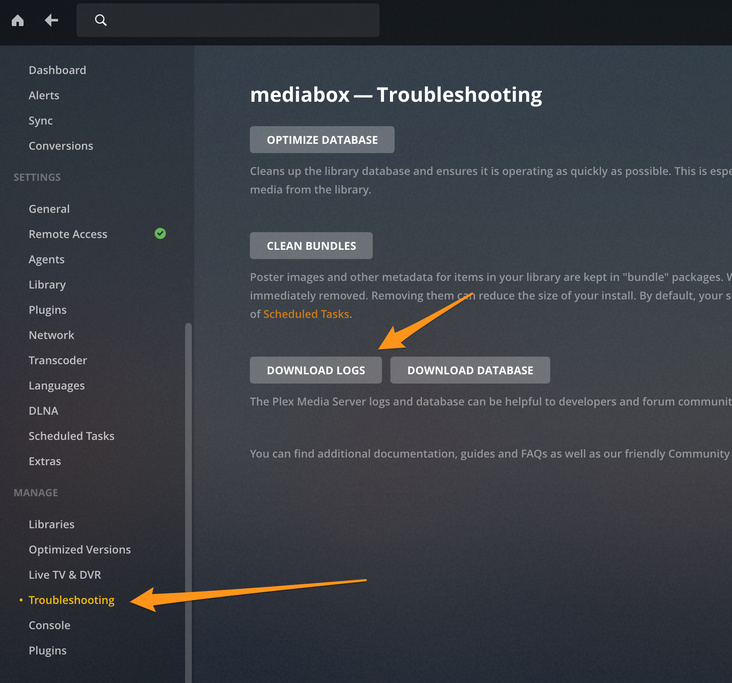
So this is only happening when casting to chromecast ( or some other device with chromecast built in)? Can anyone grab the server logs right after it happens
But if we all have the log location it might help us to provide various instances.
I could easily search for it, as could others, but as logs were being asked for here I thought it would have been helpful to post the default log location rather than have everyone have to look for it. I’ll have a look and get back as the more information you have the better.
Thanks. I did find that but it’s now good to see the info here.
It would be good if any time a real issue is identified a link is provided when asking for logs.
Unfortunately the web based log download gives me an empty zip file. Perhaps this is another issue.
I went to %LOCALAPPDATA%\Plex Media Server\Logs
I deleted Plex Media Server.log to reduce clutter and will pass on a copy once I experience the issue.
out of interest BigWheel what is your cast client and chromecast version? It may help narrow down issues if there is a known combination that does not suffer the issue.
Also are you on the public or beta update channel? Maybe it has been fixed in beta but I have been bitten there too many times.
I use public versions for my main viewing system. It is too complicated to keep switching between versions when trying to reproduce stuff all the time. Admittedly i don’t generally watch more than 2 episodes in a row so might have just not ever gotten to a point when it happens.
It is easy to reproduce the bug, in your episode, go to the last minute (or second) and wait for the automatic play next. If the bug doesn’t appears, retry again, go to the last minute, and wait for the automatic play next episode. It is what i done for my videos. it take less than 5 minutes to reproduce.
Maarvelous|
Sorry for the late submission of my logs. Had no end of bizzare issues with a couple of minimal TV days in between. For some reason when trying to force the issue by manually going to end of episode it would not fire 10% and the rest the log would not open in an editor. Using the web interface to open the log always presented be with an empty zip, presumably due to the permission issues on the log.
Cheers BigWheel and the rest of the team for following up on it.
Please let us know when it hits Beta. I would be keen to change my update chanel for this issue and help you test it in the wild.