I have been using this packaging 2.0 in my DS218+ and everything is working perfectly, including hw transcode.
Thanks a lot ChuckPa and Plex team for the hard work
1 Like
Chuck is it possible for me to get help with my plex server, just upgraded to Synology DSM 7.0-41890 and anything i’ve tried my plex will just not work. I have read a lot of this thread but at this point it’s just confusing me. Would appreciate any help from any plex member, thank you
What doesn’t work?
There are a lot of moving parts in the DSM 6 → DSM 7 revamp.
can you tell me ( item list please if possible ) what you’e done so far ?
honestly I think I need to start from scratch, i found some videos of how to install plex using docker and when I get to the PuTTy phase I just get lost because I can’t figure out how to use it or download it. This whole thread I’m sure has useful info but i’m lost. I wish there was a tech support number to call but seems like there isn’t one. I’ll literally pay you money if you help me figure this out.
Also in case you don’t notice i’m obviously a novice, i figured out with much research how to set up this synology server and plex but i am miles out of my league right now.
Docker ? DSM 7 ? a novice? I’m sorry but that is asking for some serious pain.
- DSM 7 is already tricky enough.
- I’ve not seen any of those videos updated to include the changes for DSM 7
- Further, NONE of them even know about this new packaging
Please just tell me what is wrong…
I kinda have the reputation of pulling rabbits out of places you won’t think of looking so how about giving me a chance ?
The help I give is free and, in those extenuating circumstances, I’ve been known to do a quick teamviewer session (or even a protracted one) to get things in working order.
I will help you do whatever you like, either way.
It’s your system and how you want to use it. I’m just the package dev and support guy.
So how about it.
What have you tried?
- Installed the package
- Opened the Syno by using it’s http://ip.addr.of.syno:32400/web address ?
- Saw the wizard and started the setup ?
- Added your media (browsed to it in Plex/web app ?
- Saw it scan and add? – or is the library empty ?
Sorry for my delayed response. Taking some breaks as I have been pulling my hair out of this one. What a mistake to upgrade that software but I have in the past and this has never happened. I appreciate your promptness.
-
I can’t get any of the manual install packages to actually install on my DS218+, only the plex app in all packages will actually install for me.
-
I can’t figure out how to find that address to open it that way.
-
Are you referring to the wizard on the forum? The posts I have looked at get very discombobulated to me and I haven’t seemed to find one that starts from beginning to end?
-
All of my plex media is added already but it just won’t find my server. I get this over and over:
-
see 4 it just won’t find my server.
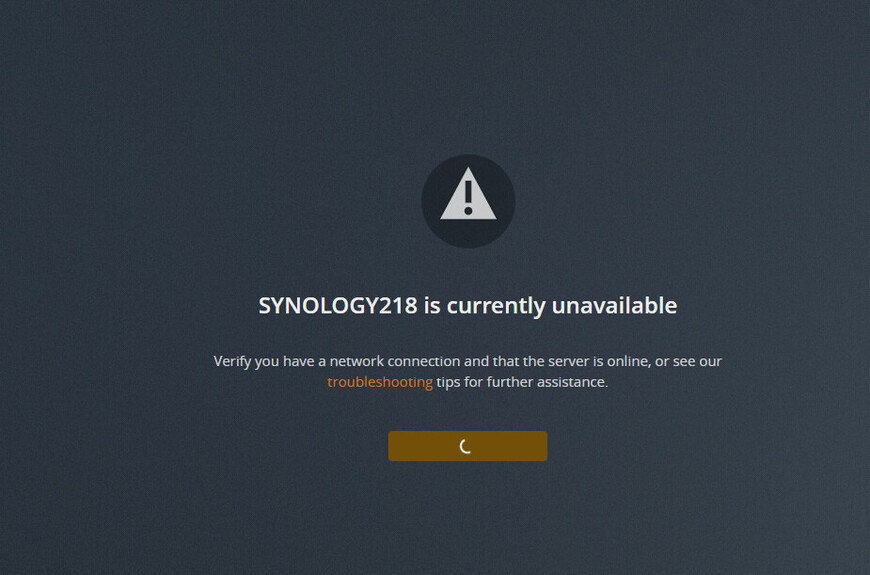
If there is a good wizard that describes start to finish I don’t think I have come across it, but i’ve done a lot of googling and searching through the forum, link me and i’ll see if I have seen it yet. Thanks again for your time, much appreciated.
I have a good idea now what’s happening.
I trust the NAS is all wired up and network is good…
Here’s how to resolve what you see.
- Package Center
- Stop Plex
- Uninstall the package
- To completely start over, – ERASE option
- To keep what you have and have it reset, – KEEP option.
- Next, restart the NAS (Package Center can be a bit flaky in DSM 7 – this os version is newly released)
The reinstall–
- Package Center
- Manual Install
- Give it the packaging 2.0 SPK file
- When you get to Installation Options
-
Install using Plex Claim Token
a. Click the “Get Claim Token” blue hyperlink
b. Browser opens to Plex.tv/claim
c. COPY the link to your browser
d. Return to the installer window
e. PASTE the claim token into the box - Click Next until it starts installing.
- When it’s done, you’ll get the confirmation that it’s installed and attached to your Plex account.
- Now you can open Plex/web and the server will be there, ready for you to add library sections
Supplemental.
Don’t try to Upgrade.
Sometimes when Package Center gets confused — Uninstall.
On DSM 7, Uninstall + KEEP or, if desired, Uninstall + ERASE
Where do I find the 2.0 spk file I looked earlier and couldnt find it but saw everyone taking about it?
Scroll ALL the way up to the first post 
I’ve been up and down this post. I see google drive links that actually dont allow you to download a file and they are all labeled 1.24, i dont see 2.0 anywhere. I’m blatantly saying I am an idiot. Where do I download this 2.0 file?
I guess now I am blatantly saying I am extremely mentally handicapped. I see no link for 2.0 anything. Can you copy me a link I can save file as to download the SPK file? I see nothing after maybe 30 scrolls up and down. This is not linked but the only files I can find and they dont work:

can i pay money to have someone help me over the phone? Happy to do it. No matter who it is. Nothing is working. Synology laughed at me earlier.
Check you PM (the green dot in the upper right corner)
i’ve downloaded teamviewer but don’t see a green dot in the upper right corner of plex forum or teamviewer?
Worked fine: but the Package update UI crashed with “Error, please log in again” after maybe a minute. Checked then the console and the “mv” process was still running. Took about 15 minutes and Plex was again reachable and running fine. New structure was crated.
Small problem with Resume cropped up after applying the latest update, 1.24.0.4897, to my DS918+. Resuming a video in progress from the Continue Watching section doesn’t work - nothing happens. But if that video was the last thing I watched, it can be resumed by clicking on the Play arrow in the sub-window at the bottom of the page.
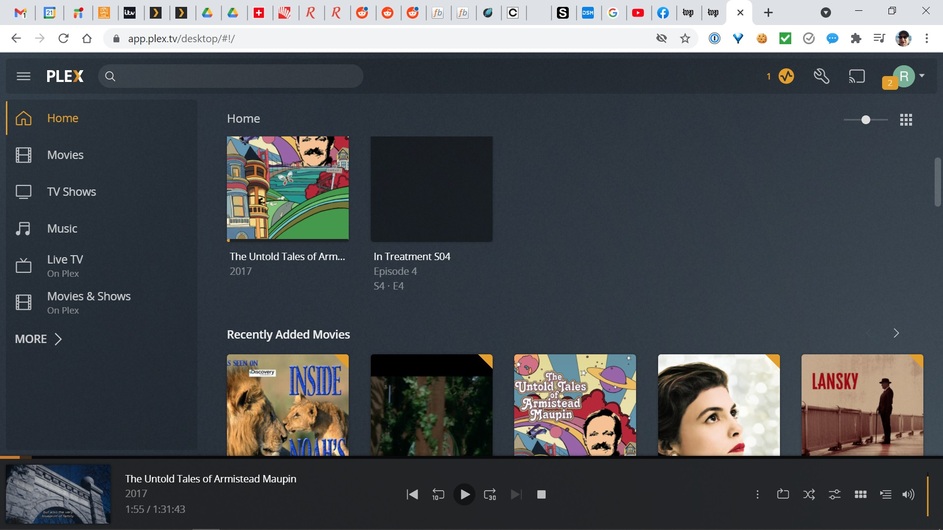
That’s a quirk with DSM 7.
As I advise in the How-To / migration instructions, I advise increasing the
Control Panel - Security - Idle timeout to something silly like 65535 minutes 
A PMS issue? the NAS is running overall, right?
