I need to see the Logs.ZIP file which captures the start of the playback.
How do i do that please?
-
Settings - Server - General - Show Advanced
-
Verify DEBUG logging Checked, VERBOSE logging NOT checked. SAVE if changed.
-
Start Playback attempt
-
Let it fail.
-
Wait 15 seconds after the failure (disk buffers)
-
Settings - Server - Troubleshooting - Download Logs
-
It will give you a ZIP file.
-
Drag & Drop that ZIP file into the Reply window
-
Let it finish uploading (it will change to a URL)
-
write any text.
-
Post.
here you go mate
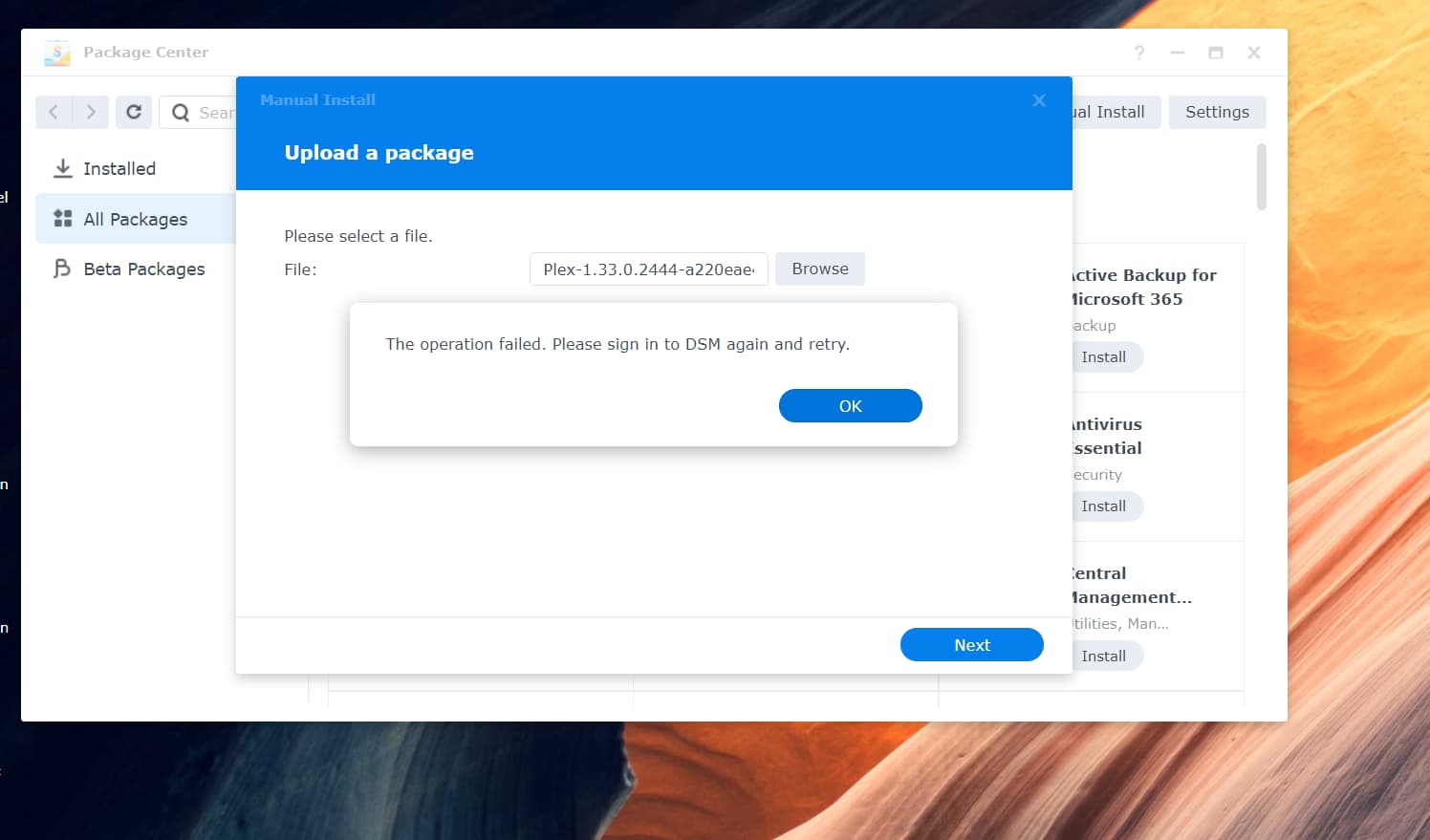
ok, so what do i need to change in secrity please?
yes, increase the security timeout
- Control Panel - Security - General
- Set 65535
- Save
- Log out of DSM
- Sign in again.
do i need to uninstall current version on plex as i done as above & still get the same message

PlexMediaServer-1.24.2.4973-2b1b51db9-x86_64_DSM7
got this one & same issue.
what am i doing wrong please? i must be missing something here?
it appears admin is disabled, how do i re enable it please?
found it, it was a tick box
aaarrrggghhhh same thing, still saying sign out & try again aarrggghhh
ok ill check tommor, off to bed
@trumpy81 I have the same symptom as Synology - DSM 7 Release - Plex Installation Issues - #2237 while trying to install PlexMediaServer-1.24.2.4973-2b1b51db9-aarch64_DSM7.spk on my DS218 NAS.
I am using the admin user and recalled fixing the Plex permissions during the DSM 6 to 7 upgrade.
I tried uninstalling the current version and kept the Plex claim token but still get the message “The operation failed. Please sign in to DSM again and retry.”
Please help, thanks.
It’s Chrome 93.0.4577.63 that doesn’t help get the Plex install going.
Microsoft Edge works.
Thanks.
1 Like
You are a god sir, many thanks to everyone above that has helped & im back up a running…CHROME can do one…EDGE here we come 
Thank you! I am planning on working on this later today - am I correct in saying that hardware acceleration does not work at all on DSM 7 right now (through the GUI), but you’re expecting it to work at some point in the future?
I don’t expect Synology to grant it via the GUI.
That said, having a working docker run template would be nice.
FYI: I did update my how-to with the parameters I used here (on several machines now)
sudo docker run \
-d \
--name plex \
--network=host \
-e PLEX_CLAIM="claim-qrrDP584AkBPeCQtsiyR" \
-e TZ="EST" \
-e LANG="en_US.UTF-8" \
-e PLEX_UID=297536 \
-e PLEX_GID=297536 \
-h dockerplex \
-v /volume1/PlexMediaServer/AppData:"/config/Library/Application Support" \
-v /volume1/PlexMediaServer/AppData/tmp:/tmp \
-v /volume1/PlexMediaServer/AppData/tmp:/transcode \
-v /volume1:/volume1 \
-v /volume2:/volume2 \
--device=/dev/dri:/dev/dri \
plexinc/pms-docker:plexpass
