@fishbert
Just uninstall Plex for DSM 6 before upgrading to DSM 7. Stop nagging the poor guy, the instructions are clear.
Not trying to nag, and I certainly appreciate all the work he’s doing to help us. But saying “NOW we can start” followed by “Plex has been previously uninstalled” is not very clear (at least, not to me) as to when the uninstalling of Plex is to occur. I’m just trying not to screw anything up here.

Edit: I think step 1 ment to say “Uninstall Plex for DSM 6”, as you don’t uninstall “DSM 6” itself per se.
I can see how that might be confusing. But the same steps are repeated all over this thread, so some scrolling and you’d be able to understand what he meant. 
1 Like
Yes I did… 1. UNINSTALL Plex for DSM 6 
Step 99. 

Step 100. 
2 Likes
This worked perfectly, thank you for all your hard work!!
1 Like
That was a process - For some reason the way my stuff was setup I have to copy my old \volume1\Plex data to a new folder to get the permissions set properly for the install to complete to migrate the data that was there.
All installed now thank goodness
You had a split installation or did you have a Plex share with fully manual permissions?
On DSM 7, we can’t have them split anymore. I’m sorry about that.
I hope the feedback in the installer as well as the documentation was clear enough about the DSM 7 limitation ?
As for manual permissions – That is painful. You must have had that Plex share for a long time ? (DSM 5 days ?)
Installer details and prompts were fine. I did have this running since DSM5 with little to no changes as to how it was setup during it’s lifespan.
Everything appears to be working.
Thank you for all the work that has gone into this.
Thank you for sharing the DSM 5 heritage.
That explains why it behaved as it did. It’s unfortunate Synology missed that. I will let them know.
It didn’t give me install options to select.
Impossible.
- Uninstall – keep


- Install package again as new (upload)


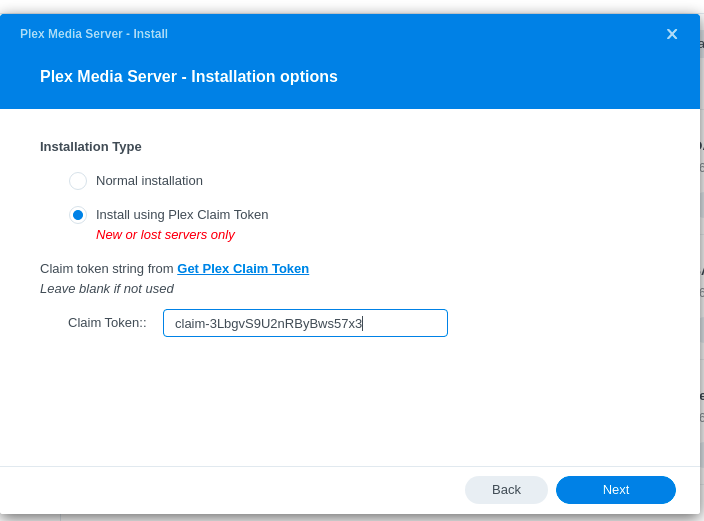
- Select Claim Token option

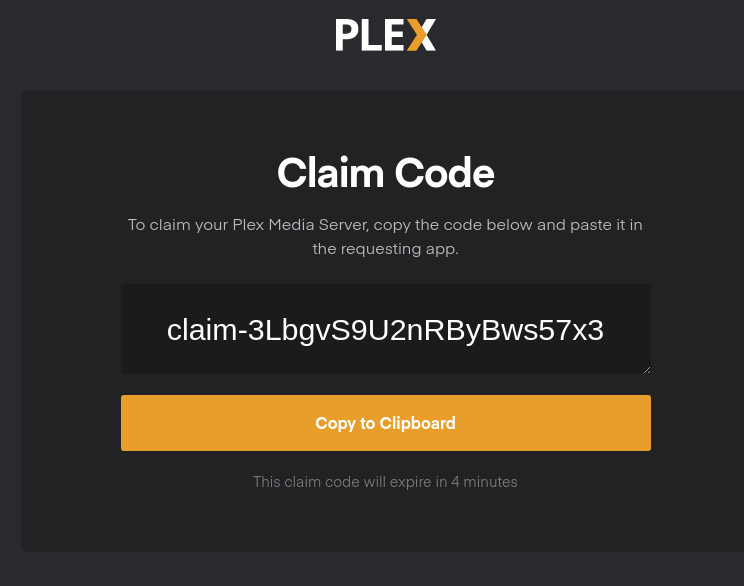
Get claim Token
Paste Claim Token


Confirmation Claim Token successful

All of these pages exist in
English, French, Spanish (Castilian), German, Italian, Chinese (CHS & CHT), and Korean. I will add more if DSM supports it.
I upgraded from DSM 6 to DSM 7.0-41890 today. I do have a Plex shared folder, but I do not have a CUSTOM column in Permissions. I see an entry in “System internal user” for PlexMediaServer and have granted the most access possible which is Read/Write. It seems that without the Custom Permissions option, I’m stuck in a loop.
-
Reboot DSM – for some unknown reason (a quirk / bug most likely) it needs that reboot after it completes the reboot
-
Uninstall the Plex - DSM 6 package.
-
Reboot it again.
-
Sign in as ADMIN (not an administrative) user
-
Now see if it’ll dance for you.
( I usually find this happens when the Plex shared folder has been manipulated at the command line and basic Linux ACLs are broken. admin can repair that. )
@ChuckPa Thank you for your efforts in outlining the process, and to others who confirmed their outcomes. All this went towards making an informed decision whether to proceed.
I followed Chuck’s directions to the letter, and everything went perfectly. 
1 Like
If I may add ?
In the past, as it appears to be continued in DSM 7, Synology claims exclusive usage rights to certain pre-defined shared folders.
If you want Plex to access photos, create a shared folder to place yours in.
There are, as of yet unverified, reports that Synology’s new Photo app only works with their reserved shared folder. I would think this to be a bug.
Does Plex for DSM 7.0 work with symbolic links for libraries please?
(as with DSM 6.2)
No. It will not because of where it is and how DSM 7 permissions have changed.
Part of the time needed to migrate your DSM 6 installation to DSM 7 was to check for & resolve symbolic links.
As I understand plug-ins are no longer available. Is there a way to make third party agents work again or they’re gone forever? (In particular I use Hama.bundle}
It’s all gone.
They were deprecated 2+ years ago. The end has come.
1 Like
Just upgraded to DSM 7 this morning without major issues. A massive thanks to ChuckPa for the instructions in the installer and his endless support here. Much appreciated.
