I followed all the detailed instruction and installed version 1.23.4.4712 last week and got it all up and running. Today I tried to install version 1.23.4.4775 and I keep getting the PlexMediaServer needs access dialog box no matter how many times I run through the steps.
I figured this out. I was giving permissions to the Plex medadata folder not the library folder. Once I granted r/w I am good to go.
Once the initial migration is done ----
There is no more need to touch the Plex shared folder
I will ONLY care if there’s a live system to migrate
Are you saying / meaning that PlexMediaServer still needs access even if migration was completed ?
I ask because I only test for share access when nothing installed.
# If there is no DSM 7 installation existing
if [ ! -e "$SYNOPKG_PKGHOME/Plex Media Server" ] || [ "$(ls "$SYNOPKG_PKGHOME/Plex Media Server")" = "" ]; then

  # And there appears to be a DSM 6-based Plex installation
  if [ "$(echo /volume*/Plex/Library)" != "/volume*/Plex/Library" ]; then

    # Test for Plex share access
    if [ "$(synoacltool -get "$SYNOPKG_PKGDEST_VOL/Plex" | grep "user:PlexMediaServer:allow:rwxpdDaARWcCo:fd--")" = "" ]; then
      MessageText M-ACL-Failure-Plex-Share
      MessageText M-ACL-Procedure
      exit 150
    fi
Not sure if this question was meant for me. There wasn’t any permissions granted to PlexMediaServer on the library volume. When I was granting permissions before it was the /Plex folder which apparently is just the metadata folder.
would you disambiguate that for me please?
“library” – which ? Old DSM 6 Plex/Library -or- your media library section storage?
“Plex metadata folder” – that’s old DSM 6 ?? which you should only do one time to migrate. After that time, you forget or delete it – your choice.
I’ve tried about 20 times now, still the same result.
Show us what you’re seeing ?
Can’t help if we can’t follow along 
Ok, I understand you question now.
Initially I had to grant permission the /Plex folder to do the installation which apparently is the old DSM 6 Folder as it has a 0 byte file that says “Please do not place any media files here”.
After this I was able to connect to my NAS and everything looked good all content showing up but if I tried to play anything it would give an error that it couldn’t find it and if I dropped in new content it couldn’t find it.
The folder with all of my content is in /VOL1/Plex. This had no permissions, once I granted r/w I was good to go.
I just tested removing permission to the /Plex folder and everything is still working so I guess that isn’t needed anymore. Where is the metadata stored now?
As mentioned, I installed it all successfully last week. When I went to do a manual install of the latest update, I get the following:
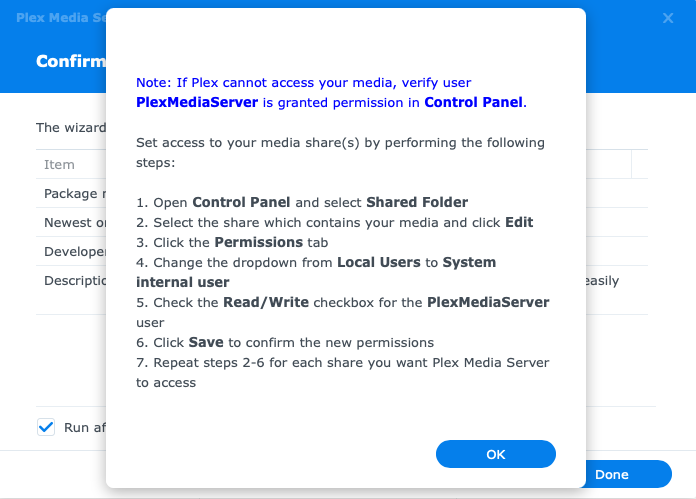
I’ve then followed the exact same steps to provide permissions and I always get the same result when I try to re-install after an “Erase” uninstall.
But I get nothing after this
explain ?
I do not have the ability to autostart .
Package Center must start Plex.
I moved all the photos and removed synology photos app. reinstall is not successful and new photo share folder is not created. i contacted tech support and submitted ticket.
Good. Please keep us advised.
To share my learnings from my experience above and according advices from @ChuckPa:
- Don’t reboot right after some operations:
Some operations need quite some time to complete in the background, therefore it is reccommended to NOT reboot shortly after such operations.
Such operations are:
- Install and uninstall of PMS
- Change permissions of a shared folder
-
Clean re-install of PMS:
lt seems to be safer to NOT reboot between uninstall and the re-install (re-install waits for uninstall to complete). -
Video shared folder:
If you use the Video shared folder (as from DS Video), make sure to give custom, full access permissions for PlexMediaServer on the Video share and don’t forgot to select “apply to subfolders and files”.
Hi Team,
Firstly reading through the thread, you guys are enormously patient!!
I am trying to follow the instructions here, but I get the error plexmediaserver does not have full control of existing plex media share.
My problem is when I try to change permissions in the Plex folder, “custom” is not an available option?
Any suggestions? Can this be done in terminal?
Hi @dbmgreen , I’ve tried terminal and dsm interface (change permission and/or ownership) and it takes an eternity. I also seem to have integrity problem afterwards when using the shared folder permission approach. Your mileage may vary of course, but it is a lengthy and convoluted approach if it does not work from the first time…
Cheers,
Thanks so much for the reply, I renamed the Plex folder Old_Plex and have it installed now, but now have the error
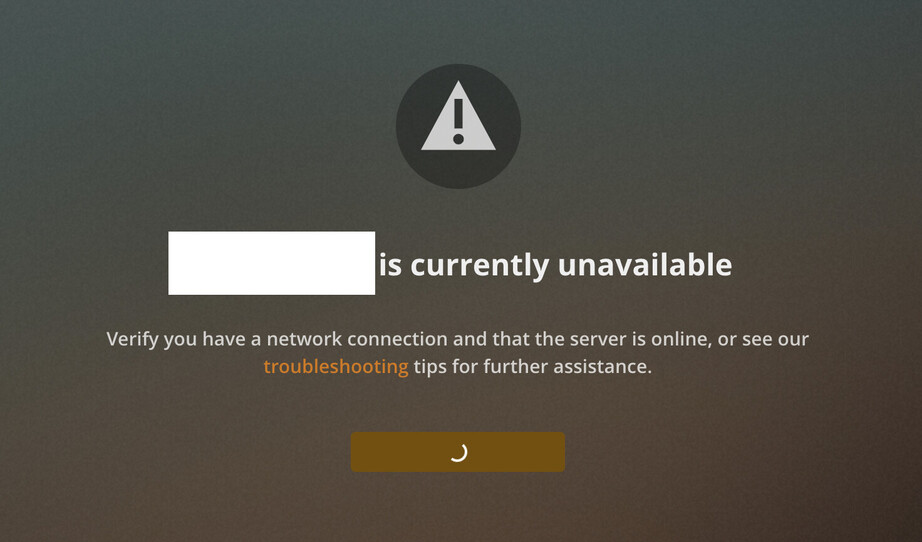
or this
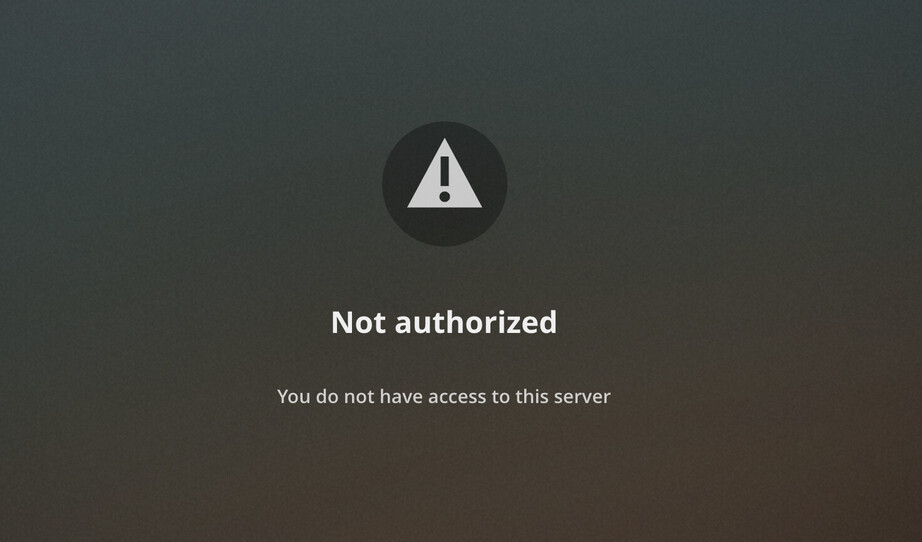
- The Plex share is not used anymore for PMS on DS7
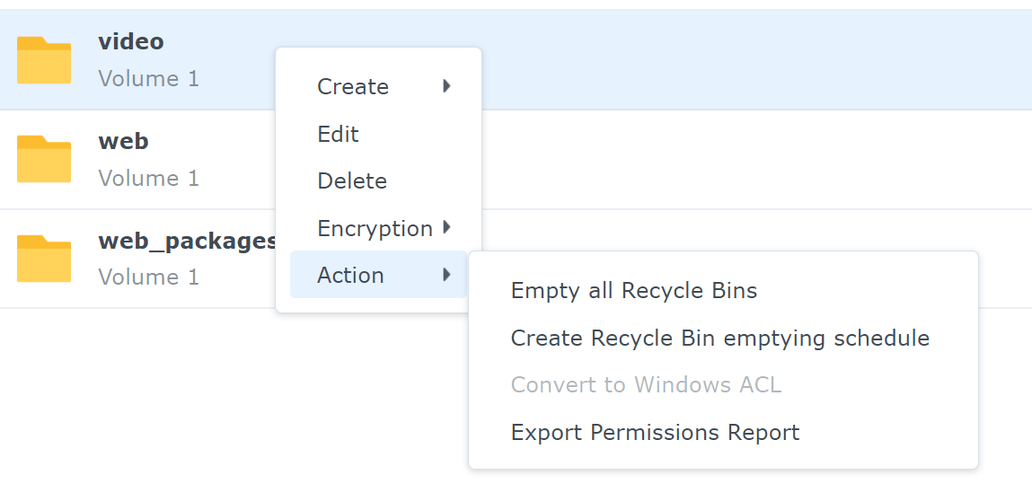
- On the share where you have your videos, you may need to “convert to windows ACL” first
(done already, that’s why it’s geyed) - also note my learnings just above, and especially note: it may take quite some time until the PMS installation is completed and PMS is available - be patient and do NOT reboot.
1 Like
@dbmgreen note:
1 Like
