root@nas:/# ls -la | grep volume
drwxr-xr-x  25 root root 4096 Jul 11 10:30 volume1
root@nas:/# ls -la /volume1
total 44356
drwxr-xr-x  25 root            root                4096 Jul 11 10:30  .
drwxr-xr-x  22 root            root                4096 Jul 11 09:24  ..
drwxrwxrwx 355 root            root               20480 May  9 19:43  Anime
drwxr-xr-x   7 root            root                4096 Jul 11 00:18  @appconf
drwxr-xr-x   7 root            root                4096 Jul 11 00:18  @appdata
drwxr-xr-x   7 root            root                4096 Jul 11 00:18  @apphome
drwxr-xr-x   5 root            root                4096 Jul 11 08:56  @appstore
drwxr-xr-x   5 root            root                4096 Jul 11 08:56  @apptemp
-rw-------   1 root            root               15360 Jul 11 15:40  aquota.group
-rw-------   1 root            root               16384 Jul 11 15:36  aquota.user
drwx------   2 root            root                4096 Mar 29 02:18  @autoupdate
drwxr-xr-x   8 admin           users               4096 Jul 11 00:09  @database
drwxr-xr-x 417 DownloadStation DownloadStation    20480 Jul 11 00:10  @download
drwxrwxrwx   8 root            root                4096 Jul 11 10:30  @eaDir
drwxrwxrwx  10 root            root                4096 Jul  7 19:32 'Foxthom Share'
drwx------   3 root            root                4096 Dec 29  2018  @iSCSI
drwx------   2 root            root               16384 Jun  5  2010  lost+found
drwxrwxrwx   3 root            root                4096 Jan  5  2019  music
drwxrwxrwx   3 root            root                4096 May 13  2015  photo
drwxrwxrwx   5 plex            users               4096 Sep  3  2019  Plex
-rw-------   1 root            root            10758283 Jun  2  2020  @Plex.core.gz
drwxr-xr-x   2 root            root                4096 Jul 11 09:24  @S2S
drwxrwxrwx   4 root            root                4096 Nov 13  2014  @spool
drwxr-xr-x   2 SynoFinder      SynoFinder          4096 Mar 29 02:26  @SynoFinder-etc-volume
drwxr-xr-x   2 SynoFinder      SynoFinder          4096 Mar 29 02:26  @SynoFinder-log
-rw-------   1 root            root                5120 May 13  2015  synoquota.db
drwxrwxrwt   6 root            root                4096 Jul 11 11:08  @tmp
-rw-------   1 root            root            93876224 Apr  4  2015  @transmissiond.core
drwxr-xr-x   5 root            root                4096 Jul 11 00:07  @userpreference
drwxrwxrwx  55 root            root               32768 Jul 10 20:01  video
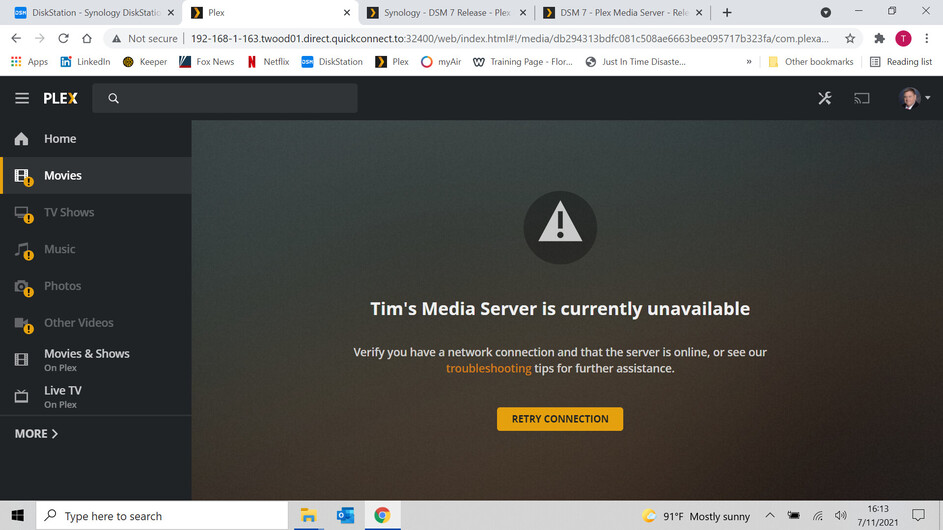
I have a similar problem except that PlexMediaServer is not listed as a System Internal User. I tried creating the User name, but it won’t let me. I have tried the install several times. Any suggestions?
DSM 7 is installed and PMS shows up in packages. However there is no new PlexMediaServer shared folder or user…
Tried this. Tells me to change permissions for media folder, but there is no System Internal User called PlexMediaServer

@Maracatu @ChuckPa Hi it’s buried above in the thread but this issue was solved by @sjcr by selecting Control Panel > Shared Folder > click ‘Photo’ > Action > Convert to Windows ACL) and then I was able to assign permissions to PlexMediaServer like all the other shared folders with my media in them. This then enables Plex to open photos from your shared folder without creating a new location.
1 Like
Thank you.
I can’t figure out why they chose that term but  it works.
Windows ACLs on a Linux system == “no such animal”
it’s still the Linux setfacl command 
… but it’s their platform so we use their terms.

Tried everything you said. I couldn’t create a logs folder. Every naming convention I tried was not accepted so I used the internal storage option. Still come up with the same issue. There is no PlexMediaServer under System Internal User.

Which version does Package Center show is installed ?

OK so before I read your idea, I did a variation of it 
- Uninstalled. (unclaim)
- Renamed Plex → Old Plex
- Created New Plex folder with Plex logs inside set permissions this is called NewPlex not sure if naming matters?
- Installed the Plex file from the file on this website claiming the server?
It all works xteve solution and folder paths to media are all there.
Can i or should I delete Old_Plex i never did copy the data between the 2 folders
Rebooted the NAS, router, modem and laptop
I am going through the steps and it is failing on the permission check. I verified there is no library and it has been changed to library.save, should I try to rename the plex folder?
Sorry about that.
- Control Panel - Shared Folders
- Rename the “Plex” share to be “Plex-saved”
- Now install DSM 7 app
- Stop DSM 7 app
- Control Panel - Shared Folders
- Rename
Plex-savedback toPlex - Continue with my procedure at step C
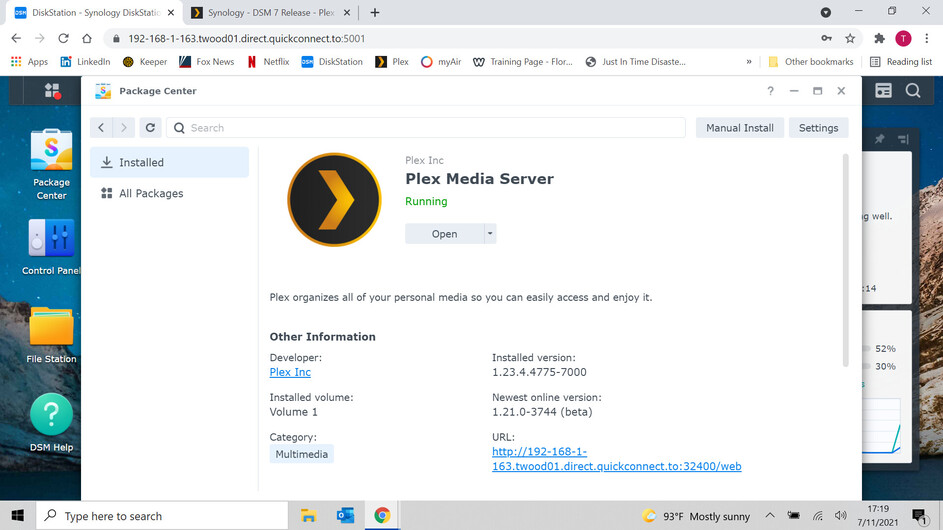
Quick screenshot please of what you see in Package Center for Plex ?
Pick any shared folder you have for this
Control panel - shared folders - EDIT that share - permissions tab
left side, System Internal User.
Screenshot please.

If you do not see this list (or very similar)
- Which DSM 7 firmware are you using?

That’s been my issue all along. PlexMediaServer doesn’t show up when I try to edit the permissions.
Version number please?
there are 4 out there
