The new PMS server (running on DSM 7.0) sees everything. BTW, isn’t it a ‘given’ if the Plex client is seeing everything then the server is too?!
Also, exactly where (directory structure) is all the migrated data NOW that the Plex share is obsolete (just curious – particularly for backups)?
TO ALL
As Trumpy states:
I am hoping QA and Engineering quickly approve and include these changes.
I will announce when I know which version of PMS will be getting them.
I got the package from the Plex downloads page but I’m still puzzled as to why the Plex share is still populated. I’m using Putty to scan the PlexMediaServer directory structure but can’t locate anything that looks like the Database.
Sorry, but this is a real headache – thanks for your patience and help!
I see a PlexMediaServer (no spaces) dir under @appstore on my volume 1. I can’t see any dir Plex Media Server (with spaces)? Where should I look?
Well … I guess that’s that!
Thanks. I’m aware … but you could’ve offered a bit more. 
Later: for all those who’d like to avoid unnecessary emoji abuse, I found what I was looking for under @apphome/PlexMediaServer/Plex Media Server/Plug-in Support/Databases on my volume 1.
May I be of some assistance?
I see you’re in the NAS at the command line – NOT necessary.
Please look at the datapoints you’ve provided:
- DSM 7 app installed
- Plex/Library/Application Support/Plex Media Server still fully populated.
- quoting -
Questions:
-
Did your entire PMS installation migrate over, meaning - Did it have all your existing library definitions when it started ?
-
Is it still showing as the same server name and folders shared with family & friends?
I am asking this because
Plex/Library/Application Support/Plex Media Server– CANNOT be full of current data
–AND–
- The DSM 7 app be the “migrated” form of what came from the Plex share.
Can you enlighten me please ?
OK. I’ve attached three screenshots:
The first (Capture.jpg) is from the DSM 7 install of PMS. It shows a fully populated database – apparently migrated – located under @apphome/PlexMediaServer/Plex Media Server/Plug-in Support/Databases.!The second (Capture1.jpg) shows the dir structure STILL available on the ‘old’ Plex share.
The third (Captur2.jpg) shows the old database files STILL on the ‘old’ Plex share.
So… in what ‘state’ am I with everything working but TWO sets of Databases and being told I can delete the old share??!
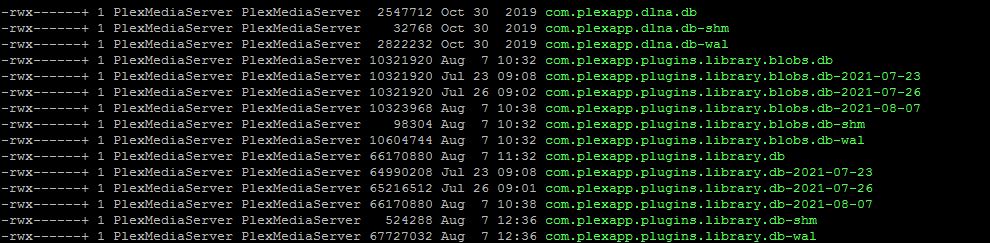
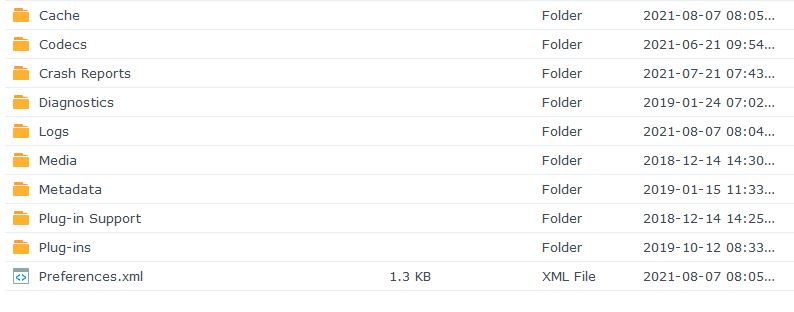
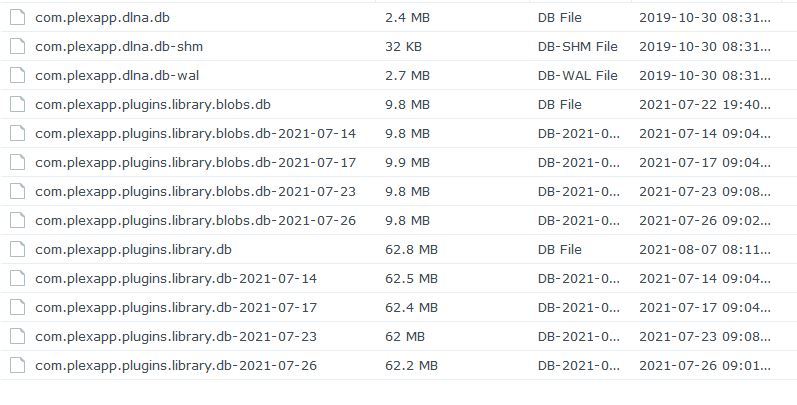
If those are the “Plex” shared folder then it’s confirmed, as you described, the original server did not “migrate” from DSM 6 → DSM 7
Whatever you might have in DSM 7 is, by default, a new instance.
To confirm if this is the case, After installing DSM 7 did you:
- Have to claim the server ?
- Have to recreate any Library sections ?
It’s BECAUSE I’m NOT interested in messing things up that I wanted to know FOR SURE if I could delete the ‘old’ Plex share. By ‘exploring’ I’ve apparently found that the database WAS migrated but so ‘easily’ I thought I’d missed something! 
No and No.
This is highly irregular and defies how I wrote the scripting.
-
“migrate” moves the data from the Plex share to
@apphome/PlexMediaServer -
When migration is conplete, there will be no
Plex Media Serverdirectory in thePlexshared folder. -
After I move
Plex Media Server, I remove “Application Support” and “Library” if they are empty. -
Lastly, I remove the old warning files
Do you have a “Migration.log” file in the Plex shared folder you can share with me here ?
Yes, I have a backup using HyperBackup but if I delete the Plex share and go belly-up, I’ll need to restore TO THE Plex share and then I’ll still have the question as to what EXACTLY are the Database files under @apphome!
Is there any way to tell which Database (the dir structure) the server is using??
Please show me the Migration.log file.
With that information, I can give you definitive Yes/No about the Plex shared folder.
If it is a large file (sometimes happens), attach it in a ZIP file
I’d be happy to share it IF I could find it! Can you point me to where it should be?!
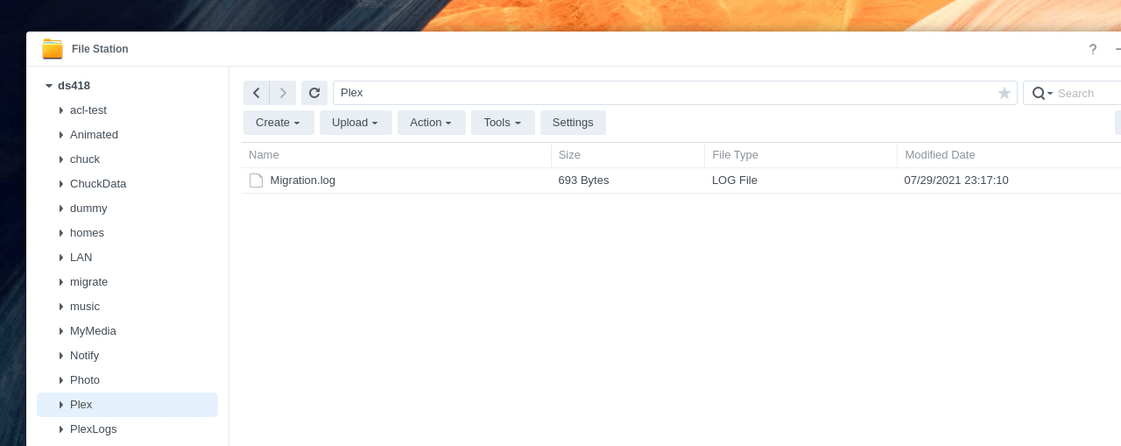
 There is no log there.
then your system did not migrate.
Are you running Docker Plex on this NAS?
I’m running docker but not Docker Plex.
forgive my capitalization please.
You’re not running any variant of Plex in a docker container ?
