I don’t undersatnd too!!!
It’s released now, it may take some time for caches to update before it’s available on your device. Typically you’re not going to get much of an ETA.
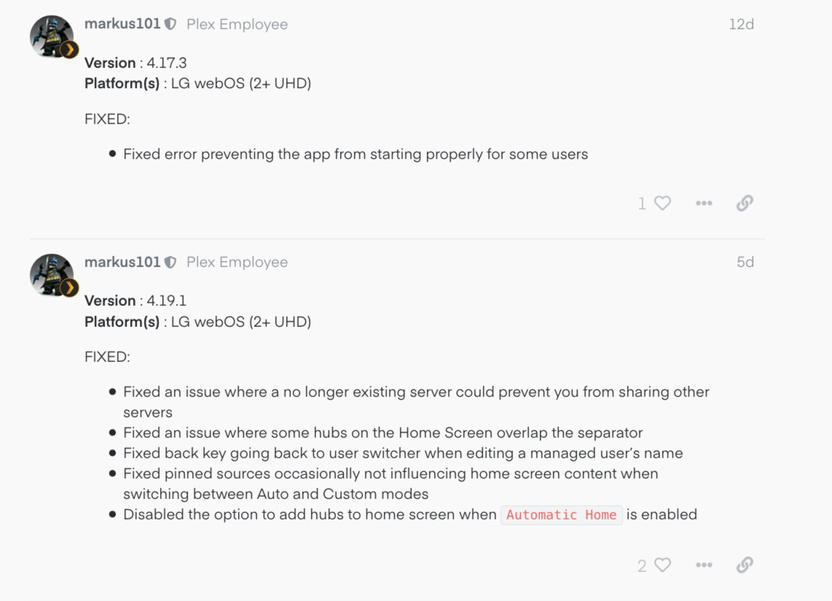
The app in the app store that is loaded on your device is essentially a shortcut, it just tells the TV where to load the app from. When the app on the TV is opened it loads the actual app from our server. In this instance it means the fix will make it to your TVs today instead of days/weeks later.
Ah, Now it makes sense to me too. Thank you @markus101 
in France too?
Nothing has changed!!! news?
Well there has been an update. I would be trying a Factory reset on the TV.
Check you authorised Devices in the server if your TV has updated the Plex app
I did a reset … I have to redo all the settings but still the same problem
Still has issues for me. Sometimes it connects, sometimes it doesn’t. Also, my LG TV doesn’t show up in authorized devices even though it connects sometimes.
When it does connect go to LG app settings/ manual server and add server IP and Port 32400
So the Version of Plex on the Australian LG Content Store is 2.1.3 21/08/19. HAving great difficulty ( ie cant) access Plex server on LG OLED TV. When will the App version in the content store be updated?
What your seeing in the LG content store is a Loader only and the app is regularly updated. To view your current version go to server setting/ Authorised Devices.
To solve your issue, first try turning the TV off at the power source for two minutes or more, remote off will not work.
If that fails uninstall the app, power off at power source, delete the app from authorised devices, restart Plex, re install the app on TV, Link your app. You will need to customize your LG client to your liking again.
Make sure you add the Server’s LAN IP address and port (32400) to the LG client settings, along with selecting all the Audio Types, video settings, general settings.
That has worked better so far…this should be fixed. Obviously this is a bug. The user shouldn’t need to manually input an IP address. Every other Plex client doesn’t need manual IP input.
2 posts were merged into an existing topic: Can’t link LG TV Plex app
I’m having issues again with this same thing.
I’ve been following these threads for the last couple of months and have implemented all the recommendations but I keep getting the -337 error. I have the OLED65C9PLA with latest firmware. Plex client 4.27.1
Plex will sometimes connect and then will suddenly drop out with this error. I’ve had to buy a Fire TV stick as the Plex client on the LG TV is unusable.
With such a new LG TV I would be totally p.ssed off, i’m lucky in having a previous model /2018 that so far has been trouble free. I hope they find a fix soon guys, so annoying.
I’ve updated to the latest PMS (1.18.8.2527) and I still have the issue. After a server reboot and turning the TV off and on at the mains the app connects. But then after about 30 seconds it drops with the attached error. The only way to load the app again is to repeat the process. The server is on my home network and I use the netflix, Amazon, Iplayer, ITV hub apps on the TV with no issues. The Plex app on my Samsung TV (same network) has no such problems and is very reliable.
Is this issue still happening to other LG owners?

This maybe resolved, a new app loader was asking to be installed today.
Thanks. I saw that too. It’s version 4.27.1 which I have been running for the last week via side loading the apk. Needless to say it has made zero difference!
Is there anyway to actually get hold of someone at Plex support?
C’est toujours pareil pour moi… maintenant ça bug même au niveau de l’installation… c’est n’importe quoi
