New Plex install from Synolgy app, then upgrade to current version using download from Plex. Added NAS Music folder and allowed/performed scan. Many albums missing… Permissions have been verified to be fine, including folders that Plex doesnt seem to scan/include. I haven’t seen anything in logs, but perhaps others would.
You must ensure that your music files are named and stored correctly and most importantly, tagged correctly.
Failure to follow the rules can result in the issues you have reported.
The following image shows an example of how to name and organise your files:
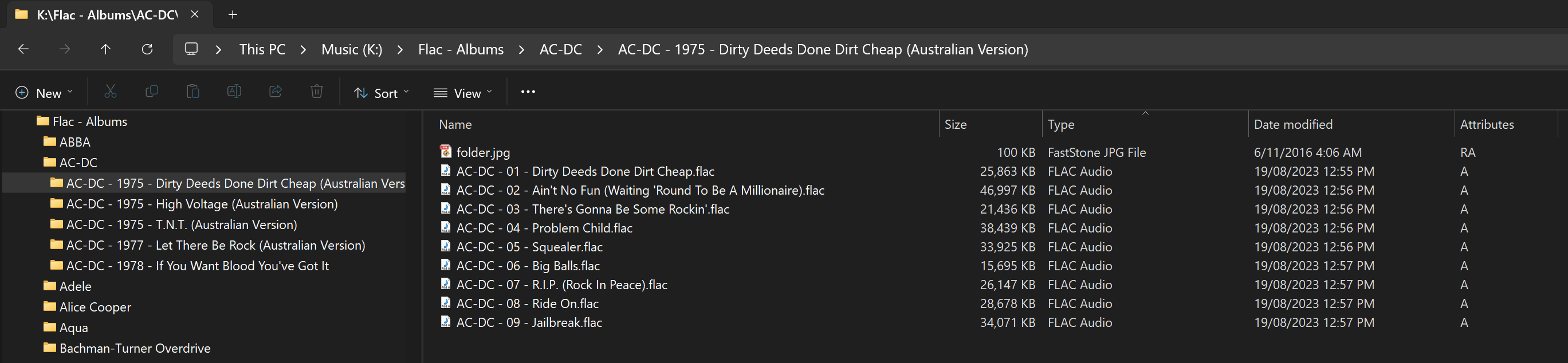
The next image shows an example of how your files should be tagged:
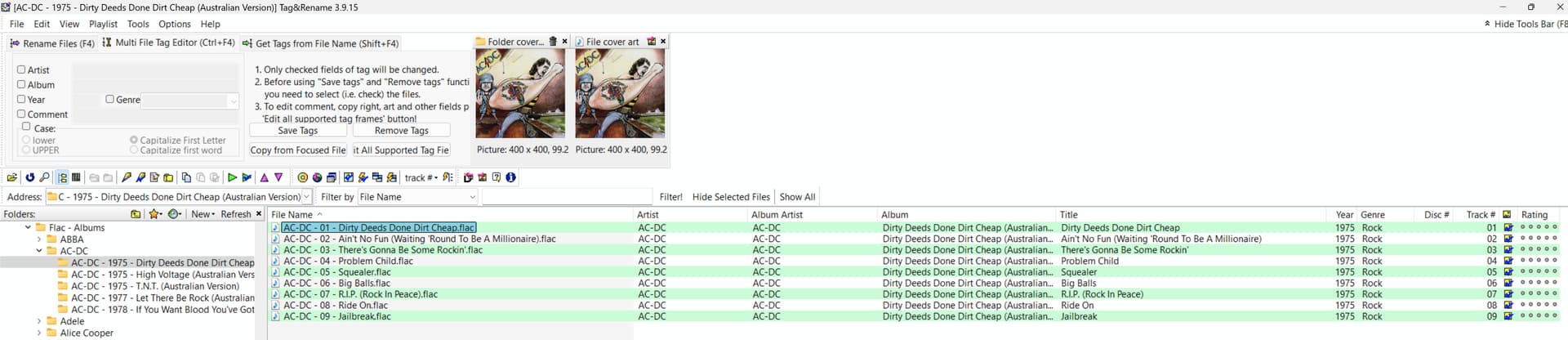
I am using Tag & Rename (commercial), but Mp3Tag is a very good (free) alternative.
Note: It is important that you include the Album Artist tag.
Once you have corrected your file naming, storage and tagging, Plex should be able to add all of your albums and tracks without issue.
To add to Trumpy,
Permissions are vital on Linux (DSM)
Please confirm here you’ve granted the correct permissions to all the media files
(Apply again if in doubt as there’s no harm)
Possibly part of my issue, my Plex server codec directory is empty. I was told to delete it and restart the server and it would repopulate. It does create a folder, but not repopulate with any files.. Is this an issue? File permissions are correct. I’ve verified that they are.
EDIT update: Using the mp3tag, I’ve changed some of my flac files. Rescan with PMS didn’t see the files. I’m thinking the empty codec directory is maybe the root issue?
I believe the Codec issue is separate from the non scanning of files issue.
From what you have described, it sounds much more like a permissions issue.
Make sure you log into the NAS as your Admin user.
Open File Station on the NAS and navigate to your Media shared folder,
E.G. volume1/Media
where you store all of your Movies, TV Shows, Music files etc…
Right click on the Media shared folder and select Properties. On the Permission tab, highlight PlexMediaServer and click on Edit.
Make sure all permissions are correctly set.

Click on Done.
Next, make sure you enable Apply to this folder, sub-folders and files and then click on Save.

The process should take several minutes to complete, but it should apply the correct permissions to ALL files and folders in your Media shared folder.
You should also double check that you do not have a .plexignore file in place. The file may be hidden in File Station and only accessible via SSH etc… using user root.
I’ve redone the NAS file permissions as show above under my main music folder which for me is called iTunes. I then used mp3tag to do all artist “Heart” flac files to make sure they are of the format/tagging required by PMS. Redid a scan and still nothing shows up related to those flac files. I stoped PMS, restarted, and redid another scan and still nothing.
Plex Dance those folders and then post a copy of your server logs.
Did you make sure you enabled Apply to this folder, sub-folders and files?
If you missed that, then your efforts were for nought.
As a test, set up the following folder structure:
Media (control panel/shared folder)
  Music (main music library folder)
    Artist Folder
      Album Folder
        Track 01
        Track 02
...
Add a couple of albums in the appropriate location and then make sure you set the permissions on the Media folder as I outlined above, then add Media/Music as a Music type library in Plex.
Let Plex scan the new library, does Plex now add the files as expected?
You can delete the test library afterwards if you wish to.
I created a NEW shared folder called PLEX on NAS. Added a couple of artist Heart FLAC
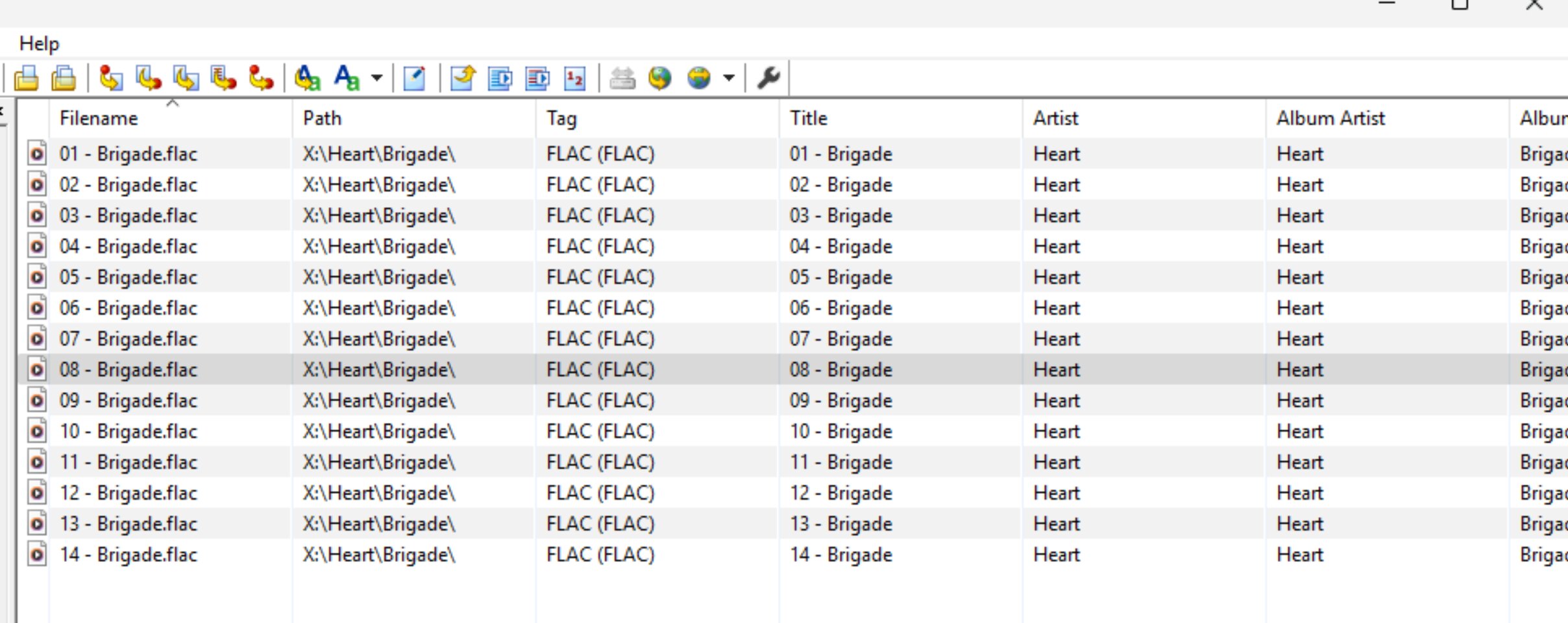
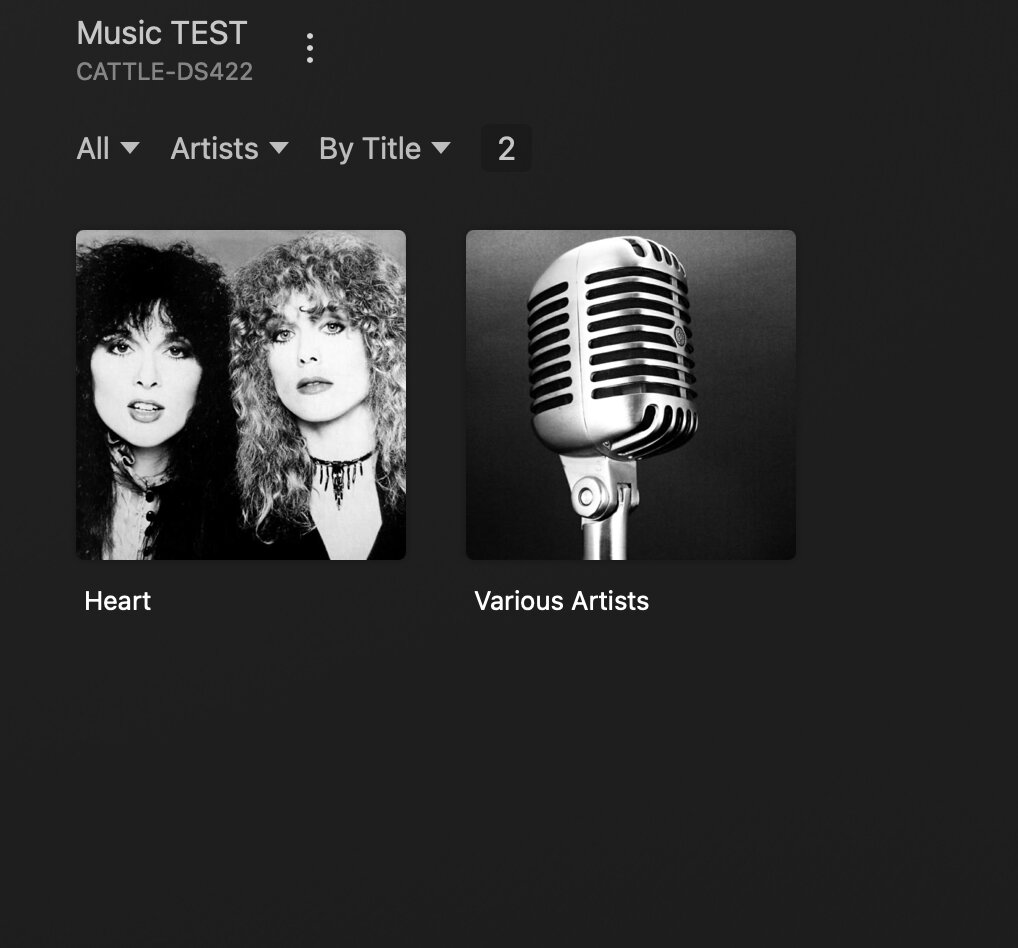
albums and used mp4tag to make sure they were correct format, etc. From my screenshots, you can see the Brigade album is listed under Various artists in the FMS library and not Heart. WHY? The Heart folder has no ties to a Various folder and mp3tag has no reference to it either.
You have not named the Brigade album correctly (I doubt every track is titled Brigade). Remember, you MUST add the Album Artist tag to every track, otherwise Plex will see the album/track as a Various Artists album.
When adding a Various Artists album (album with many different artists), the Album Artist tag should contain Various Artists or Various or simply leave it blank.
The Album Artist tag should match the Artist tag in most cases.
The Tag tag is NOT used by Plex and should not be included. Please see the tagging image I posted earlier. You may click on the image to see it full size.
The above also demonstrates that Plex IS able to add .flac files, so the issue is most likely within your iTunes folder.
If you use this folder for an iTunes server, that could be why Plex is unable to scan some files, as the folder is being controlled by the iTunes server.
You would be best advised to copy/move your Music files to another location for use by Plex.
OK, I must confess I’m confused. The Artist is Heart, and the Album is Brigade. The individual tracks were created when ripping the full album into flac files that are created every 250MB of recorded/written data. Stating the Album Artist tag must be the same as Artist, in my case it is. I must be missing something obvious. My root folder while called iTunes, has nothing to do with Apple iTunes or a server process/function; it’s just a name I’ve used for a long time. Changing will break other read-only uses of the NAS folder tree iTunes.
Then you have an issue with your iTunes folder or you are NOT setting the file/folder permissions correctly, as demonstrated by your test library where Plex is able to scan your .flac files successfully.
I gave a reminder and an explanation as to why you should always add the Album Artist tag.
When you ripped those .flac files something must have gone wrong. Your file names should be as follows:
This should be the template for ALL of your music file names
Artist - Track Number - Track Title.file extension

Heart - 01 - Wild Child.flac
Heart - 02 - All I Wanna Do Is Make Love to You.flac
Heart - 03 - Secret.flac
Heart - 04 - Tall, Dark Handsome Stranger.flac
Heart - 05 - I Didn't Want to Need You.flac
Heart - 06 - The Night.flac
Heart - 07 - Fallen from Grace.flac
Heart - 08 - Under the Sky.flac
Heart - 09 - Cruel Nights.flac
Heart - 10 - Stranded.flac
Heart - 11 - Call of the Wild.flac
Heart - 12 - I Want Your World to Turn.flac
Heart - 13 - I Love You.flac
Heart - 14 - Cruel Tears.flac
Heart - 15 - Never Stop Loving You.flac
Heart - 16 - The Will to Love.flac
Your Title tag should contain the Track Title (shown above), but in the example you showed all Title tags say Brigade, likewise for your file names, only the Track Number is different.
Also worth noting, if you have .mp3 albums from the same artist, same album in your library, then Plex will join the two albums together.
In other words, your album in Plex will now contain both the .mp3 and .flac files. It will not be shown as two separate albums.
the naming of music files isn’t that important. Its the stored TAG that matter.
I got loads of mp3 etc named like 1 - song title.ext, a lot of them also have No “album Artist” tag as its irrelevant for non compilation / Various Artists albums / song.
(my) Plex see them all.
Plex also expects media folders to be in a top level folder called (for example) “Music” so that when you add to a Plex music library you add the folder “X:/Music” not just “X:”
This is part of the Plex naming conventions as described on Plex Support
Thank you. It’s my naming and tagging that is not accurate/consistent, etc. The file permissions are fine. I’ve checked and verified they are spot on. When I go thru a specific NAS directory and make sure it is per the dir structure and file naming requirements, and all tagging is correct using mp3tag, everything shows up flac wise and is correct thru browsing/using via PMS. I just have LOTS of library “fixing” to do… a lot….. Thanks for your help.
Yes, for Music in Plex, file names and organisation matter every bit as much as the tags and file permissions.
At least you got to the bottom of the issue and from here on, things should get a lot better for you.
Happy Plexing! 
If I may add?
I use MusicBrainz “Picard” app.
I have a renaming rule as well which does the bulk of the work.
- Picard groups (clusters) each album
- Lookup does the matching
- SAVE does the rename – and moving – to the new location in perfect order
My rule is:
$if2(%albumartist%,%artist%)/
$if(%albumartist%,%album%/,)
$if($gt(%totaldiscs%,1),Disc %discnumber%/,)$if($and(%albumartist%,%tracknumber%),$num(%tracknumber%,2). ,)$if(%_multiartist%,%artist% - ,)%title%
I’ll explain the script if needed but the documentation is pretty good.

I found it took longer to drag-drop-Cluster-Lookup-Save than anything else.
(cluster formed the album groups, Lookup found the album, Save did the final renaming / moving)
1 Like
This topic was automatically closed 90 days after the last reply. New replies are no longer allowed.
