Do you think there’d be a failure in logs? It plays fine, just visual artifacts.
Are you using the VAAPI driver on synology (editing preferences.xml), and playing any HEVC video using a forced 2 Mbps 720p rate?
Gah, maybe we’re getting off-track. This is just a visual issue that i suspect has come up from the workaround we did earlier to allow subtitles with HEVC video and HW transcoding. So far, the server has not crashed in several days.
The thread title is:
Plex Server cannot handle transcoding with subtitles
I show no failures, nor visual changes/disturbances of any kind with or without subtitles all the way down to 2 Mbps other than the video itself starting to degrade when reduced that much.
Not being able to recreate it myself from the descriptions given means I need to see the logs files to extract more detailed information.
Once I see the logs and know what the server is trying to do,
I think I have a definitive test which, if it fails for you, it will also fail for me.
Sorry if I made it seem like I am not willing to provide the asked-for info. I’m sorry to bug you so much about this. sheepish look
I started up the video, changed it to 2 Mbps rate and 720p, ran it for about 30 seconds. Paused, then zipped up the logs. Someone else is watching another video (Jumping Jack Flash), ignore that. If you need only the current issue, I can ask them to stop for a while:
Plex Media Server Logs_2021-06-05_19-21-46.zip (5.7 MB)
I wondered if you were knowledgeable about the prior forum post I linked, and the history behind that issue and its resolution. Since the visuals caused by it are identical to my own, and a reference was made to using a VAAPI driver, I hoped it might help contribute to the troubleshooting.
Do you have a file with external subtitles somewhere?
If so, I’d like to craft a test.
- Create a folder (for “Other Videos” type library)
- In it, place the subtitle,
- Edit the subtitle to start displaying text almost immediately (edit the start time)
- Copy any of these video files you like in there. I recommend using the 10 Mbps one,
https://jell.yfish.us
- Create a “Other Videos” type library for this test.
- Make certain that test video + matching subtitle file (Remember to match the names) are in there together
- Now play that file.
See if this fails the same way at 2 Mbps
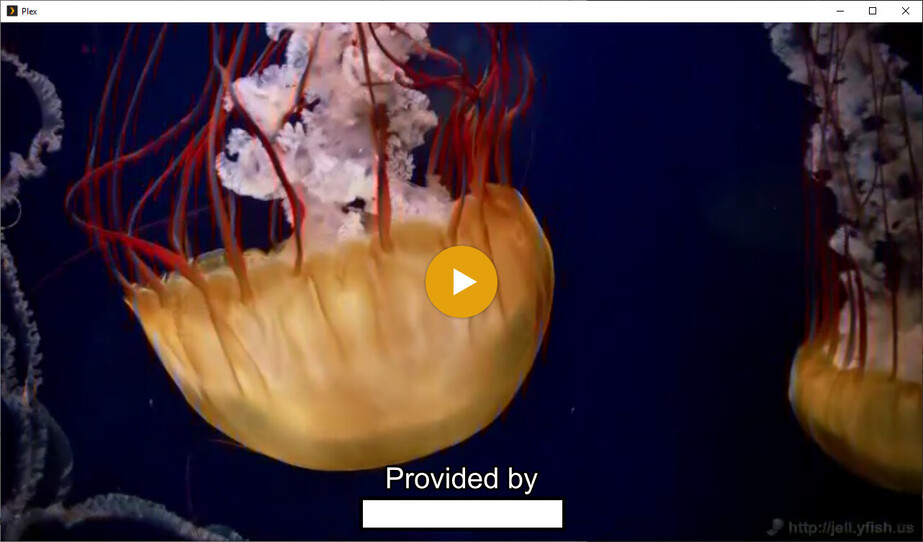
2 Mbps with subtitle:
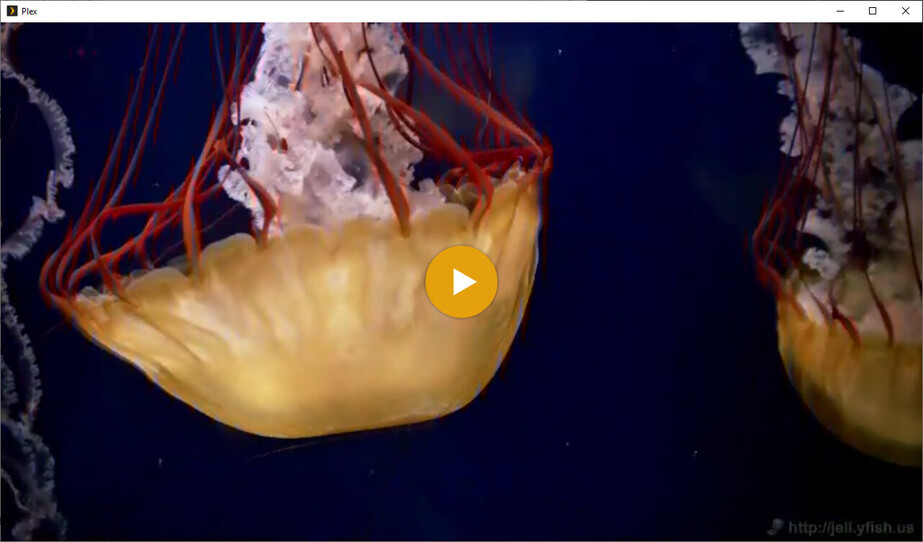
2 Mbps without subtitle:
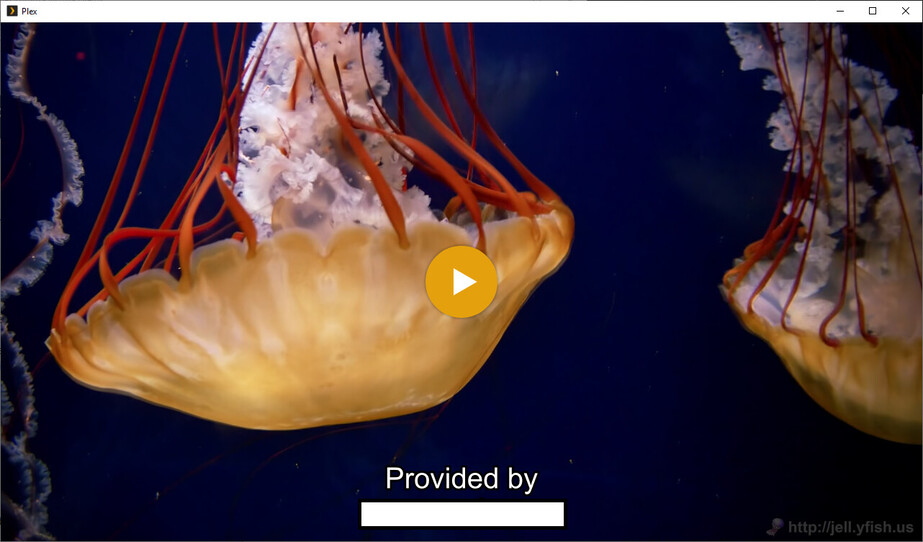
original 1080P HEVC 10 bit 10.1 Mbps with sub:
Seems to be unrelated to whether subtitle is used or not.
EDIT: Painted over the URL in the subtitle text, sorry about that.
Now I’m going to sound like a jerk. ({ Please forgive me )
Please repeat that at 4 Mbps
No need to post screenshots unless you wish to.
Your verbal description will more than likely be enough
Alright. Tested. 4 Mbps, 720p HD quality. Subtitle on.
Result: Same streaking as on 2 Mbps.
for the final evaluation,
Make the player window (Plex web works perfect for this) … smaller… about 1/4 - 1/3 the display
Streaking?
Let me try that. I didn’t get any
I have not been full screening my video player this whole time. It currently sits at 2/3 my width and 3/4 my desktop’s height, which is 1920x1080
Thank you… Now I am understanding.
I’m putting together something here which i can take to Engineering.
Before I do, I’ll ask for confirmation.
I’m watching this topic intently. While this particular issue doesn’t much impact me personally (at the moment, I watch exclusively in-home), it’s an issue that affects a friend. He may not care too much, but it bugs me when software does not perform properly.
Let me know if you want any more information / tests / cookies.
I’ve found several things I things I need to ask about.
- Preroll flashes the main movie before starting the pre-roll
- Plex/web stalls waiting on the server while the server logs say the client disconnected.
- My dyslexia … it’s fcuko.
It’s Saturday eve for me.
Have a good night all.
I unchecked Autoplay for this video. It didn’t seem to cause any change in transcoding. Video still striped.
I do not have any pre-roll video, nor do I pre-roll any trailers (of videos from my library or otherwise). When I play a video, I want it to play that video, not something else at random. (pet peeve)
EDIT: I did have “Enable Cinema Trailers” turned on for this particular library. I guess I didn’t go into advanced features of this new library to turn it off. No trailer played before the video though.
So I disabled the option, played the video, verified subtitle was on, skipped to 15 seconds in where the red jellyfish is. Image still striped/jagged/what-you-see-up-above.
Have a good night, I’m out until tomorrow too.
Folks, a user found a problem.
I looked and took to engineering.
We might get a twofer (two for one) 
will know more in the morning (US time)
Hey, any update? I’m curious to see what the issue was, and when/if it can be fixed. If I can apply the fix on my end as well to avoid needing to update (but I will if necessary), that’d be great too.
The issue looks like XML spam in your log files.
It is already fixed and will be released in the very next binaries Engineering publishes.
It wasn’t so catastrophic as to merit a “Hot Fix” push because of the limited impact.
Important yes, Disaster no.
Hmm, that’s strange. XML spam caused HEVC videos to transcode to a lower resolution with graphical artifacts? Ok. I’ll keep an eye out for a server fix that mentions XML and update.