I’m a long time Plex subscriber and I think i messaged you years ago.
I’ve been using Plexamp for my music since the Plex mobile update a few weeks ago. It was working great from the start, remotely and when connected to my home wifi, but for the last week I have not been able to connect it remotely. My Synology remote access is green and fully accessible, but it still won’t connect without my home wifi.
Is this something you can help with, perhaps remote in to my server or computer to check the settings? I’ve tried everything I could and now believe its just above my pay grade. If not, do you know who could?
Any error messages?
Are you able to access media from your server on a different app while outside your home network (e.g. the video player mobile app)?
I have 2 servers, but I only use my Syncology server which only has music. I can listen to the music perfectly fine on my computers and TV using Plex. My only issue is on my mobile when not on wifi. When I originally started using Plexamp, I had no problems and could play my music anywhere, but not now.
Plex doesn’t connect to my Synology or play music anymore, so I was under the impression I needed Plexamp for mobile listening, but now thats only working on my home wifi, which doesn’t do me any good. Not sure what you mean by web app. Is there another app I should be using?
In that case it doesn’t seem to be an issue of your Plexamp app (or the device it‘s running on.
I suspect you might be seeing a „green“ remote access status indicator while Plex is testing the connection. This test usually only takes a few seconds… under certain conditions it might also take several minutes.
Did you already have a look at the related troubleshooting support article?
I’ll have a look, but its green, so I just don’t want to go down a bunch of rabbit holes.
I originally had Louie and Chuck set all this up for me. Those guys were great, but they have some personal issues going on, so I was hoping I could find another Ninja to login and help me get it done. I appreciate your time.
Unlikely. That’s a configuration of the app, not your server. From what you described, those devices fail to find the server while away from your home network (and not just Plexamp).
Yes, it’s weird. My Plex worked fine remotely until the mobile update and Plexamp worked right away, as soon as I downloaded it and then I just started having remote issues out of nowhere. I’m thinking of rebooting my Synology, if you think thats worth a try.
Though, I just noticed something I’ve overlooked before. The public IP recognized by Plex in your remote access settings is from a band specified for private networks. It could be your ISP placed you into a „CGNAT“, that means they’re managing their customers as a private (home) network instead of assigning your router a „publicly routable“ IP address. In consequence, your clients will no longer be able to connect to your server from the outside.
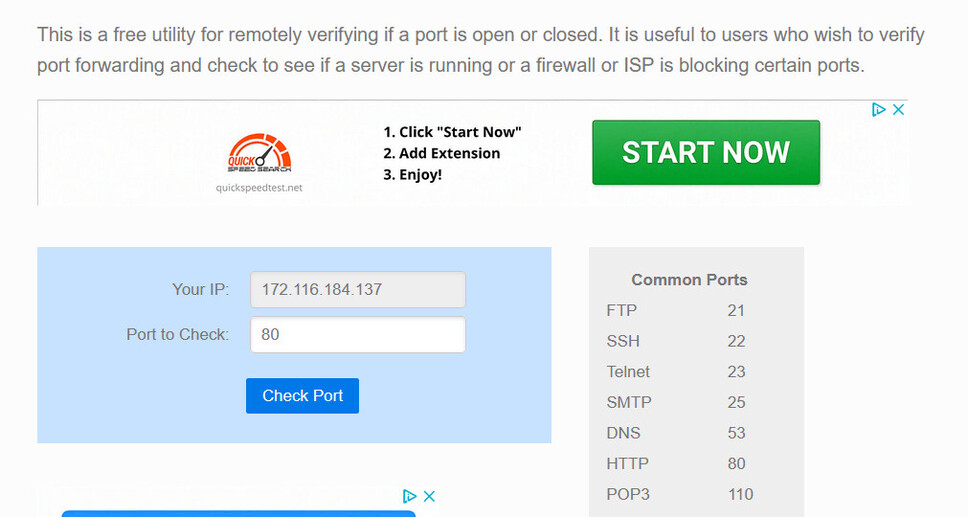
If you open a service like canyouseeme.org from within your home network, you should notice the IP they recognize is different from that seen in your Plex Media Server‘s Remote Access settings.
You could reach out to your ISP and ask them for an exception. You’re looking for a „publicly routable IPv4 address“. Some ISPs will support this. Others might offer you a „static IP address“ instead (those usually come at a price)… that should work too, but it’s more than what you need.