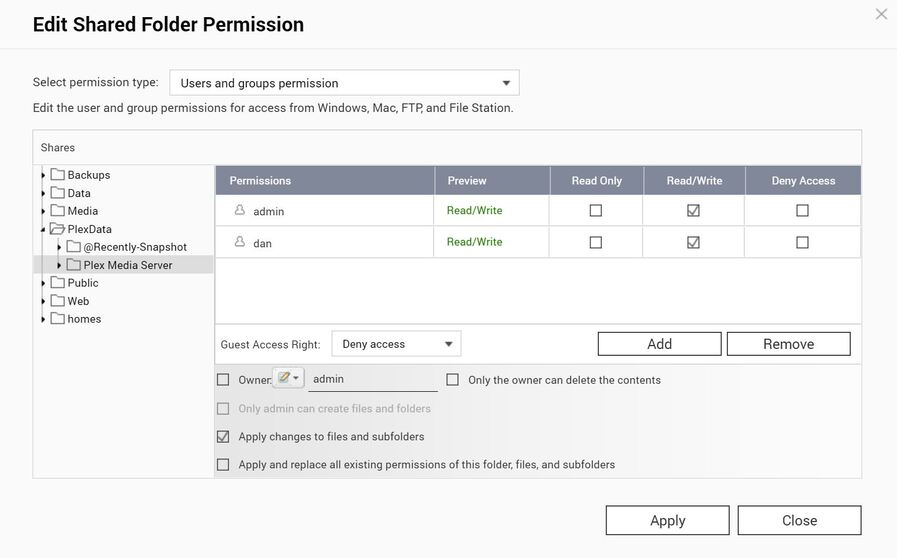
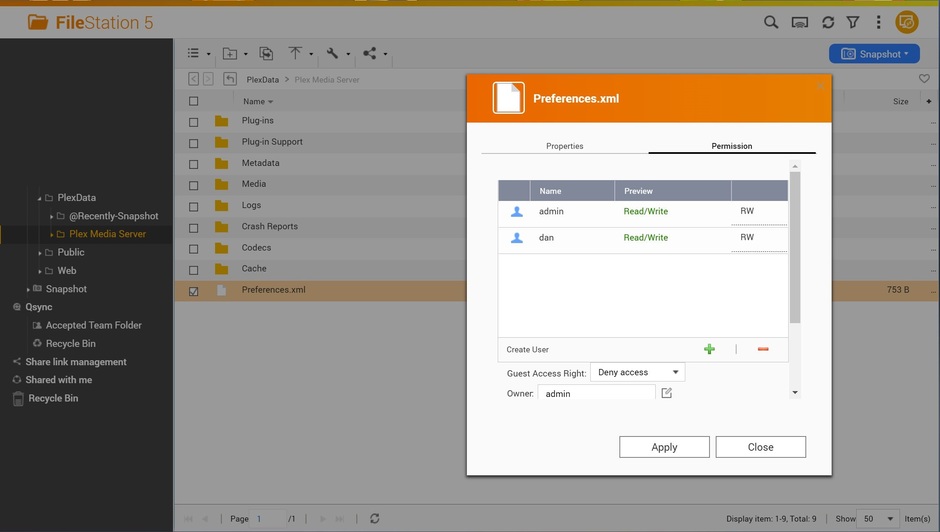
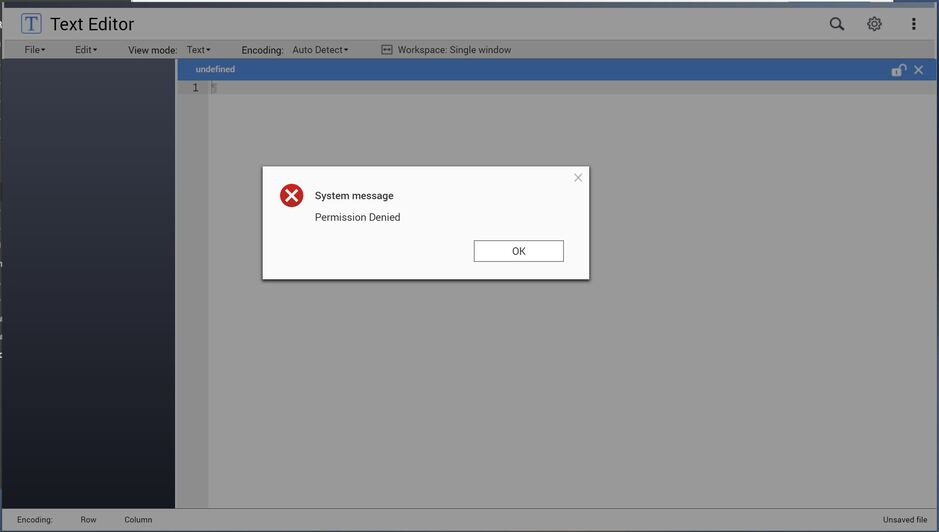
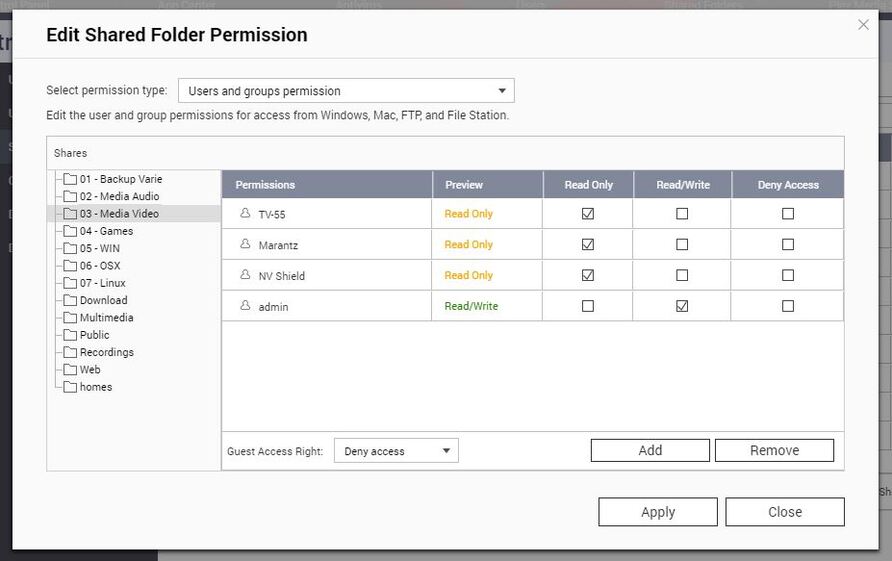
I agree it must be a user rights issue but I’m 99.9% sure I’ve set all the permissions correctly for the “dan” user. It even shows R/W on the users permissions of the preferences.xml file I’m unable to open when using text editor see screenshots…
I’ve set these R/W permission for dan from within the admin account. I’ve applied and un-applied, logged-in/out of users, rebooted the NAS.. despite QTS saying otherwise I just can’t get any users other than admin to get write access on /PlexData/Plex Media Server folder, its files, and sub folders.
Having had a good read through all of the above more carefully (and not skim reading during my lunch break) I’m going to try the old trick of stop Plex, delete the PlexData share, recreate assigning the desired permissions and restart Plex. Having read all of the above I’m convinced this will solve my issue.
However I still don’t understand why when I logged-in as the system admin and assigned R/W to my typical administrative user it actually grants RO despite saying otherwise in QTS.
So I stopped Plex, deleted the “PlexData” share folder keeping ‘delete the data’ box unchecked. I then recreated the share folder assigning R/W permissions accordingly but guess what?.. didn’t make any difference! Still only have RO permissions from the Plex Media Server folder and below for my dan user despite it being configured for RW. The system admin account of course still has complete control.
I’ve rebooted the NAS a number of times but this hasn’t made a difference either. I got in touch with QNAP support about this and recieved the following response, “You can only use the built in admin account for editing sytem files as this is a superuser account, then once edited you can then disable the admin account again, but this is the only way for system files to be edited.”
I’m not going to argue with the OEM, so I guess each time I want to edit the preferences.xml file or do anything else that requires more than read-only privileges I’ll have to; login as normal, enable the admin account, logout, login as admin, make the changes as the superuser, logout, login as my other dan (admin) account and disable the system admin account again. What a faff!
Is it just me, or is this really what everyone else does that has the admin account disabled by default?
I understand what you’re trying to do but don’t think it’s going to work because the package is installed as user admin. admin is the owning UID & GID . On QNAP, admin translates to UID & GID = 0 (which is rootby all other references).
The Plex files are written as UID = 0 (admin) by QTS. I have no control over it.
This might be something to take up with QNAP on how to elevate the privileges of a user to group 0 (which I believe is the ‘adminstrators’ group)
I do know you can ‘hack’ the system and change the username UID/GID but by doing so, you are making that account ROOT.
Remember, PlexData is pointing into Protected Storage not normally accessible to the average user. Restrictions will apply.
Am I understanding this correctly, that /PlexData is just a symlink as it were to /share/CACHEDEV*_DATA/.qpkg/PlexMediaServer/Library/Plex Media Server for the purpose of displaying it in FileStation?
I corrected it by removing and readding the folder via shared folders. It populates correctly now.
But I have to admit, I’m sort of scratching my head as to what the point of this is?
All of this is already accessible by ssh.
Thanks for the quick response.
Is it not introducing potential for security issues? You’re wanting something that should only be admin level, to be editable by general users (at admins discretion of course) but not everyone knows what they’re doing with that (just like not everyone knows ssh).
Having had a few qnaps now, i think its quite deliberate that it’s not displaying all of the directory structure in filestation.
You’re installing in admin/hidden directories, but then doing this to unhide them / unrestrict access to it.
Call me crazy, i feel like its a bad idea somehow :\
Thanks.
Just a suggestion, perhaps make this an optional feature. Maybe a simple toggle switch in the server settings to enable/disable this feature, with some linked instructions to setting it up securely if you enable it etc?
Appreciate your work.
If the PlexData share does not exist, nothing happens.
If there is a PlexData share which you use for other purposes, creating a dummy file .disablePlexDataSymlink completely disables (turns off) the feature.
But my dan user IS in the ‘adminstrators’ group.
It’s OK, I can live with enabling/disabling the admin user and using that when required. I just wanted to see if this behaviour is the same for everyone else that owns a QNAP, and that the only way to ever have true RW in the Plex Media Server folder is by going in as the system admin account?
This then leads me on to another question… one probably best suited for a new topic - I have some questions/concerns about security and ensuring data integrity of my media while using Plex Media Server. Is there a section or an active topic for questions and discussions like these?
I have looked into that myself. In all cases I discovered any issues were created by third party add ons, Tautulli being one of the most likely, seems not installing it perfectly leads to many possible security issues.
Otherwise there has never been an issue I read about and I have had 3 attempts to hack into my NAS, two from China one from Russia all rebuffed. I do wish QNAP would instate a GEO IP feature.
Group administrators will let you read but not let you write unless you modify the package installation manually.
Secure the admin account with a properly strong password , 16+ characters in length (a complex word), containing Upper & lower case plus digits and punctuation.
Further minimize access from the outside word by either disabling or making “MyQNAPCloud” private.
SUPPLEMENTAL:
Regarding GeoIP, I don’t trust the vendors to do what’s right. I have that capability in my pfSense block. I have two layers in the pfSense: 1. Basic firewall rules make me a ‘black hole in the internet’. Nothing is returned (ACK or NAK) when unsolicited. Should I have servers which are world-wide possible, I restrict them to NATO countries for my peace of mind.
I simply share on my PLEX server my existing media folder "03 - Media Video) and that’s it.
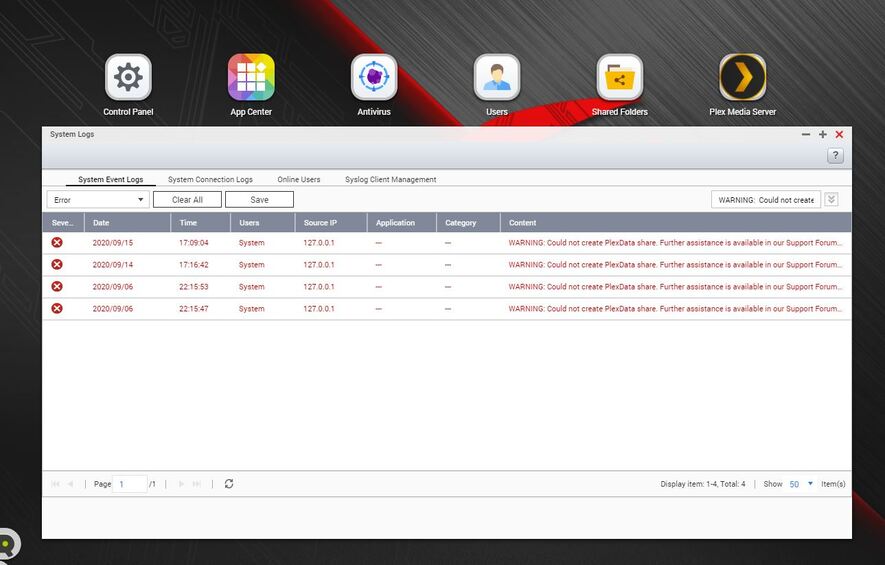
So at this point because everything still working as intended I would like to know only how I can stop the generation of such errors.
There is any ignore list which can avoid those errors pop again and again ?
Best regards and thank you in advance for any help.
Enrico