where can you not connect?
I’m down as well. No troubles with local connections but my Remote Access shows as down. Sometimes a Retry will get it to work for a short while. That’s about it. Remote access still seems to work (validated on my mobile with wifi disabled).
also still down, was able to connect about an hour ago and now nothing.
Looks like the issue is still persisting. The server control panel claims that my server is inaccessible from the outside on the remote access settings page, however the port is open based on a web port scan.
I am using new-ish LG webOS TV and my plex app will not connect unless I set “use insecure connections” to always, otherwise it just says no network access.
Device Details:
- LG 55SM8600PUA
- webOS Version: 4.9.3-5380409
- Software Version: 05.10.30 (not sure how this is different than webOS)
- Plex App Version: 5.0.1
There is another thread of users having this same issue here: LG WEBOS 3.5 All remote play stop working - #3 by Can0nTV
1 Like
Same here, looks like it was ok for a bit and broken again now.
2 Likes
Still down for me as well. Only way to fix it for me is to set secure connection to disabled. but this is not a solution as I can’t use my plex server on my ipad or iphone.
2 Likes
It’s weird, some clients like my cell phone still work remotely but the web client is a no go. Anyway, the root issue is the remote access config error on the server. We can fiddle for days but it’s a waste until that’s solidly resolved. Very premature to mark this issue resolved on the status page.
1 Like
I am still down as well. I cannot access any content remotely. I’ve restarted my server and router. I’ve also tried connecting on and off my VPN (my server typically sits outside of the VPN). Nothing helps. This problem is not resolved.
Same here. After seeing the Plex status page, I thought it was something on my end. Glad I checked here.
Same issue here exactly. I had a power outage and thought something happened to my router/nas……
Same here. Been trying different combinations of secure/not connects and certificate settings.
I use a custom certificate, not Let’sEncrypt, if that’s relevant.
Still have three servers down here. Plex says resolved, but not here!
1 Like
I am having trouble connecting my remote devices,
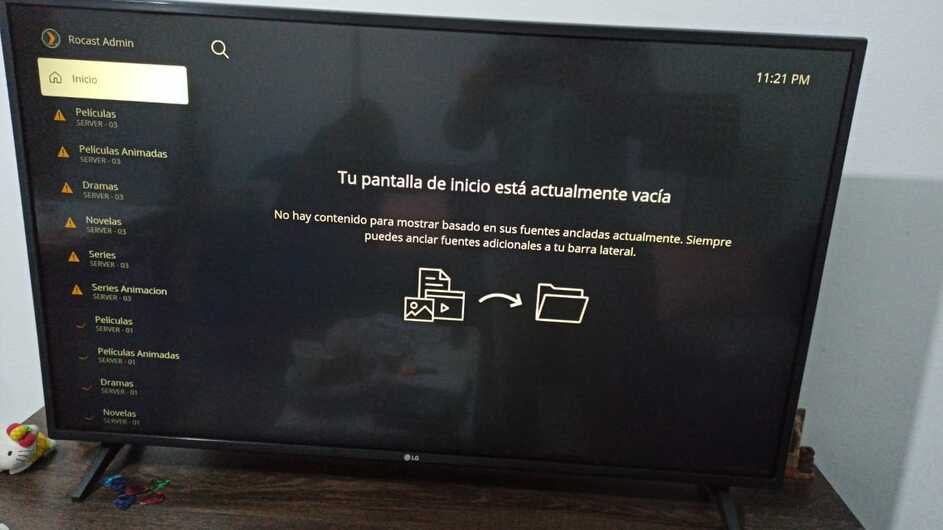
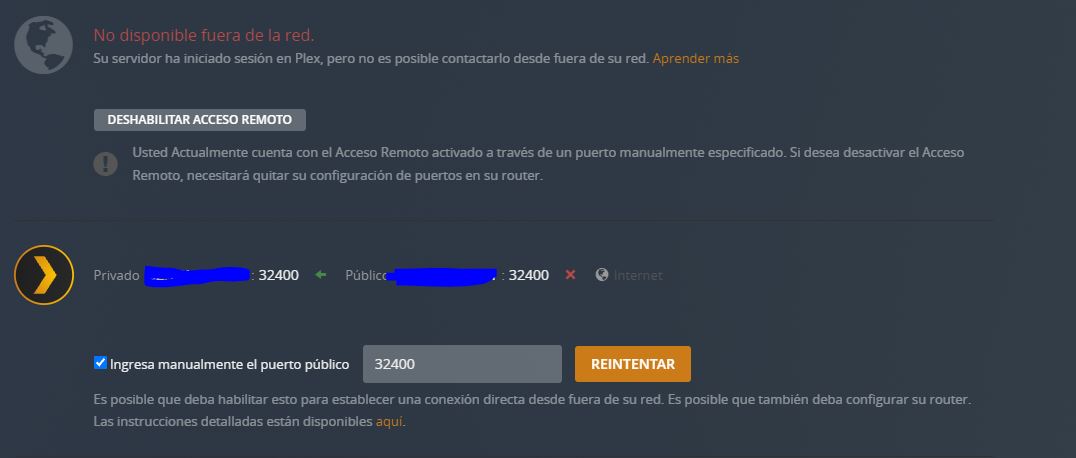
when I hit the retry button
appear this

A few hours ago they said that it had already been solved, but I still have these problems, I have tried to switch to insecure connection mode and at least it has been able to connect remotely, but anyway it is still very uncomfortable. if it is a general problem I would like to know, I do not work with personal ssl.
Same problem. How does this pertain to using OpenPHT as my player ON THE PC PLEX SERVER is running?
Is this the Cert issue, or the general remote issue?
Still not working as of 1:06AM Oct 1, 2021
Vito

Same problem here! Remote access disconnected, and reconnect again and get connected after 5 sec then disconnect …
I am not alone 
Same. Remote access connects then disconnects.
Following message in console.
Message
CERT: incomplete TLS handshake from [::ffff:46.51.207.89]:48922: sslv3 alert certificate expired
1 Like
Well, to be clear: It´s frustrating. really annoying now. More that 14 Hours since the problem occured the remote connectivity is still not really working and all that Plex itself is saying: “All Systems Operational”.
Are you kidding me/us? All my colleagues which I know they are using Plex are having the same issue.
It still says “Not connectable from outside your Network”.
And in the logs you can still find:
CERT: incomplete TLS handshake from [::ffff:46.51.207.89]:50950: sslv3 alert certificate expired
CERT: incomplete TLS handshake from [::ffff:54.170.120.91]:50080: sslv3 alert certificate expired
Instead of sitting it out you need to take manual action, thats what I think.
Please solve this issue … it´s going to be really annoying now
Funny enough i have the issue inside the network 
Because Rasplex (yes old i know) is connecting via this certificate.
It works once i disable it but also funny => I have Secure Connection not as Mandatory. I have it as prefered. A few days ago it worked like this. but since yesterday it doesnt work anymore.
After a night of tests etc i figured that this SSLV3 cert is the culprit behind.
Please fix this guys. It is really unfortunate that this doesnt work.
I am having the same issue running Plex inside a TrueNAS jail (Plex for FreeBSD). Only outside of the network.
PMS version: 1.24.4.5081
Remote access says not available outside your network. Disabling remote access and re-enabling shows available, and then 2 seconds later: unavailable again.
I wonder if this is to do with LetsEncrypt’s high usage volumes that they simply can’t service the cert requests?..
Frustrating that Plex Status shows it’s all good…
