Server Version#: 1.23.3.4707
Player Version#: n/a
On updating to this version of PMS, I noticed that doing a Refresh Metadata on a title that previously had cast images downloaded from a metadata source causes all of them to disappear, giving the “gray initials in a bubble” fallback.
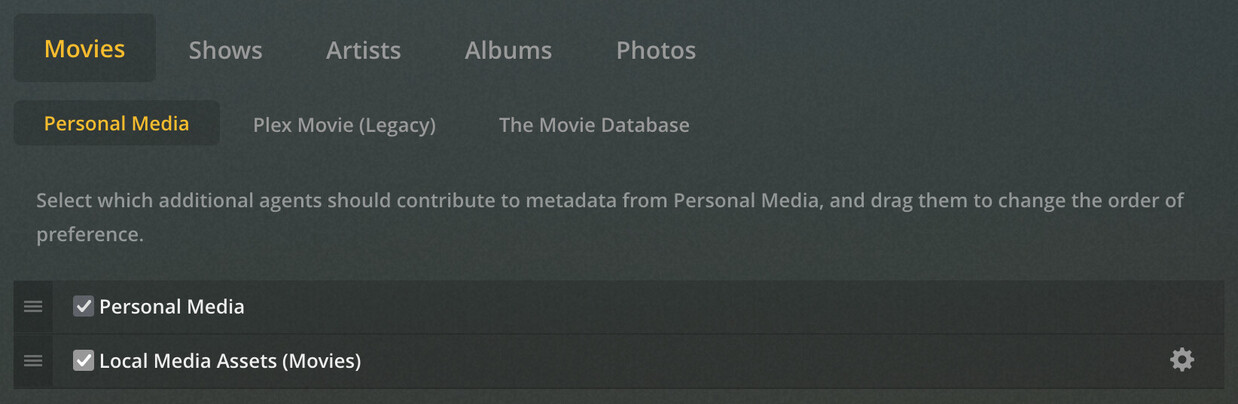
I traced this to the above setting in my movie’s Library → Advanced tab. Apparently the fact that I have a cast list in this movie’s MP4 metadata causes it to no longer pull actor images from IMDB and TMDB as it used to.
I tried unchecking that setting, and the cast images came back after another Refresh Metadata call, but it’s now ignoring values from my MP4 tags entirely on matched movies.
That led me to my second workaround attempt: uncheck this setting, then use Subler to remove the Cast tag from one of the MP4 files exhibiting the problem. That worked, allowing the remaining tags to appear as-is in Plex after a Refresh Metadata call, since the cast list and their images now could come only from the metadata source. Still, it seems a little drastic to throw away the local cast list just to force Plex to download the cast images.
Even if that’s desirable behavior for some users, which I can understand, surely there’s also a call for merging metadata as it used to? MP4 metadata can’t provide cast images, so even if you take the cast names from the MP4 file, there seems to be no good reason to then ignore cast images from the metadata source for matched movies.
If I’m dreaming, what I really want is per-field tristate control over all this, letting me say something like:
- Studio comes from only the local metadata; no local Studio, no value, even if the metadata source provides it
- Ditto cast list, but give separate control for cast images: for each local name that matches the name in the remote metadata, give me that cast member’s images, but don’t add any additional cast beyond what I’ve listed locally.
- Release Date is overwritten with the remote value if available; I’ve decided it’s more likely correct than my value
- Merge others: crew lists, etc.
This is with Scanner & Agent set to “Plex Movie”, if that matters.