Remote access not working despite server settings claiming all is OK!

Server Version#: 1.42.2.10156
Player Version#: Web (4.156.0) + Android app latest version (20251207)

I am stuck. There are so many posts around this issue but they seem to be all slightly different anyhow.

My setup:

  • Running Plex Server on QNAP NAS (version above).
  • Works great over Local LAN on multiple players
  • Players running remotely does not connect

On the Plex Server settings under Remote access I see the green tick, and I see this info:

Fully accessible outside your network

You can access this server from signed-in Plex apps or in a browser athttps://app.plex.tv/desktop.

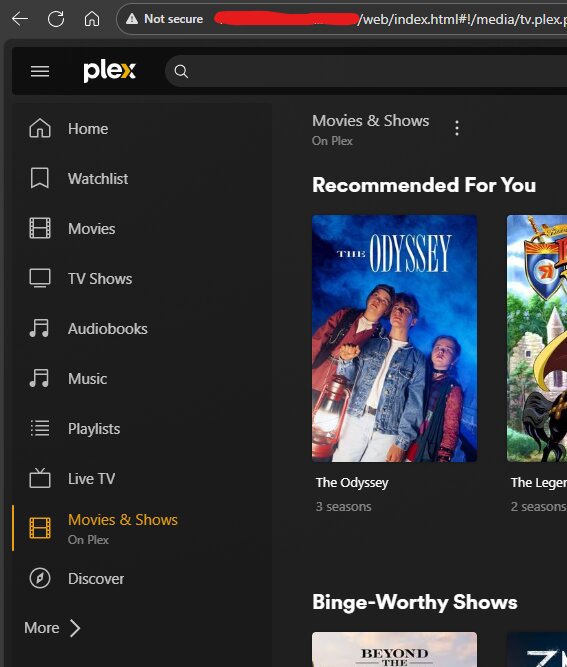
But when I try to open the web player following that above URL on the same computer that is even on the same LAN - the player cannot connect to the server.

Where to start?

Remote Access FAQ
https://support.plex.tv/articles/200931138-troubleshooting-remote-access/

Also see if this applies to you.

I have exhausted all possible options. Does anyone know whether recent updates on Unifi can cause these issues?

I have even tried to open up the port and forwarding all incoming traffic to my NAS where PLEX is hosted. It works when I go straight to the external URL with the open port - but obviously the Android app does not care about this regardless of how I configure my server settings on PLEX settings - I am suspecting a bug in the app.

In parallel I’ve installed Jellyfin and set that upp successfully. I need remote access to work and if I cannot get PLEX to play with me, and there is no obvious reason to why it won’t - then the only option I have is to abandon ship after being a paying customer for years and years.

The Troubleshooting Remote Access document could use a revision to include a few more steps. Plex has been implementing secure connections for all processes which is a little like putting your finger on one leak and another one pops up. It is also like math class where you need to show your work by either including logs, screen shots or output from commands. Public IP’s can be sanitized after the first two octets like 64.64.xxx.xxx but private ip’s should be shown.

The Remote Access page is opportunistic so it would need to stay green for at least 3 minutes to be valid. You can also also retrieve your token: https://support.plex.tv/articles/204059436-finding-an-authentication-token-x-plex-token/

and use it to see what Plex sees for your server info : https://plex.tv/api/resources?includeHttps=1&X-Plex-Token={token}

Remove accessToken=“xxxxxxxxxxxxxxxxxx” if posting the output

You would have to ssh to the QNAP and run DNS checks to plex.tv and {ip}.{machineid}.plex.direct (in the output from above) to see if these are being resolved correctly.

How did you handle adding plex.direct to the DNS resolver in the Ubiquiti? Required to allow DNS Rebinding for your Plex CERT.

Not sure what to do next but here is my XML output:

<MediaContainer size="2">
  <Device name="PLEX NAS" product="Plex Media Server" productVersion="1.42.2.10156-f737b826c" platform="Linux" platformVersion="QTS 5.2.7.3297" device="TS-464" clientIdentifier="{hash}" createdAt="1674244444" lastSeenAt="1765196596" provides="server" owned="1" accessToken="{token_secret}" searchEnabled="true" publicAddress="{hidden_ip}" httpsRequired="0" synced="0" relay="0" dnsRebindingProtection="0" natLoopbackSupported="0" publicAddressMatches="1" presence="1">

    <Connection protocol="http" address="192.168.1.130" port="32400" uri="http://192.168.1.130:32400" local="1"/>

    <Connection protocol="http" address="{hidden_ip}" port="{hidden_port}" uri="{hidden_url}" local="0"/>

  </Device>

  <Device name="Android" product="Plexamp" productVersion="4.12.4" platform="Android" platformVersion="16" device="Android" clientIdentifier="{client_id}" createdAt="1761596149" lastSeenAt="1765094645" provides="client,player,pubsub-player" owned="1" searchEnabled="false" publicAddress="{hidden_ip}" publicAddressMatches="0" presence="0">

    <Connection protocol="http" address="{hidden_ip}" port="{hidden_port}" uri="{hidden_url}" local="1"/>

  </Device>

</MediaContainer>

Other details:

  • On my Unifi USG I have opened port forwarding for the port to the NAS from WAN interface and I can access the Plex server from the public IP and port with no issues on e.g. web browsers.
  • The PlexAmp app works fine remotely as well.
  • The Plex Android App does NOT work remotely - this is the only issue I am having.
  • I have a green tick mark (Fully accessible outside your network) that is steady and remains active.

Server settings:

  • Custom server access URLs includes the public IP and /web in it (http://{public_ip}:{port_opened_on_unifi}/web
  • Everything else is untouched

Any ideas on how to continue finding my solution?

A couple of things:

  • The remote access feature and the custom server access URLs feature are completely separate things; that is, neither depends on the other and, generally, only one or the other should be used (there is an exception).
  • For custom server access urls, you should not include the /web on the end.

Custom server access URLs ideally be used when you have a custom domain associated with your public IP address (either DDNS or purchased). Otherwise, stick to the remote access feature.

The exception I mentioned above is that if you don’t specify a port in your custom server access URL, it will default to 32400, unless you have one manually set in your remote access settings (which overrides this).

So: Prefer remote access unless you use a custom domain. If you do use a custom domain, you’ll need a certificate. Specify the port if other than 32400, and don’t include /web at the end of the URL.

It also may help if you show your Unifi port forward rule. There are some potential gotchas there (I use a UCG Ultra myself, so I might be able to provide some specific guidance as it pertains to Unifi gateways).

You didn’t mention if the (you redacted) information here looks correct:

<Connection protocol="http" address="{hidden_ip}" port="{hidden_port}" uri="{hidden_url}" local="0"/>

Are the “hidden_ip” and “hidden_port” actually correct? If so, does the IP match that shown for the WAN 1 address on your Unifi gateway?

Thank you for your effort in trying to help me resolve this one.

I have cleared the Network settings back to default and only have remote access enabled now:

On https://plex.tv/api/resources?includeHttps=1&X-Plex-Token=[token_here] I see this info:

All the masked details are correct. So for the I can see my public IP and the same port as opened in USG.

I can access my PLEX using the public IP and port without no issue - so the port forwarding works without any issue:

BUT as soon as I try to access my PLEX using https://app.plex.tv/desktop/#!/ then PLEX is not able to access the server:

What else could impact that Plex acts up like this?

Set the Client network to ipv4 only and have a look in your “Plex Media Server.log” for “CERT: Error acquiring new certificate: messages

I can see many of these events in the log:

Dec 11, 2025 15:15:23.070 [140574373825336] ERROR - CERT: Error acquiring new certificate: Failed to upload CSR: 429,
<errors> <error code="1003" message="API rate limit exceeded" status="429"/> </errors>

From what I can read online I need to ask some Plex employee to reset something on their end for me to be able to pull a new cert?

Where do I even get access to request that?

@OttoKerner may be able to assist with that.

@OttoKerner :folded_hands::relieved_face:

I am thinking that perhaps it can be that my Home Assistant running the Plex plugin has requested too much from Plex APIs and that is why I am cut off. I remember I saw the Plex plugin having issues connecting so I just deleted it as it was not really necessary for me to use in my HA instance.

I assume its the same limits in effect.

There are no records of API limits in your account.
You have a new certificate now. Please wait 10 minutes, then stop and restart your Plex server.

I have just confirmed that it now works again.

So much work and all I needed was a new cert! Thank you so much for your swift support :folded_hands::+1:

I think Plex UI could benefit from improvements around this type of issue or update the help docs to include this and similar cases.

@nickss1, where from have you obtained certificate and which other steps you had to do to fix the issue. I’m also running Plex Server on QNAP. And looks like certificate expired as well.
TIA.

@OttoKerner could you do your magic with my plex certificate?
Looks like I have the same issue as @nickss1 experienced.
Getting error message “xxxxx.plex.direct” certificate name does not match input.
Thanks in advance.

Please shut down and restart Plex server on your NAS.

can you please do your magic for my account as well please? @OttoKerner

web is working fine, android apps, are not working at all.. and I can’t access the media library through https://app.plex.tv/desktop/#!/ if I am not home.

and I have the Monthly Plex Pass subscribtion.. please help me as well.

[mod edit: There is no issue with your certificate.]

what could cause that? how can I debug? what other details can I provide? I do like watching things on tablet when I am not home, and it’s frustrating not being able to watch the app, or TV..

This started happening 3 days ago.