Server Version#:1.28.2
Player Version#:
I manage to turn on remote access OK but it pops off again green to red, accessible then not accessible. I have checked router settings for this function, UPnP enabled etc … I would like to access my content outside of my home and need to make this work… What extra steps, maybe with the router do I need to do? My Mac/server address is 192.168.1.158
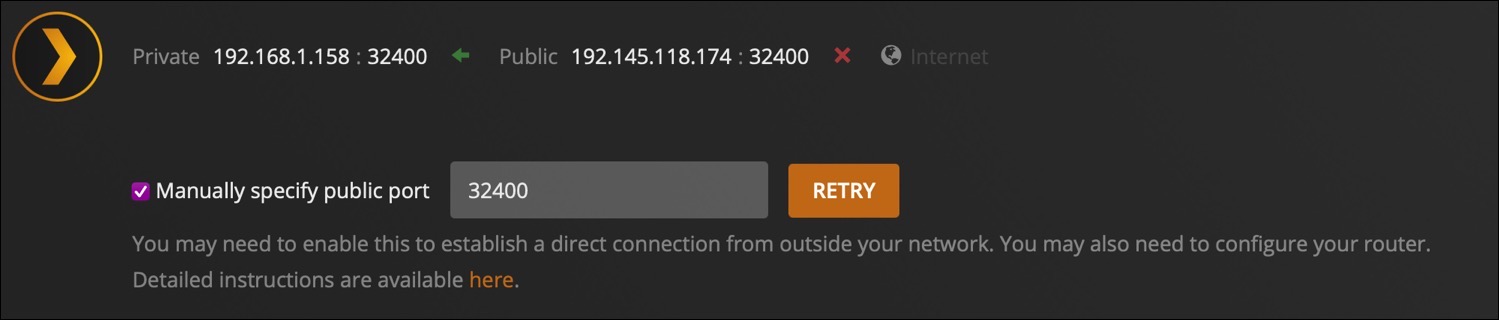
What you’ll want to do is give that PC or Mac a dedicated IP address. So if it currently ends with .158, then make sure in your router that you RESERVE that .158 for your device. Then, you can add port forwarding by selecting the device at 192.168.1.158, choose TCP as the protocol and provide the port 32400. Save all of this info on your router and then go back to the Plex Server settings. Click RETRY. Additionally, you could input 32400 as the INTERNAL PORT and input 32401 as the external port. This could help on a security level.
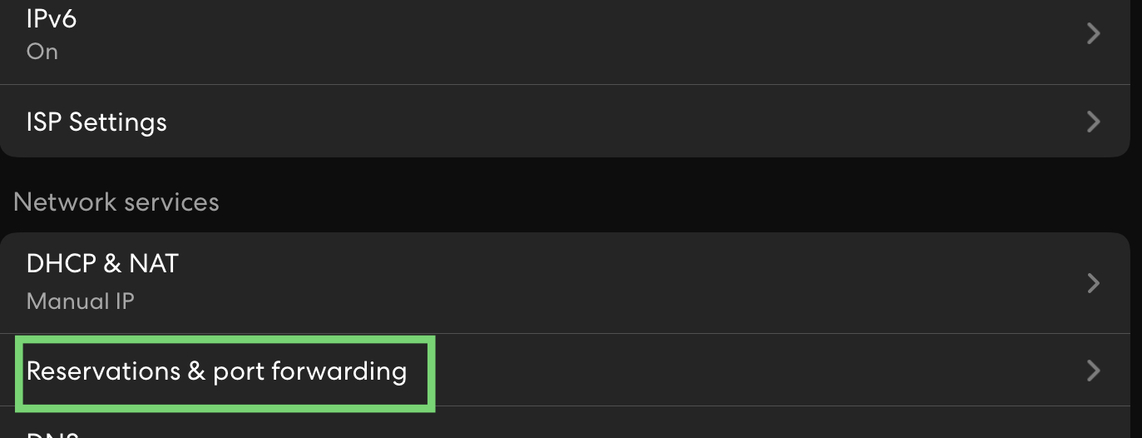


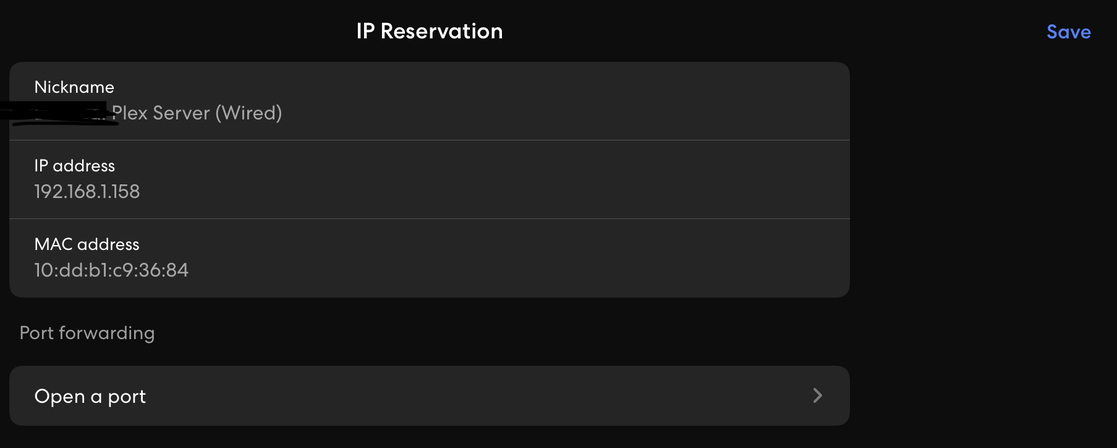



I believe you need to leave “Source IP” blank
I think that field is to lock down certain IP’s or an IP range that are allowed to use that rule
You can also use this tool to make sure port 32400 is open to the outside world
https://www.yougetsignal.com/tools/open-ports/
Continuing the discussion from Remote access turns on and then off:
Frustrated…no matter what I set on my router, Plex Server continues to flip from “Fully accessible outside your network” to “not accessible outside your network” I am guessing it is still something with the router but I do not know what…
I guess there’s no need to start a new thread as you’re still getting active feedback in your original thread (started approx. 1 day ago).
The remote access status indicator will be updated as Plex checks the remote access status of your server – as this might take a moment, first results might initially incorrectly imply your remote access is ok.
As for your progress so far… I suppose JaysPlex7 has a point – setting the source IP to your server’s internal IP seems oddly off.
You might want to take a look at this guide to help pinning down what’s causing your remote access issues. If you can report your findings, others might be able to help you more accurately.
Use the port checker tool that I gave you.
If port 32400 isn’t open your router might be fine but you may have a firewall issue that needs to be configured
Following up on @JaysPlex and @tom80H comments, Port Forward in my Asus RT-AC68U.
- Leave Source IP blank.
Source IP is usually unknown, especially for mobile clients. - Internal Port always 32400.
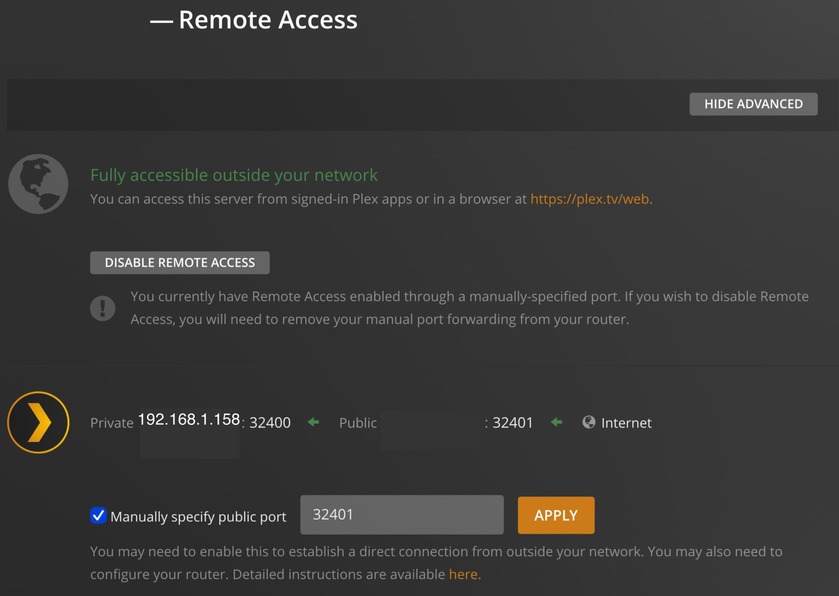
- External Port aligns with configuration in Settings → Remote Access → Manually specify public port.
- If using manual port forwarding, you must check the box for
Manually specify public portin Settings → Remote Access.

