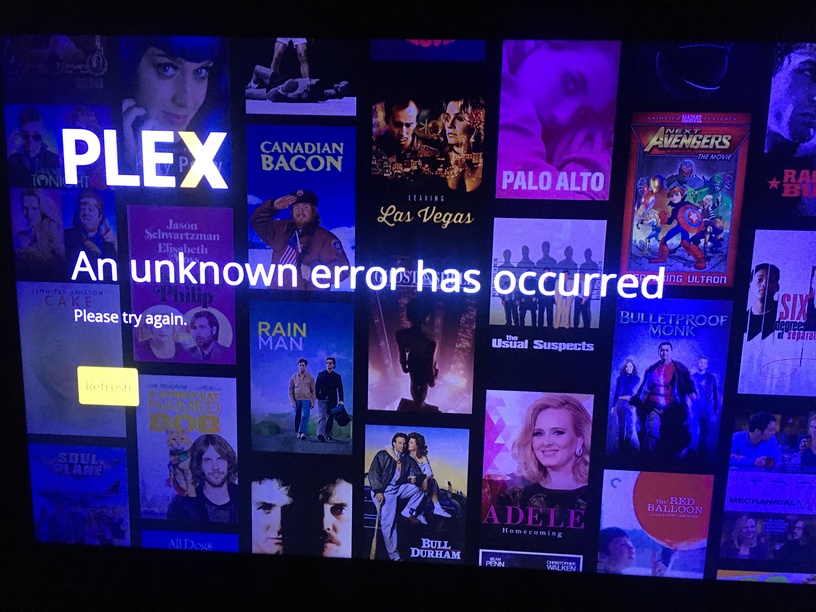
Server Version#: 1.23.2.4656-6000 (Synology DSM 6.2.4-25556)
Player Version#: 5.10.0 (Samsung Tizen).
Plex app failed to open. Not showing Logo and won’t startup the menu.
At the moment PLEX is my only Television app, so it would be nice if there will be a fix very soon.
I have reinstall the app in the Samsung menu, and even reset the TV itself (because I lost contact between account and the Samsung Server on TV). But still not working.
5.10.0 is an older version of the app. If you can’t upgrade higher than this, maybe Samsung stopped making the Plex app available for your TV. This is up to Samsung, Plex has no control over that. The current version if 5.17. You can try the following to see if it will update.
I have the exact same problem. Stay on the code screen and get the error: “An error unknown has occurred”. I have tried to factory reset, uninstall and reinstall Plex and nothing, always the same. I am desperate, I need help.
I am having the same issue as mentioned in the main post, and it happened this morning when I could only access the last Managed user account to use the Plex app on the TV, so I uninstalled the Plex app and now cannot link my account due to the following error when selecting the Sign in button from the app
The truth is that it is not a TV so old that Plex can no longer be used. Yes it is true that they have remained in version 5.10.0, and it will be a Samsung problem, but I hope it is resolved as soon as possible. Thanks.
Just too add more details, in another thread this same issue was mentioned and @jcnz82 added some details that shows the issue is very possibly related to a SSL Certificate error
Just found out that the version information shown in the store may not be accurate. Can you check in the Plex app itself. Go to settings, then about. What version is shown there?
Same issue here. Woke up to every Samsung tv’s PLEX app broken. All stuck in “offline” mode, when I tried to reset the app on one TV now it just stuck at the sign in screen with “An unknown error has occurred”, same as pictured above by Wheatbix12.
Since yesterday night, my Samsung had the same bug, but i fixed the problem otherway, if you have an Xbox, Xbox-Serie X, PS4 or PS5 pluggued in your TV, you can install the Plex Apps on your console and log with your account, don’t forget to set the parameters at “Auto connect” and “Quality video set at Original”. It works fine for me with Xbox Serie X and PS5, good luck guys!