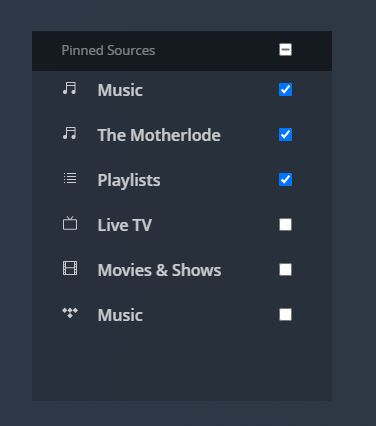
Okay. I didn’t know that. I used the URL you provided and it is loading my library correctly… sort of. Here’s what I’m seeing. First off, I’m not sure which of these options to select:
Any explanation for this? I still have not remapped my server drive. It’s still under Z. I don’t want to take this step until I recreate all of my playlists in Synology Audio Station, because I’m pretty sure I’ll lose all of them after I remap them. That way they’re archived so I know how to rebuild them. I’ve had many of them for a couple of decades.
One additional question. What should I do when I turn off my computer when we travel? Should I just logout of Plex? Do I also need to quit PMS? And, when I do turn the machine back on again, do I need to remember to start PMS using the URL you provided above every time, or do I simply need to log back into Plex like I’ve always done before?
Okay, let me amend what is happening. My library is being scanned and the number of albums appearing in third screenshot view above is gradually increasing. Don’t know if this sheds any light on what is happening.
Ok, this looks good. Let me explain what you are seeing.
1 - Those are all the libraries you have created on your server. Pinned means to place it on the sidebar (the menu along the left) for quick access. You can always pin/unpin these later on.
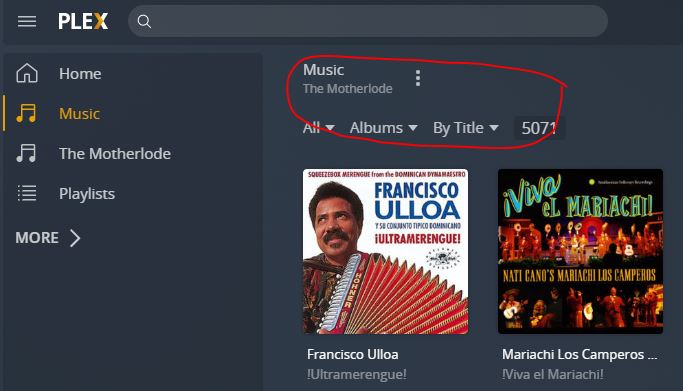
2 - The name at the top that you circled is the name of the library on top and the name of your server on the bottom. Since you used the same name, you see this twice. So you have 9826 albums in this library.
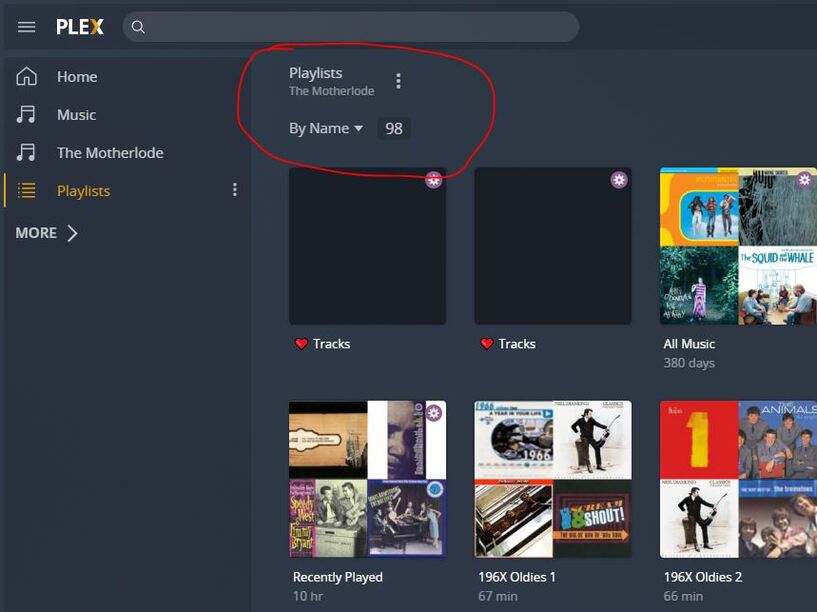
3 - You’ve switched to the playlist tab. These are playlists specifically created from this library. You can create a playlist to include content from multiple libraries, but it will get saved in the library that has the first song you added. In this specific library, you have 4 playlists.
4 - This is your “Music” library and you have 5071 albums here. This may be a duplicate that you accidentally created when you were trying to get things working. Or this could be the right one and the “The Motherlode” library is an old one. Or they are both libraries you want to keep. You’ll need to decide that yourself.
If this is the library you want to keep, since this is where all your playlists are, click the … icon at the top next to the name and choose “scan library files”. This should rescan and add any missing files. This may take some time to find and catalog the other 4000+ albums.
5 - When choosing “Playlists” from the sidebar, this will show all playlists from all libraries separated by the type (you should see that along the top). So you have a total of 98 music playlists. If 4 of these were in the “The Motherlode” library, the other 94 must be in the “Music” library. You should see a Playlist tab at the top when selecting “Music” from the sidebar.
You will lose the playlist if you redo the library and move files around. Plex tracks the content so if the content moves, they get removed from the playlist. You’ll end up with empty playlists. I’m not sure Synology Audio Station will maintain your playlists if the files move, but you can try.
Ignore moving the files for now and see how it goes.
Hi, checking in. So, everything appears to work fine now, more or less, with key differences between how the Plex web app works compared to the Windows app.. Here’s what I’m experiencing with each:
Plex web app - this works just fine. My library loads quickly, I can see my albums and my playlists, and the search feature works.
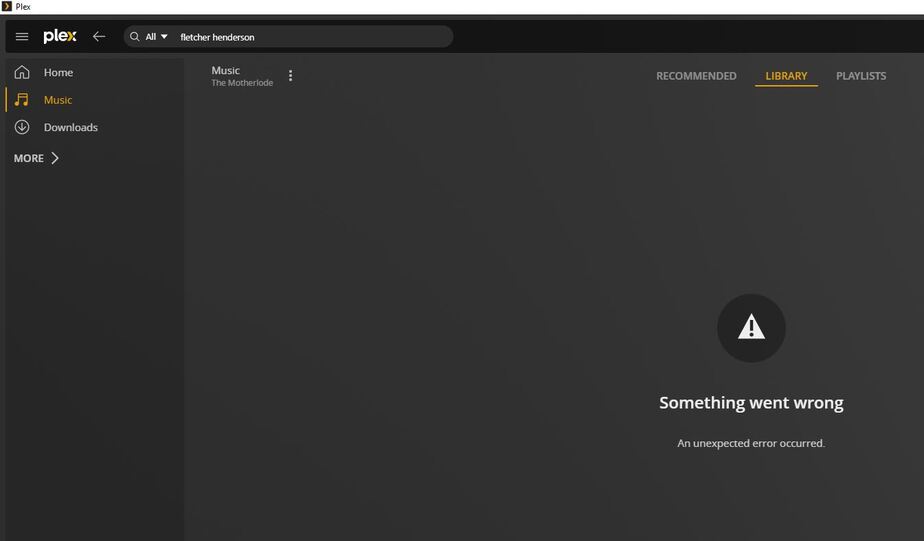
Plex Windows app - this works only partly. I can see my playlists, and the search feature works when I search for an artist, album, or track. But, my library where I have my albums, doesn’t load. When I click on it, the circle spins for a while in the middle of the screen, and then I get this message:
That could mean there is a problem with your database. What did you do? I only see 1 “Music” library there now. Did you delete the other one or is it just not pinned? If it is your database, we have a procedure you can try to fix it. Repair a Corrupt Database | Plex Support
Is this all related to the fact that my library is still mapped to the Z drive?
Possible but unlikely.
Finally, there’s the issue of transferring my account back to my original email address. How will that take place?
Let me know when you are satisfied with your setup and I will make the change. The easiest will be for you to sign out of the server and from Plex Web and access your server without an account temporarily. Once I make the change, you just sign back in to Plex Web with your original email and your current password (I won’t change that) and then claim the server again.
I did not delete my other libraries; I simply unpinned them. So my existing database is intact, as far as I know. Like I said, I everything works just fine via my Android app. I’m not sure when I’m ready to make the change to my original email. For the time being, I’m using my time to finish building my various playlists in the Synology Audio Station app so that if and when I remap to a drive other than Z, I have the playlists there to use as a reference to recreate them again in Plex.
What do you advise in terms of the order to this?
First switch to my original email, and only then remap my Synology server to a new drive?
Or, first remap and then switch to my original email?
Switching accounts won’t affect the server so it doesn’t matter when you want to do it. I just figured dealing with 1 thing at a time. If you are actively doing something else, wait to finish that before switching so that we don’t add another variable should a problem occur while doing that something else.