After allowing the permission, hit cancel and it should allow you to continue, will look into that as it should continue past the screen.
No. I had to uninstall version 54.10. There I was able to authorize and then install the latest version.
I also noticed that when pms was not installed, Plex opened instantly. On the other hand, when it is installed it opens then closes and reopens a few seconds later.
1 Like
Are you using external storage for PMS?
Yes, all of my media files are on a NAS. I only use internal storage on the Shield for the PMS data files.
1 Like
Hotfix #2 + PMS 1.25.3.5448
I see PMS but no storage option.
I reinstalled everything, after two hours of scanning, I realize PMS has disappeared. I quit plex and when I want to open it again, my shield crashes. Had to unplug it. Always the same problem.
After plugged shield, PMS appears again but I know that on the next scan it will crash again until it no longer works at all.
Before the update, everything worked fine…
My music library is so large that when PMS scrapes the meta data it overwhelms the 8 GB of internal storage on the shield so I had to move my data files to external storage. I think that’s where I’m currently getting hung up.
But thanks for answering my question and I’m glad that you got yours working.
1 Like
Woke up this morning to the message “The database was found to be corrupted”: this never happened before.
PMS was still running though, but as others said, hw transcoding doesn’t work anymore.
Has anyone got a definatve fix for this.??? Have to say this is poor, Nvidia and plex need there heads knocking together
3 Likes
As I had expected, when I woke up this morning my shield crashed. Had to restart it.
Your solution Nvdia patch + New PMS version does not work.
2 Likes
Yeah my PMS has gone offline overnight as well with latest installed of everything
3 Likes
Shield SW: 9.0.1(33.1.0.264)
PMS: 1.25.3.5410
Since this HOTFIX #2 update, external USB drive appeared in PMS.
Tried to do the data move - left it overnight, nothing couldn’t even go into the Settings menu to restart eventually had to pull the plug.
Now PMS won’t start up at all.
I suspect ill have the wipe the Shield and build Plex for the 3rd time this week even though I don’t think that will fix the issue anyway.
Had a look in internal Shield drive under Plex Media Server there are no files there at all.
Looked at com.plexapp.mediaserver.smb on USB drive only a folder “Metadata” no DB nothing.
So now the data migration wizard doesn’t even work properly WTF
2 Likes
When I tried going into the settings menu of the shield I could browse every section of the menu apart from storage. As soon as I clicked that, everything froze and only way was to pull the plug.
Before that, the drives are also inaccessible over the network. Would seem it’s more a shield issue rather than Plex and something is disconnecting the drives over night and then that stops PMS.
Installed hotfix 2 sideloaded latest apk
PMS now won’t start, also

App screen shows version 5448
But settings within plex show version 5410
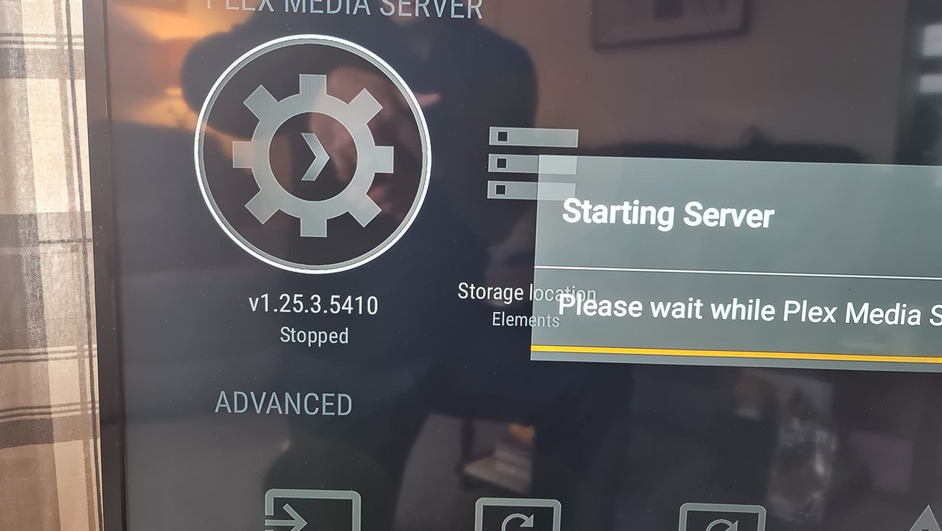
No amount of reboots can get this to start
HELP
1 Like
could you not downgrade shield and plex on old stable version while you try to find a solution with andoird 11 and plex ??? please thank you
it’s been 10 days without a server now…
1 Like
Factory reset, updated PMS to 1.25.3.5448-f11334058-4137-f1133405-shield-arm64v8-samba-release.apk
Launched the App and its stuck in a loop when it comes to the wizard setting permissions.
Checked permissions for Plex and Plex Media Server - all set to Allow.
I want to say something but I am trying my best not to.
1 Like
try this : After allowing the permission, hit cancel and it should allow you to continue, will look into that as it should continue past the screen.
try this
try what? u mean try cancel from previous post, yeah I did and no it doesn’t work but thanks.
it’s boring … nothing works since X patch and 10 days …
2 Likes
