are you on sheild experience 9 though? what verison of plex client are you on, becuase if HW transcoding is working, it’s not the lastest one
No I haven’t updated my Shield, I caught sight of this thread before I did it and held off. The update is still sat there waiting to be installed.
The server version is reporting as Version 1.25.3.5385 and using https://play.google.com/store/apps/details?id=com.plexapp.mediaserver.smb tells me I have no eligible devices for app install, that always shows when I’m running the current version.
Client wise I’m using various, a 4K Firestick and 4K Max Firestick so have the latest app installed and the LG Plex app on a 55UH950V (2016 model) and a 55NANO866NA (2020 model), we also have 2 Samsung Smart-TV’s in the house with no issues. I have various people connecting remotely on a whole range of devices and no-one has reported a problem. My wife uses it on her iPad remotely on a daily basis over 4/5G as well and has no issue. Most of my media is optimised and direct plays/streams, anyone who uses it is advised to set settings to max and have direct play/stream enabled.
It’s used daily so I’d have expected to hear of any problems by now.
So you don’t need to post to this thread as it’s misleading becuase people might think you’ve solved the problem which you haven’t.
You won’t experience any problems (lucky you - and definitely delete the update)
I´m providing log and config for unresponsive PMS, hopefully it can help:
Plex Media Server (cleared).log (19.4 KB)
Preferences (cleared).xml.txt (1.5 KB)
- Wired (ethernet) connection (you can see eth0 in config).
- PMS in adopted storage (SD card).
- Hotfix #3 applied and it fixed SD card dismounting, but PMS won´t start anymore (not even manually via “Open” from System Apps). Plex client still works with a backup Windows server.
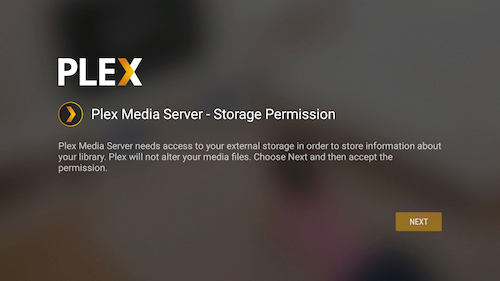
- I’ve tried setting permissions both from Apps menu and also within PMS helper (open PMS from system apps). After permissions are set, permission button disappears, but server won´t start (not even writing a single log line anywhere in system for last few days).
did you format SD as extension of main memory shield?
I was responding to someone asking if anyone had updated PMS but not their Shield. If you’d have read the post I’d responded to it wouldn’t be as misleading as you might think.
I’m still on hotfix 1 for android 11. I have PMS on adopted internal storage SSD and a number of external hard drives for storage.
PMS is the Jan 5 update and has been running since hotfix 1 was installed.
I can do SMB shares but that often causes the server to become unresponsive.
I usually have to reboot the Shield daily and sometimes multiple times.
Most apps and general functionality on the Shield is still laggy and buggy.
Above everything I don’t want Plex to get any worse than it is.
Should I hang fire on installing any further updates to PMS or Shield under further down the line?
It’s so hard to know what is best and it seems we’re all in a weirdly individual situation with variables that mean the updates are as likely to help as break my setup.
You don’t have debug logging enabled, so there isn’t much in your logs to diagnose. Also, please don’t redact your logs. Some of that is actually useful. You can PM logs to me if you don’t want to share publicly.
How did you grab the preferences file? Access to that folder should be blocked by the OS.
PMS in adopted storage (SD card).
Hotfix #3 applied
You shouldn’t be having the issue of PMS not seeing the storage device if using adopted storage.
PMS won´t start anymore (not even manually via “Open” from System Apps)
You can’t open PMS that way. It has to be from the client. However, if the client isn’t showing that option, then that most likely means PMS is having issues with it’s data folder and that’s why it isn’t starting. Either the adopted storage isn’t working properly so PMs can’t see the files or your database got corrupted so it can’t open.
It would be nice if we can get something of a ‘plan’?
When will all of this finally be fixed.
How long is this going now? 3 weeks?
I now have PMS v1.25.3.5448 with the latest hotfix for Shield v9.0.1(33.1.0.274) finally running stable for almost 2 days.
Issue for me was I had to format my external USB SSD disk with MSDos fat32.
Then cleared all app data of the Plex Media Server app on my Shield and setup everything again and then setup PMS to use my external USB SSD for storage in the Plex Media Player.
Then:
- Stop PMS server
- Eject my external usb drive from Shield
- Connect SSD to my MacBook Pro
- Copy my Plex backup to the /Android/data/com.plexapp.mediaserver.smb/
- Connect SSD back to my Shield
- Start PMS server again and wait a few minutes to let everything sync and startup
- And finally pin back al my libraries so they will be visible again in Home Screen
This way I can use my Plex normal again.
Only issues which need to be fixed (for me at least) are:
Support for using NTFS or exFAT again.
Ability to access all /Android/data/* folders on my external usb SSD over the network again (SMB share)
Running HotFix 3 - Server version 1.25.3.5448 on my Shield. Everything seems to be back to normal and I can see my Library again (it was not working earlier today and haven’t updated anything since a couple of days ago when I ran the HotFix, so maybe something updated server side)
I guarantee you will experience freezing on your shield. “hotfix #3” doesn’t do anything.
It did not for me after 2 days running without any freezes or crashes.
Like i mentioned in my most recent post, if you use an external usb drive make sure you format it with MSDos Fat32 and not NTFS or exFAT.
But that is basically just a workaround to make it work for now.
The NTFS or exFAT filesystems should just work as well like it did before the upgrade to Android 11.
Currently running PMS alright for 2 days but not perfect. My current setup is as follow…
Shield Pro 2019 - Experience 9 without hotfixes.
PMS version 1.25.3.5448 sideloaded
Storage PMS is local
Media stored on external smb drive over network
Like I said its running for about 2 days without crashing. At night times my Shield sleeps and turned on in the morning. Right now the only thing that should be improved for me is HW transcoding and libraries scanner feels untrust worthy. Right now I also disabled the generating of video thumbnails across every library I have.
If something new comes up, I will update this post.
I don’t know why you would think that formatting to FAT32 was at all a workable band aid. FAT32 only supports files less than 4gb and the partition can only be 2Tb. Both are a non-starter for me/many.
I’ll add that there are other issues as well. The Plex server WILL die at some point on you after patch 3. That’s on PLEX IMO.
The network speeds SUCK out of the Shield at this point, and SMB transfers to it are dirt slow (18-20mbps), where they were 100mbps before all this happened. It catches up with you on other apps over time. That’s on Nvidia IMO.
I’m running HotFix 3 - Server version 1.25.3.5448 and a wired ethernet cable to the Shield.
I am aware of the limitation of the FAT32 filesystem.
However i my case i have no files greater then 4GB in my /Plex Media Server/ directory where my databases, config, caches, logs, etc are stored.
And the total size of this /Plex Media Server/ dir is around 6/7 GB .
So this works perfectly for me.
My actual movies, music, tv-shows files are stored on my NAS server which is mounted seperately and this works perfect. That is around 16TB of storage for me at the moment with single MKV files of up to 100GB for some 4K HDR bluray movies.
Has anyone noticed transferring from PC to shield over the network to the hard drives plugged in is very slow now? 2mbps transfer speed. Use to be 50-70mbps on android 9
I got my Shield today and tried to create a server within the last 6 hours.
I had no Plex Server running before (obviously) but it wasn’t able to setup a server so I found this thread,
I installed the PlexMediaServer-1.25.3.5410 apk and tried to start the Server - it was running but it wasn’t able to find any of my files on the external hard drive (do I need to format the hard drive before or do I need to place all my files into a certain folder?)
After that I downloaded and installed the latest version of the apk - still nothing new.
Now I tried to uninstall all updated/files and completely re-install Plex Media Server but after proceeding to “add server” it only shows
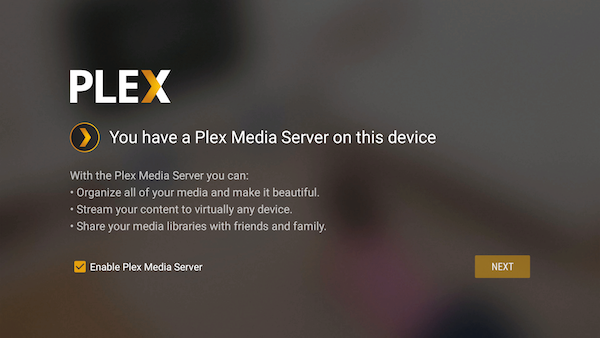
“You can manage Plex Media Server using the Plex for Android application” after clicking on “open app” it redirects me to the “enable Plex Media Server” screen. I went to settings → apps and gave all permissions manually but it’s still stuck in that loop.
Besides the update is there anything obvious I did wrong? Do I need to format my hard drive before the first use via Shield?
Thanks for your help.
Goto pms via web browser
Ipadress:32400/web
and do what you will be asked
worked… thank you so much. Everything is fine now