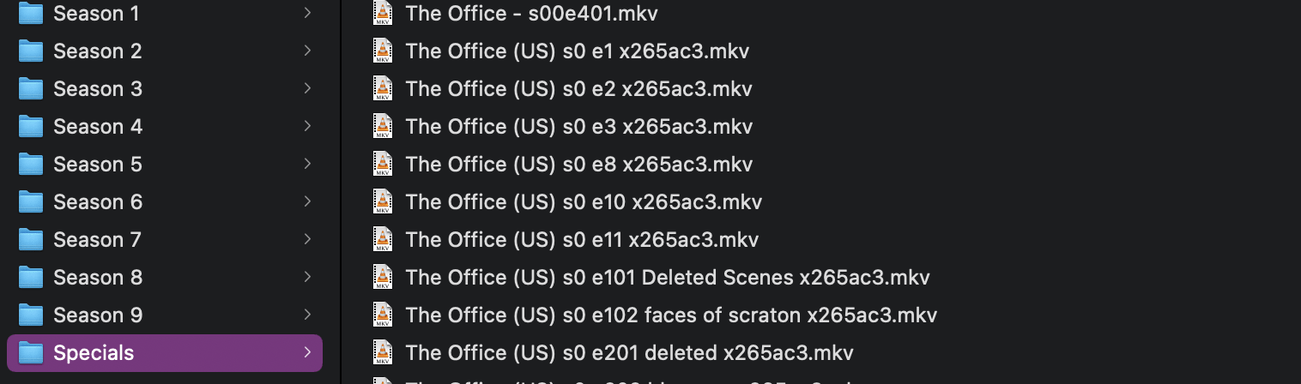
However, for the last few months, certain episodes in TV Shows won’t play. Previous reports say it only happens with episodes without metadata. For me that mainly means bonus features that I have in the specials (season 0) areas.
Thanks for your response. I have them structured correctly. They used to play perfectly, but then an update caused them to stop playing. This user had the exact issue and figured out it was due to an episode not having metadata: PMS not playing TV episodes with no metadata
If that user is correct, Plex is aware of the issue. So I was just hoping for an update.
I appreciate your help, though I truly don’t think it’s a naming issue. Every single file works like it always has except for videos I have in Season 0 / Specials that don’t have metadata pulled from TVdb.
I just updated one file in question, did the Plex Dance, and it still doesn’t play.
Just to clarify—when I click Play in any player (Roku, iPad, Plex for Mac, etc), it plays S01E01. That happens with every single video without metadata.
Sorry, I didn’t see your updated post before I replied. I went ahead and removed all the noise, changed the folder to Specials, changed to s00 instead of s0, did the Plex Dance, and still doesn’t play.
There is a giant, hairy, multi-legged critter eating cattle and making a nuicance of itself in Special Episodes - wherein when asked to play one of them - Plex plays a regular season episode instead.
Plex has tried surrounding it with tanks, calling in air strikes, dropped a couple of Fuel/Air Explosives on it, yet it still eludes containment.
Having said that - there is no space between S0 and EXX and while that might not seem like much - it might be much more. The fact is unless your file names are pristine - we don’t know what will happen.
So… you can bring your file names in line with the packaged instructions - or you can take cover while Plex drops a Thermo-Nuclear Warhead on Old Sparky.
Not sure when that’ll happen.
I imagine it’ll be preceded by an air raid siren.
Maybe.
Remove the entire show from the library.
Scan Library
Empty Trash
Clean Bundles
Fix the entire show with proper file names.
Move show back into the library
Scan Library
(Keep an eye out for Old Sparky - somebody saw it making Smores at a flaming Gas Station just South of Town)
If nothing good happens with great file names - Old Sparky strikes again, but having great file names is one sure way to avoid things that crop up when you don’t use them.
OK I will do this. I was always under the impression that I need to use the TVdb name, in this case being The Office (US). Do you think (US) is still OK?
No sign of Old Sparky
The Episode played without issue on my Roku Ultra and Plex for Windows.
I am using Windows.
If you can’t find anything but Old Sparky when you fix your names and reload The Office (US) - perhaps the fix hasn’t made it to MAC yet.
Either way - you’re waiting.
While you wait you may as well fix your file names and run the test.
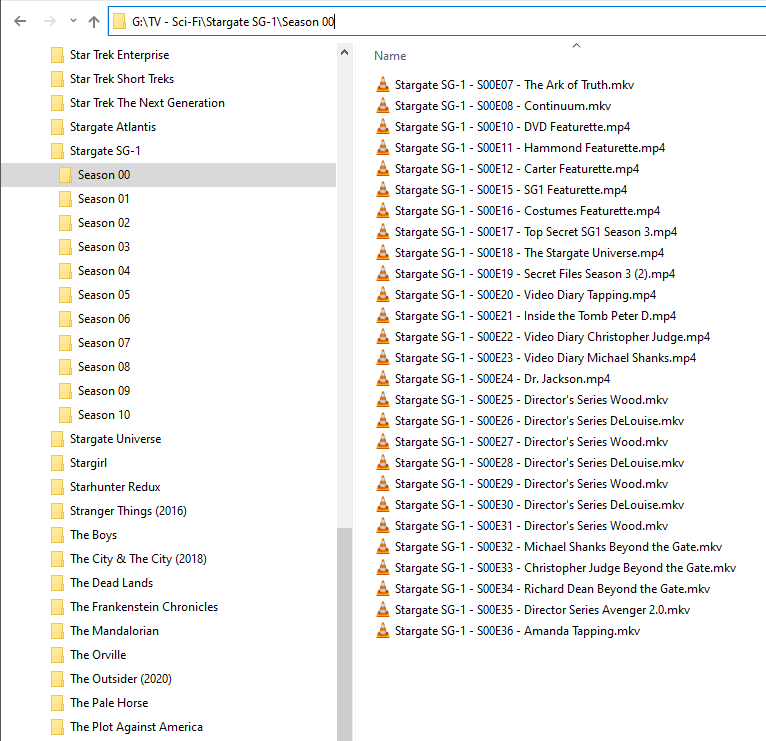
There’s a reason I use FileBot:
It’s so I don’t have to name 900 episodes of Stargate SG-1 all by myself.
See how pretty they are?
lol