Server Version#: 1.25.0.5246
Player Version#: NA
<If providing server logs please do NOT turn on verbose logging, only debug logging should be enabled>
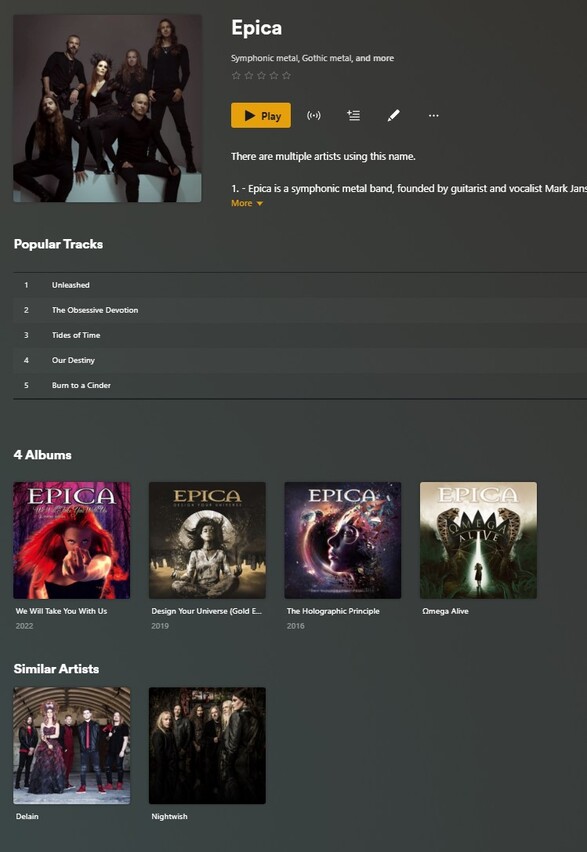
I have tried to follow the instructions here for adding videos to music folders, but have had zero luck. I’ve so far tried adding my bluray copy of Epica’s Omega Alive by going: Multimedia → Music → Epica → Omega Alive-concert but with no luck… I even moved it to the Omega Alive album folder: Multimedia → Music → Epica → Omega Alive → Omega Alive-concert still nothing… I have a few albums of theirs so I figured it would show… I’ve also tried with a few other concerts from other artists with zero luck… Is there something I’m missing? A setting I need to apply? I really like the idea of navigating through my music for music videos and concerts vs trying to create a collection in my Movies folder. Any help would be wonderful!
I just tried this, following the instructions on the help page you linked, and it appears that the help page is incorrect. (@BigWheel Could you put in a change to fix the Help page on this? The path specified in the Artist Videos section needs to be corrected, and the Tip below that section is not true as written.)
The help page says to place the video file in: Music/Artist_Name/Album_Name/Descriptive_Name-Video_Type.ext
But Plex does not find the video when placed there. In order for it to actually work, put the video file in the Artist_Name folder, not in the Album_Name folder: Music/Epica/Omega Alive-concert.ext
It looks like this is how you started, so I’m surprised that it didn’t work. Another thing to check is the permissions on the video file. Make sure the permissions are the same as for any of the audio tracks.
I did this with one of my own. When the concert video was inside The Katie Melua Collection album folder, Plex does not find the video. When I moved it one level higher, into the Katie Melua folder, Plex found it:
Thanks for the feedback! I tried again adding the video to the main artist’s folder, but it still does not seem to work. One thing I did not do, because I don’t think I need to actually do this? Is add the file type to the name of the file. Whenever I try to do this, Windows gives me a warning.. But here is what I have set up, and it’s not showing up.
You mention permissions in the video file.. What do you refer there? I don’t think I’m familiar with any of that, but I’ve also never had issues with adding files before! Is there any setting I need to enable in Plex to turn this feature on maybe? I’m a Plex Pass holder but I’m assuming that shouldn’t matter.
It has to do with the operating system on the NAS, but, looking around for info on that, I found this thread, which indicates that it shouldn’t be an issue on a QNAP. @ChuckPa is the Linux expert around here.
I’m afraid I don’t have any further advice. Maybe one of the ninjas will jump in.
(You are running “Refresh Metadata” on the Artist, right?)