2nd one
My Current DSM version is 7.2.2-72806 Update 2. Plex used to work so well and it is so frustrating that now now it won’t run
Please open FileStation
Navigate to: PlexMediaServer/AppData/Plex Media Server
Right-Click: Logs → Compress to Logs.zip
Download the zip file
Upload/attach it here.
Startup Crash.log (171 Bytes)
Sorry, took awhile to find
I had requested the ZIP of the entire Logs folder under Plex Media Server but what you have here will do.
The Preferences.xml file is corrupted.
The next step is to DELETE that Preferences.xml file.
Also, open https://app.plex.tv ,
– Go to Settings
– In the left Panel - *Authorized Devices
– Change ALL → Server (dropdown)
– Find the Synology server
– REMOVE that entry. (We’ll create a new one)
Now start PMS
Give it a few minutes to startup
Open the Syno using the LAN IP address (http://LAN.IP.of.Syno:32400/web)
You will need to sign in.
It will then start the Setup wizard
CONFIRM the libraries it shows you. You don’t need to recreate the library sections. (It already knows)
Continue through the wizard until you arrive at the dashboard
Now go back into Settings - [Server] and check all your preferences.
Some will have been lost
Given this is a new server ID, go into Settings - Manage Library Access
and re-share with the user(s) you previously had.

Also, open https://app.plex.tv ,
– Go to Settings Complete**
– In the left Panel - *Authorized Devices Complete
– Change ALL → Server (dropdown) Complete
– Find the Synology server Complete
– REMOVE that entry. (We’ll create a new one) Complete
Take the actual LAN IP address of your Syno …
substitute that address in the URL example I gave.
Example:
My Syno is at 192.168.0.71
Therefore, I use: http://192.168.0.71:32400/web
Make the same substitution using your Syno’s LAN address
This URL will take you directly to the Plex.tv page to remove the old Syno entry.
https://app.plex.tv/desktop/#!/settings/devices/pms
Just in case you need it, here’s what my SERVERs page looks like at Plex.tv
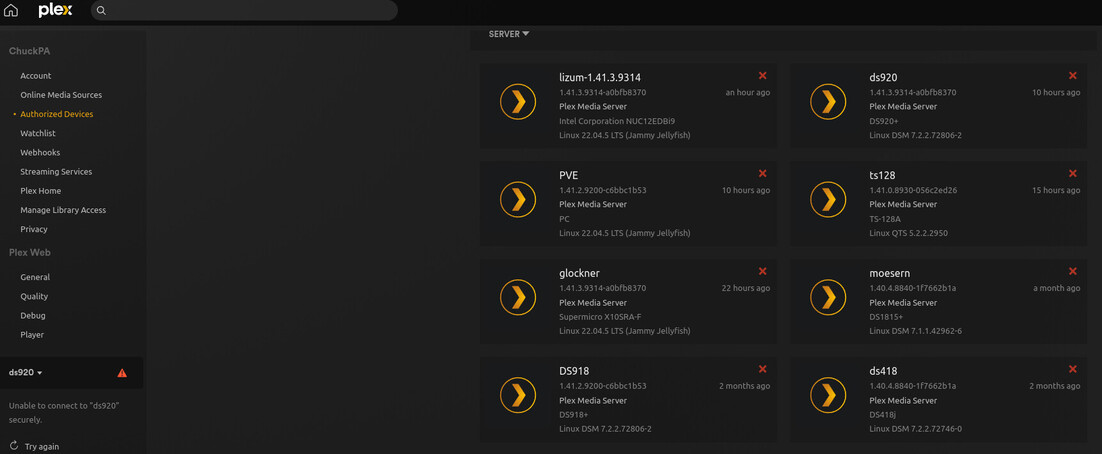
If I want to remove my DS418j, I simply click the 
Where do I find and change the LAN Address. Sorry retired near on 12 years, not so tech savy
How do you open the browser to your Syno?
The address is in the browser address bar
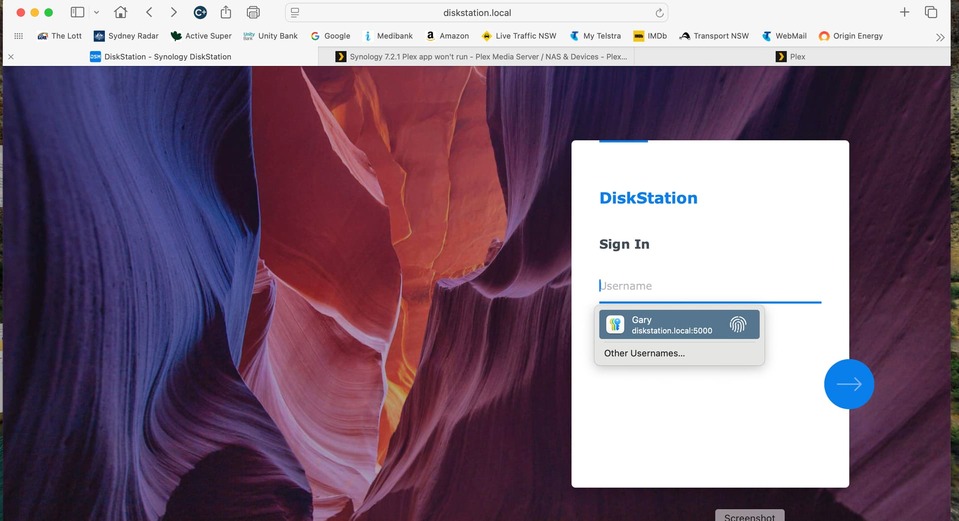
That gives me an idea (knowing the mac is involved)
Try: http://diskstation.local:32400/web
If it argues that permission denied, there is another option

OK, so here’s what we do.
We’re going to let the package installer do the work for you.
Here is the FAQ How-To (with screenshots)
While it’s for the ‘locked out’ scenario, it will also work for you.
Read it over. Let me know if you have any questions.


I"ll try again
Logs.zip (2.9 MB)
Thank you for the logs.
I found the probem.
The Synology has lost its connection to the modem/router & internet.
Jan 16, 2025 08:46:12.791 [1913643888] DEBUG - [EventSourceClient/pubsub/139.162.20.120:443] Failure: 125 - Operation canceled.
Jan 16, 2025 08:46:12.791 [1913643888] DEBUG - [EventSourceClient/pubsub/139.162.20.120:443/PubsubServerManager/getNextWorkingHost/sin] 2 total hosts available in region, starting tests
Jan 16, 2025 08:46:17.790 [1913643888] DEBUG - [EventSourceClient/pubsub/139.162.20.120:443/PubsubServerManager/getNextWorkingHost/sin] No working hosts in region, refreshing full host list
Jan 16, 2025 08:46:17.791 [1913643888] DEBUG - [EventSourceClient/pubsub/139.162.20.120:443/PubsubServerManager/getNextWorkingHost/sin/process/HCl#4a2] HTTP requesting GET https://plex.tv/services/pubsub/servers
Jan 16, 2025 08:46:22.796 [1894212464] WARN - [HttpClient/HCl#4a2] HTTP error requesting GET https://plex.tv/services/pubsub/servers (6, Couldn't resolve host name) (Could not resolve host: plex.tv), 2025 07:32:43.531 [1843606384] DEBUG - [Req#1cdb/ViewStateSync] Starting
Jan 16, 2025 07:32:43.603 [1843606384] DEBUG - [Req#1cdb/ViewStateSync] No user tokens found; stopping
