@ChuckPa as always you are a hero to us and do a great job on these forums!
Are there any functional or performance differences between Plex (and the plex package for 7.2.2) on DSM 7.0 → 7.2.1 versus >7.2.2? Or is it simply only addressing the package internals/menu/control elements that changed in 7.2.2?
I’ve held back from upgrading for the last month just to make sure there were no issues, but it sounds like there is effectively no difference between the two once migrated and up and running?
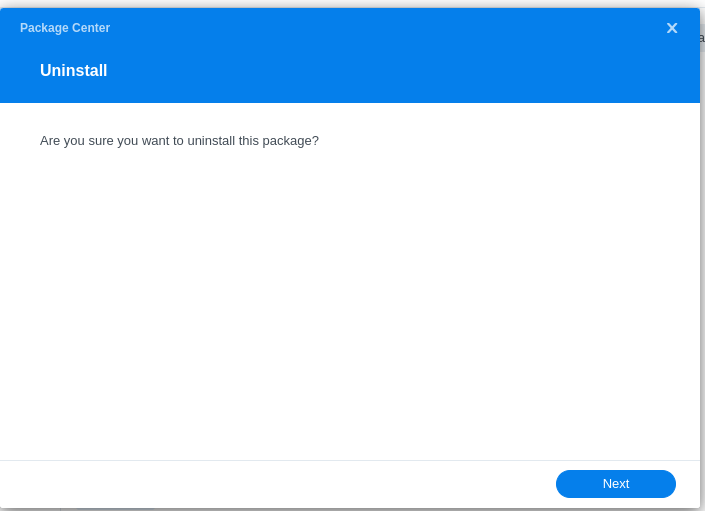
Thank you very much. I had a bit of a scare. I upgraded to 722 and Plex stopped working (the WHOLE reason I have a Synology…) Simple uninstalll and re-install fixed. Thanks!
I was just unsure how to “re-install” plex. Is it just as simple as downloading and manually installing the plex version V1.41.1.9057 after the DSM update?
I followed your instructions. No issue until step 4. The 7.2.2 PMS package I downloaded before re-installing Plex did not work. Pop-up indicated it was incompatible with the DSM version. I went to Plex website and downloaded from there. I was not sure which package (ARM7, ARMv8 or Intel/AMD 64-bit) were the choices. I was not sure which to use so I opted for the Intel/AMD. I manually installed and Plex is working. Any thoughts on which one I should choose. I have a Synology DS1520+
Thanks for all your help. Yes the problem I had originally was it did not have DSM72 in the SPK file name. The one I downloaded from the Plex site (Intel 86x64 file) did have DSM72 in the SPK file name. Thanks for confirming which one I should use. Thanks Again!
Hello! DS423+ running DSM v7.2.1-69057 / PMS v1.41.1.9057 here, NAS just notified last night that DSM 7.2.2 is available. Obviously read those release notes with horror, big thanks to these forums/ChuckPa’s existence to quickly put my mind at ease re: no changes to Plex video processing
That being said, this thread is a roller coaster and has some confusing/novel-install elements for things many of us are neither experts nor have lots of experience in, so like most folks, want to clarify that I am understanding properly for my specific situation; Also like most folks, I have learned the hard way to ask first rather than just guess :-p
I think my move is @ChuckPa 's quicklist ^, with the elaboration that for step 3, I may have to go to the plex downloads page itself vs just downloading from the Settings > General page in browser via my app.plex.tv server (to my local machine before uploading to Syno via Package Center) like i normally do?
→ Specifically, I need to make sure I download an SPK like dsm72* thats for x86_64?
Though this PMS version (1.41.1.9057) is technically the same version that I’m already on (and as Chuck said here, these are identical)… Additional clarity, true/false?
Since I am already on the latest stable version, there is minimal value in doing the above steps today; I could wait until the next stable PMS release, and follow the steps above (to uninstall PMS, upgrade to DSM 722, download the right PMS for DSM722+) ?
You are essentially correct, however, it is worth updating using the correct package to make sure that all of the permissions etc. are correctly set by the new installer package.
The new packaging that Synology requires is different from previous versions of the package and as such it has some different parameters that must be set during the install.
Also, it is not guaranteed that downloading the package via Plex Settings > Server > General will fetch the correct package for the DSM 7.2.2 upgrade, hence the requirement to go to the Downloads page and manually select the correct package there.
This will NOT apply in the future, it only applies for now.
Your NAS is powered by an Intel Celeron J4125, so you do indeed need the Intel 64bit package for your NAS.
Appreciate the swift and helpful replies, all!
As an IT professional I am indeed inclined to update ASAP, and glad to hear this should be a one-time hassle… or until Syno changes deep config again, lol
You have to get the DSM 7.2.2+ version from plex.tv.
I updated my DS918+ from 7.1.2 to 7.2.2 without uninstalling Plex Media Server.
After updating to DSM 7.2.2, Plex Media Server (still the DSM 7.2.1 package) would not run.
Therefore, the only way to get the 7.2.2+ version of PMS was to download it from plex.tv.
Plex ran fine after installing the DSM 7.2.2 compatible version. No problems.
FYI, before giving me 50 lashes w/ a wet noodle, I did it that way on purpose, to see what would happen. The DS918+ is my test server, so if things went bad it would not matter. And I made a backup of the database files beforehand.
Yes, that is perfectly understandable and a good way to test things.
I find it odd that some folks can still run Plex after the DSM → 7.2.2 upgrade. As with your experience, it should always fail, but alas, that is not always the case.
This can also explain why the download from Plex Settings > Server > General may fail to grab the correct package, because Plex may still think you’re on DSM 7.2.1 and it will grab the 7 package instead of the correct 72 package and that will fail to install, leaving the user bewildered … lol
I think Synology is just trying to get back at Plex because their Video Station failed … lol
Given DSM 7.2.2 packaging contains a breaking change from all DSM 7 packages which preceed it, We decided it was easiest for all to have one consistent: Uninstall - Upgrade - Install rule.
The procedure for DSM 6 → DSM 7 is: Uninstall - Upgrade - Install
For the sake of consistency, I decided to retain: Uninstall - Upgrade - Install.
– This process guarantees we avoid the “broken” installation situations we experienced with the DSM 6 → DSM 7 upgrades.
The DSM 7.2.2 package asserts os_min_ver="7.2.2-70000" for firmware requirement.
If we maintain the same philosophy and general procedures, when DSM 8 comes around, everyone will be better prepared what to expect and how to deal with them.
 )
)