I’ve just installed Plex in my nas device from terra master, I checked compatibility and it’s fine on that side, works fine locally but when I enter from other devices outside local network its super slow, I´m new to this matters so I´m kinda lost on what to do, any help would be appreciated.
Also I tried to upload logs but I cant upload all the file, how do I know which file should I upload?
Server Version#: 1.32.4.7195
Player Version#: server nas terra master.
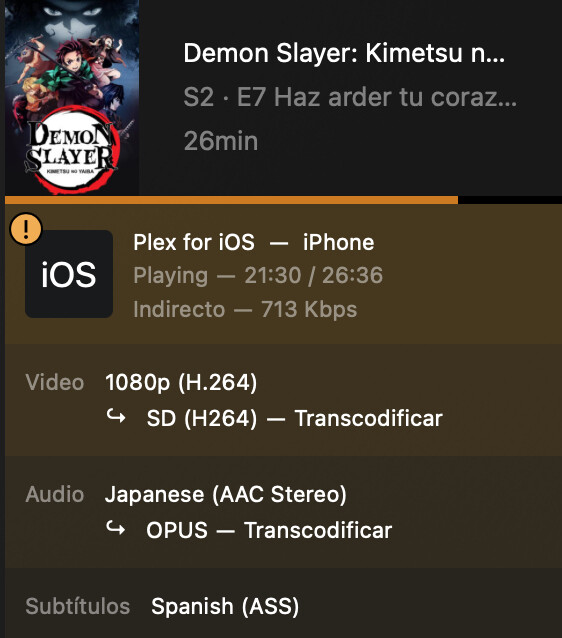
What information is showing in the “now playing” tile for that playback on the Plex server dashboard? I’m particularly interested if those remote streams are displayed as Remote or Indirect… if the stream is indirect, that means it’s running through a Plex Relay server. That can imply there’s a problem with your remote access setup. https://support.plex.tv/articles/200871837-status-and-dashboard/
It can also be helpful to verify the internet upload speed of your server / home network … many users have internet plans with much lower upload than download bandwidths… which can obviously also result in perceived/actual slowness.
Thank you for your response.
internet not a problem I already check it with speed test, but I saw that it appears as indirect
I do have doubts with the remote access setup but as you see I´m confused on this matters
Does this steps applies to nas, I already try to follow the step that you mentioned but the nas shows one ip address different to the ip that I choose as static… Im´really confused
Yes, those steps apply to a NAS the same way they would a Windows or Mac computer
The static ip address has to be the ip address of the NAS. (sort of)
You can set up a link aggregation in the router and port forward one ip address but see the other ip in Plex. That’s probably beyond the scope of what I can talk you through
For now, I would work on the port forwarding part and see if you can get a stream going outside your network.
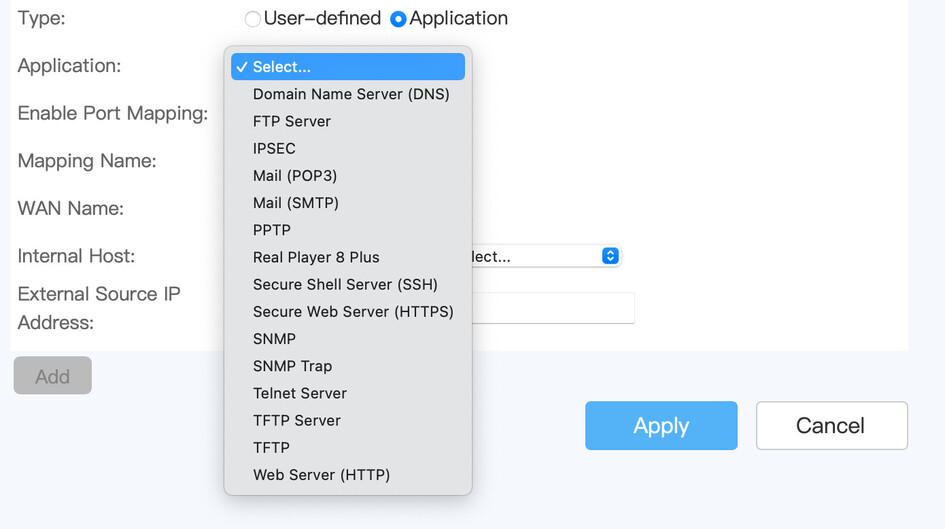
In your router go into the WAN setting and look for port forwarding or virtual server. The terminology will depend on your router. You may have to Google your specific router to help you with this
Enable port forwarding if it isn’t already and add your server ip address
Yes, you’re in the right area for both. When you click “New” in the static ip conf. field hopefully there’s a dropdown you can see your NAS in
Fill in the fields for the port forwarding like my screen shot and test to see if the port is open
I don’t know terramaster but you may have to check the firewall or any type of advanced security if you can’t get a clean path at canyouseeme.org
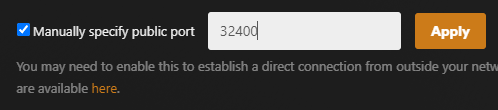
Inside Plex enable your manually specified port following this guide
in the option for internal host I can choose the nas device and appears the local ip not the one that I set up as static, I don’t know if it’s fine.
then in external IP address what should I write?
and finally where it says external port number and internal port I assume that it’s 32400 for both.
I really appreciate your help thank you for taking the time to guide me.